Got movies that Plex refuse to add to library.
Naming is correct (Very similar naming to one i added a week or so ago)
Nothing is changed on Plex or Synology(By me anyway) since last successful added movies.
Plex sees the Folder (show movies as Folders) but simply will not see the file.
Files/Folders named by Radarr using the ‘standard’ naming scheme: {Movie Title} - ({Release Year}) - {EDITION TAGS} {Quality Full} {MediaInfo Simple} - {Release Group}
EXAMPLE:
Folder: Space Battleship Yamato (2010)
Title: Space Battleship Yamato - (2010) - Remux-1080p h264 TrueHD - FraMeSToR
This one added at 16th Mai.
Folder: Everything Everywhere All at Once (2022)
Title: Everything Everywhere All at Once - (2022) - 545611 WEBDL-1080p x264 EAC3 - EVO
This one. EDIT: This one got added after SEVERAL PLex Dances ( adding the TMDB TAG or not makes NO difference)
Now this one:
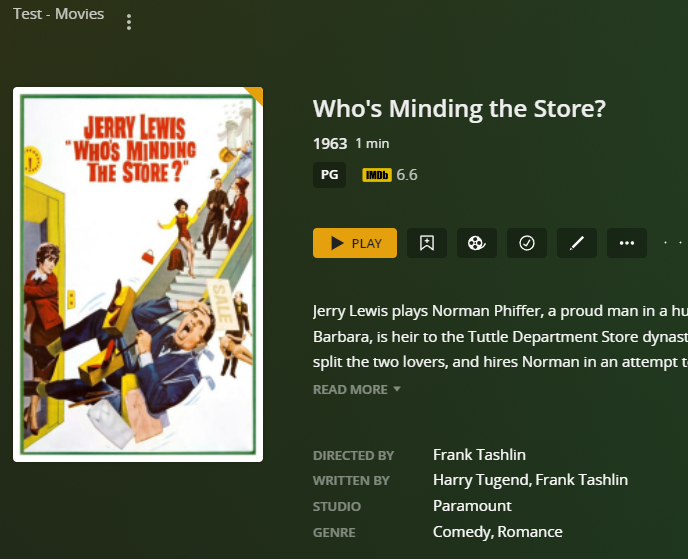
Who’s Minding the Store? (1963) TMDB NAME
Who’s Minding the Store! (1963) FOLDER NAME
Who’s Minding the Store! - (1963) - Bluray-1080p x264 FLAC - SADPANDA.mkv RADARR CORRECT NAMING!
I have now done 5 Dances, NO LUCK… WTF is wrong with this pos.
I doubt it is this easy, but your name differs from the TMDB name. You are using an exclamation point not a question mark. I seldom use special characters, especially dashes, in my folder and file names.
Place resolution, codec, etc information inside square brackets.
You can leave out the question mark. It is an illegal character for Windows file names (saves you some trouble if you ever move such files to a Windows system).
Try:
/Movies
.../Who's Minding the Store (1963)
....../Who's Minding the Store (1963).mkv
or, if using Plex Movie scanner & agent:
/Movies
.../Who's Minding the Store (1963) {imdb-tt0057683}
....../Who's Minding the Store (1963) {imdb-tt0057683}.mkv
If you want to keep the other info in the file name, place it in square brackets. Plex ignores information inside square brackets.
/Movies
.../Who's Minding the Store (1963) {imdb-tt0057683} [1080p.yada.yada.yada]
....../Who's Minding the Store (1963) {imdb-tt0057683} [1080p.yada.yada.yada].mkv
Lastly, you’ll need to Plex Dance the movie after renaming/reorganizing. This will remove any incorrect matching information from the Plex Media Server database.
Ignore length of movie. I’m using a small test file, as I do not have the movie in my library.
I’m trying to remember, but I think I had to log out and back in again after doing the Plex Dance to get it to start working. The dance alone did nothing.
If you have a look at the examples i gave, they all use the same naming scheme. And so do almost all other movies in the lib. (Some added years before radarr or with old version,
Many named by FileBot and all of them have “Title” - “(year)” with a Dash before year.
Its just this one movie (for now) giving the problem.
Also Scan Library takes only seconds (<5). Feels off.
I just did a test with an “old” movie that was found by Plex despite having the complete wrong naming. Of course it didn’t find any meta data, but it still had added the movie to the DB.
I renamed it with my current Radarr scheme to:
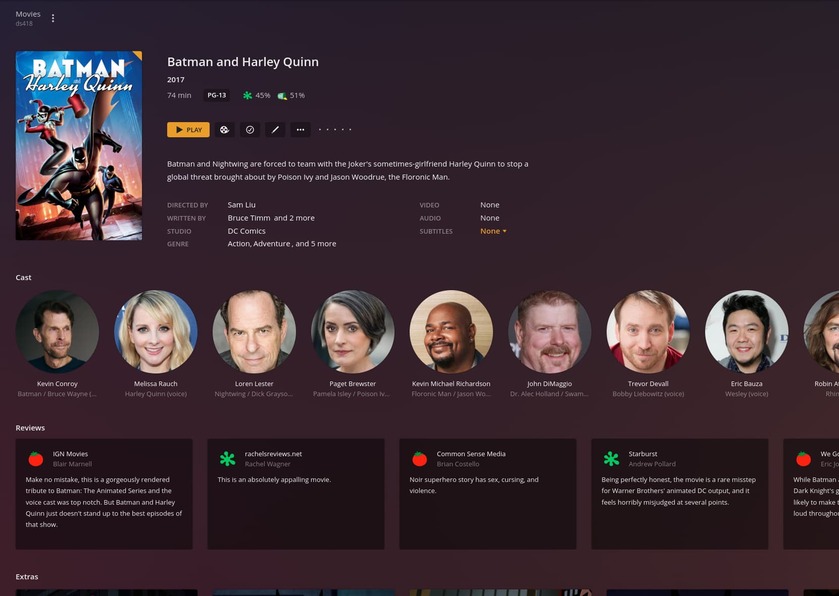
“Batman and Harley Quinn (2017) - Bluray-1080p x264 DTS-HD MA - Radarr.mkv”
(the Radarr part is default when no “group” name is to be picked up like when you add it manually like i did)
And Plex picked it up immediately with the new name. (WITH or WITHOUT the Dash)
I also deleted (well, moved) the folder, did the Dance, and added it back. Was in there before even doing the lib.-scan.
So it can’t be (just) a naming issue in it self. ??
When you have “automatically update my library” enabled,
PMS is sensitive to directory activity.
If the directory date/time last modified changes, PMS will see that and rescan it because the linux kernel generates a Directory_write notification event.
When starts scannng, before it decides “match again”, it looks at the file header checksum (fingerprint). If that fingerprint is in the DB, nothing will happen.
This is why we “Plex Dance” media files which were renamed AFTER PMS scans them incorrectly the first time. (Removes the fingerprint when empty-cleanbundles-optimize is performed)
The best way to add media is
Rename media directories / files into final form.
Move finished (PMS-ready) directories with files in them into where PMS monitors
Allow PMS to detect and add properly the first time.
Plex Dance puts PMS back into the state where the media files will be “New” when you move them back. They will be “as if new” and without any previous entries in the DB.
Plex still refuse to see this movie.
Moved it out and danced and back. Renamed it several times, same no deal.
(I also added the CleanTitle)
Like i said about he Batman movie. I moved it out, danced. Renamed with the same Scheme i use for everything, it and moved it back and Plex caught it right away. (due to the auto update. Need that for automation)
Folder is also named correctly according to TMDB
Who’s Minding the Store (1963)
(and just for laughs here’s a couple Series with similar naming)
Marvel’s WhatEverMarvelSerie
Foyle’s War
so its not the ’
I wonder if its even being picked up. When you scan (which is usually really fast, that is normal), do you have tasks that take place when added? Such as generating video thumbnails? By default, that is not enabled, but if you turn that on and add the file, we can see if Plex is even detecting the file. I suspect it might (for whatever reason) be combining or be considered a duplicate of another movie. With image thumbnails enabled, we can see in the plex activity indicator if a movie was added and what movie Plex thinks it is. I guess the point is to see if Plex is even noticing it.
Alternatively, just to make sure we aren’t doing a “doy” moment, this movie you add IS within the library we are checking, right? I just wanna make sure you aren’t putting this movie into a - for example - “documentary” movie folder, but telling the “action” movie folder/library to scan and it of course wouldn’t find it since it’s in a different location.
Last thing I could think of to try is trying a purely clean title with no other stuff in it. Just the title and year release, no release-group info or codec info. If it takes, you can rename the file after once Plex picked it up, but for now try a totally clean title.
Generate Video thumbnail is set to Newer.
(not even sure i want to turn it on for a “test” either.)
Re the naming. Just for laughs i added TWO movies yesterday. One brand new and one old. Both using the same naming scheme.
And Both of them was picked up by Plex “immediately” when added to the movie folder.
Still not a sign of the “problem” movie.
(sorry been away. Chrome refused to work at all for 24hours because windows10 is silly)
Right now its
/movies/American Murder The Family Next Door (2020)
/movies/The Unbearable Weight of Massive Talent (2022)
(Forgot: Both mkv as most of the movies are)
Still same naming as more or less all movies. No renaming or anything done after moved too library
Ok slight edit: Did “your” dance and both movies got added.
Weird. After doing the “normal Plex Dance”(The Plex Dance ™) non of them got added.
Still doesn’t explain why Plex is such a picky git by what movies it consider addable when they get added in the first place.