Server Version#:
Player Version#:
<If providing server logs please do NOT turn on verbose logging, only debug logging should be enabled>
Plex will not add a few of my movies to a Library. Most made it and I’ve edited a lot of the Metadata for other movies. So, if I delete the Library and start over (so hopefully) all of the movies are added, will I lose all of the edited Metadata?
Things I’ve tried:
I looked at all of the permissions and all of the files are the same.
I copied the files into a different directory, created a new library and the movies were imported to the new library. There appears to no way to move the movies from Library to Library.
I also renamed the movie and it still doesn’t show up. I looked at the file properties and there is no difference - all appear to have the same permissions and properties.
Any help would be appreciated.
P.S. if you’d like to get the Server and Player versions, where can I find them?
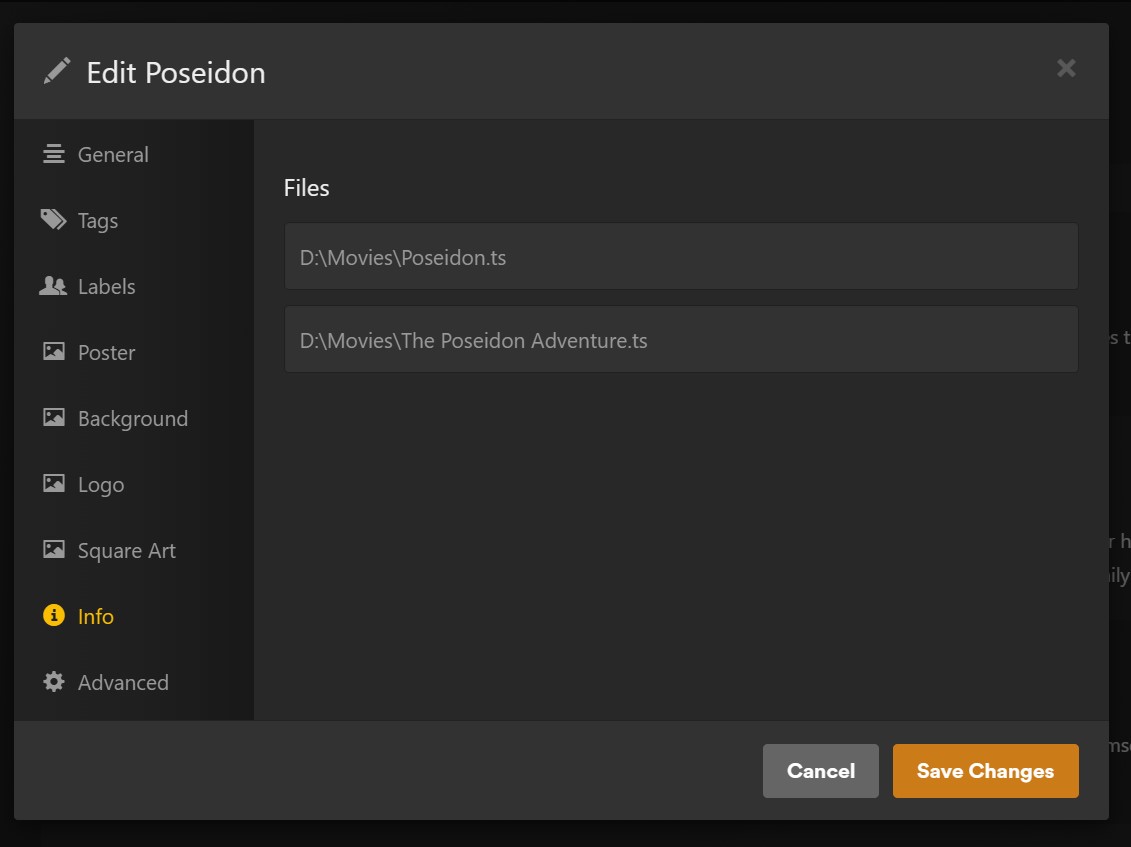
Yes they’re in the proper folders, etc. The problem is a conflict with “Blade Runner” and “Blade Runner 2049” Also with “Poseidon” and the “The Poseidon Adventure”. I checked the “Info” on “Poseidon” and it shows 2 files:
You are not putting them in separate folders for each movie. Put the year of the movies in parenthesis at the end as well. You can also add the IMDb is in {} at the end. This is all mentioned in the articles.
This type of issue is why doing those things recommended in the articles others linked
I can attest that if you’re using bulk folders (I do similarly though working on fixing that), then including the year in parenthesis after the title in the file name really needs to be there at least for movies with similar titles but really for all titles it helps the agent find the right title to match. Using the IMDB flags also works but the year function helps no matter which media server you’re using.
Yes. And it’ll make a noticeable difference on the performance when scanning your library. There’s apps like FileBot that can help naming/organizing your files if you feel this is too much work.
Using dedicated folders for each movie will also simplify managing local assets (posters, clear logs, backgrounds…) and local extras if you start using those.
In my music folder along, I have 219GB of music, Containing 14292 songs and 704 folder.
There is a degree of manual work to it but there are very much applications out there that can help. Musicbrainz Picard to give an example, which is what I use, there is a template setting that once you match up the music it can then sort it in to folders for you.
I do not have access to my computer at the moment to give the exact template settings but it goes along the lines of:
So, as suggested, I created separate folders for Blade Runner, Blade Runner 2049, Poseidon, The Poseidon Adventure - didn’t work. I didn’t think it would if the software can’t differentiate between files with similar names - how could it for folders?
if it helps, here is the script that I use in MusicBrainz Picard for the my music and this has served me well: %albumartist%/%album%/$num(%discnumber%,2)$num(%tracknumber%,2) - %title%
I figured it out. I just added the movie release year at the end of the file name in parenthesis:
Blade Runner (1982)
Blade Runner 2049 (2017)
Poseidon (2006)
The Poseidon Adventure (1972)
No separate folders or {} were needed and I didn’t add the release year for every single file name. Something else I realized - there was no problem with:
Pirates Of The Caribbean - At World’s End
Pirates Of The Caribbean - Dead Man’s Chest
Pirates Of The Caribbean - On Stranger Tides
Pirates Of The Caribbean - Salazar’s Revenge
Pirates Of The Caribbean - The Curse Of The Black Pearl
All were in the Library when I first started using Plex Media Server.