I tried refreshing movie data. The subtitles that are correctly in the the movies folder won’t appear. Only opensubs appears. Can’t figure out what is wrong with my settings. It used to work.
How so? Local subtitles are identified by the agent – that means you’ll need to Refresh Metadata of the item or library to pick newly added subtitles up.
Are you sure they’re named correctly?
The subtitle base file name must match that of the video and only add the language code as a suffix (+ optionally tags for forced or SDH subtitles).
The subtitles were added when the movie was added to the nas.
For instance:
The Godfather (1972) movie folder
The Godfather (1972).mp4
The Godfather (1972).srt
The .srt file does not show on the app on the firetv. Only on the desktop plex.
If it’s showing in the desktop app (or the web app), that means the server has added your subtitle
Not sure why the FireTV client wouldn’t show it though.

Try adding .en to the end of the name
The Godfather (1972).en.srt
Or go to the trouble I do and MUX the subs right into the show.
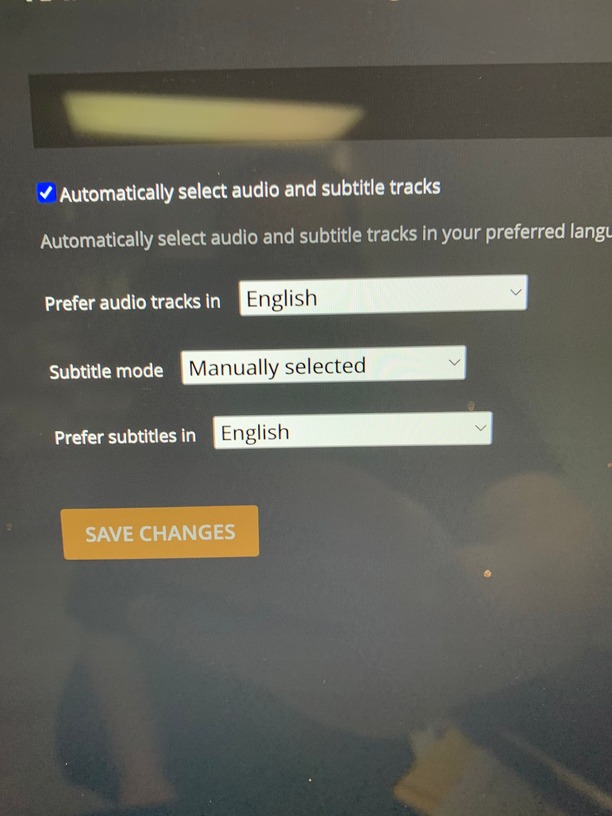
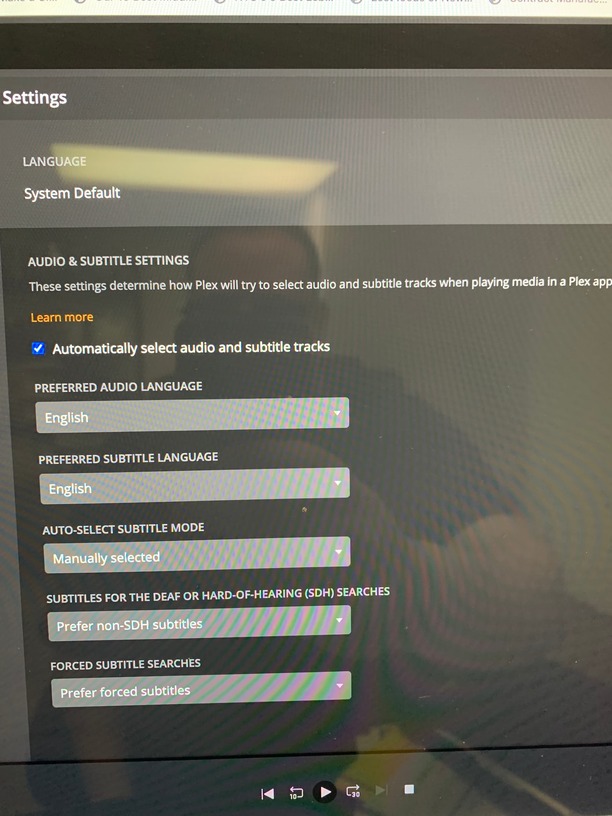
Can the problem be my settings?
Your settings are the same as mine.
Your problem seems to be that you didn’t specify what language the subtitle file covers (as per tramp78’s suggestion). If Plex doesn’t know what language the subtitle has, it won’t automatically select it as auto-selection is configured to happen for the languages you selected in your configuration (e.g. preferred subtitle language is English, subtitle file has no recognized language → no automatic match)
This topic was automatically closed 90 days after the last reply. New replies are no longer allowed.
