Server Version#:1.27.0.5897
Player Version#:4.87.2
In a moment of stupidity I changed the Plex scraper from Plex Movie to Plex Movie Scanner and now I can’t change it back again. I did this because a lot of my movies were displaying with the incorrect title (American titles v Australian ones). That problem is fixed but the trouble is that it’s not displaying the posters correctly, as it was before. Instead of vertical with a picon of the full poster, I am now getting a horizontal clipped image which doesn’t show the complete poster
Or inspect them yourself. Take a look at the Plex Media Server.log file and seek for messages about database corrupt or malformed.
If you find these, you may have to repair your database.
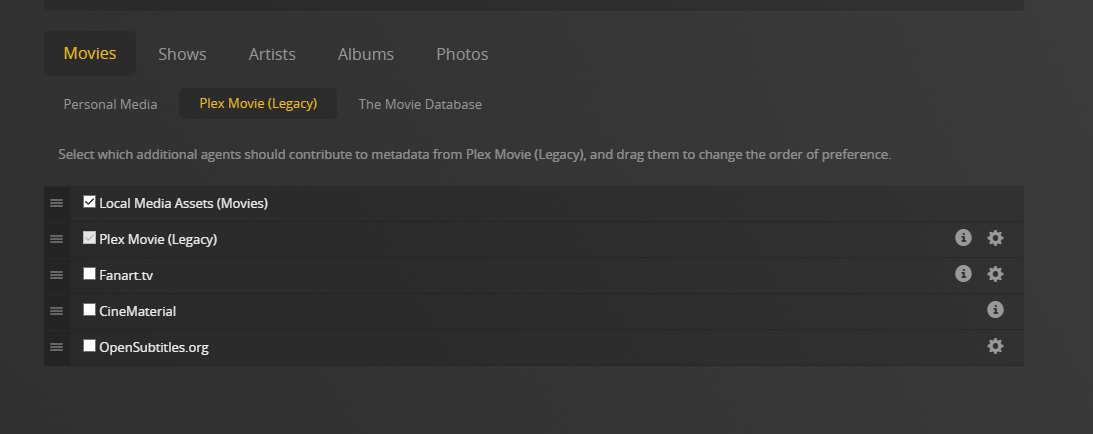
“Plex Movie (Legacy)” is the old agent.
Check its configuration under
Settings - Server - Agents - Movies - Plex Movie (Legacy)
The line “Plex Movie (Legacy)” must be in the topmost position.
After you’ve verified that, Refresh Metadata of a few affected movies.
Wait a few minutes afterwards.
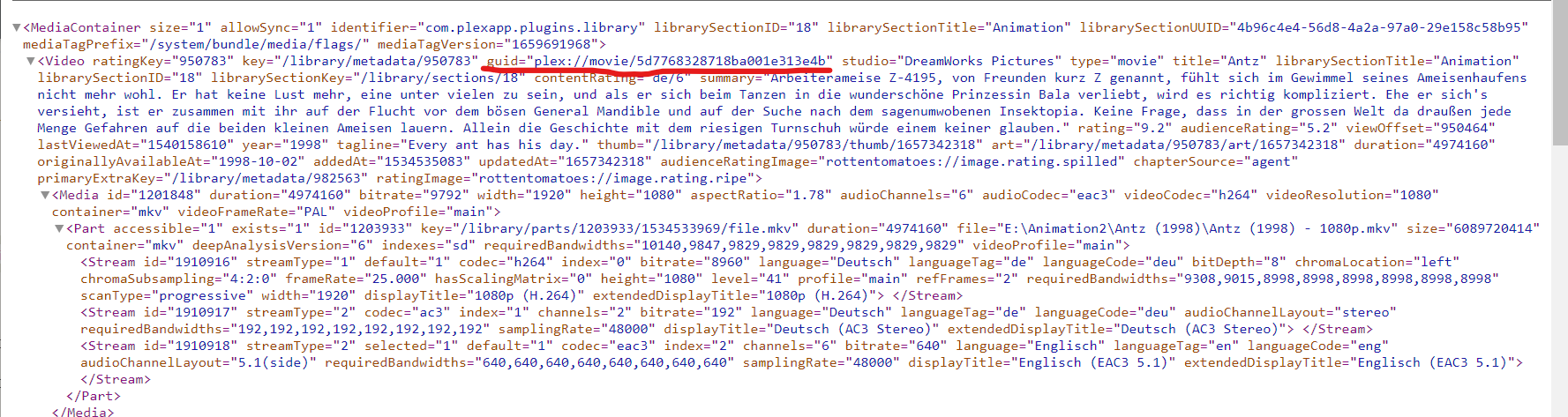
Then take a look into their Plex media info XML. Seek for the XML property guid="... (all lower-case letters). Do they contain something like guid="com.plexapp.agents.imdb:... or are they still like guid="plex://movie/...?
That’s indeed the one. agents.none means the item is currently “unmatched”, which means it won’t get any metadata. You’ll have to perform Fix Match on each affected movie.
Or, consider removing the whole library. Then recreate it using the default settings (which will use the new “Plex Movie”). If you haven’t customized the metadata heavily, this might be much less effort for you.
I eventually migrated everything out of the Movies folder, refreshed the metadata and migrated it all back in again. Plex asked me to update to the newer agent and now all seems okay.