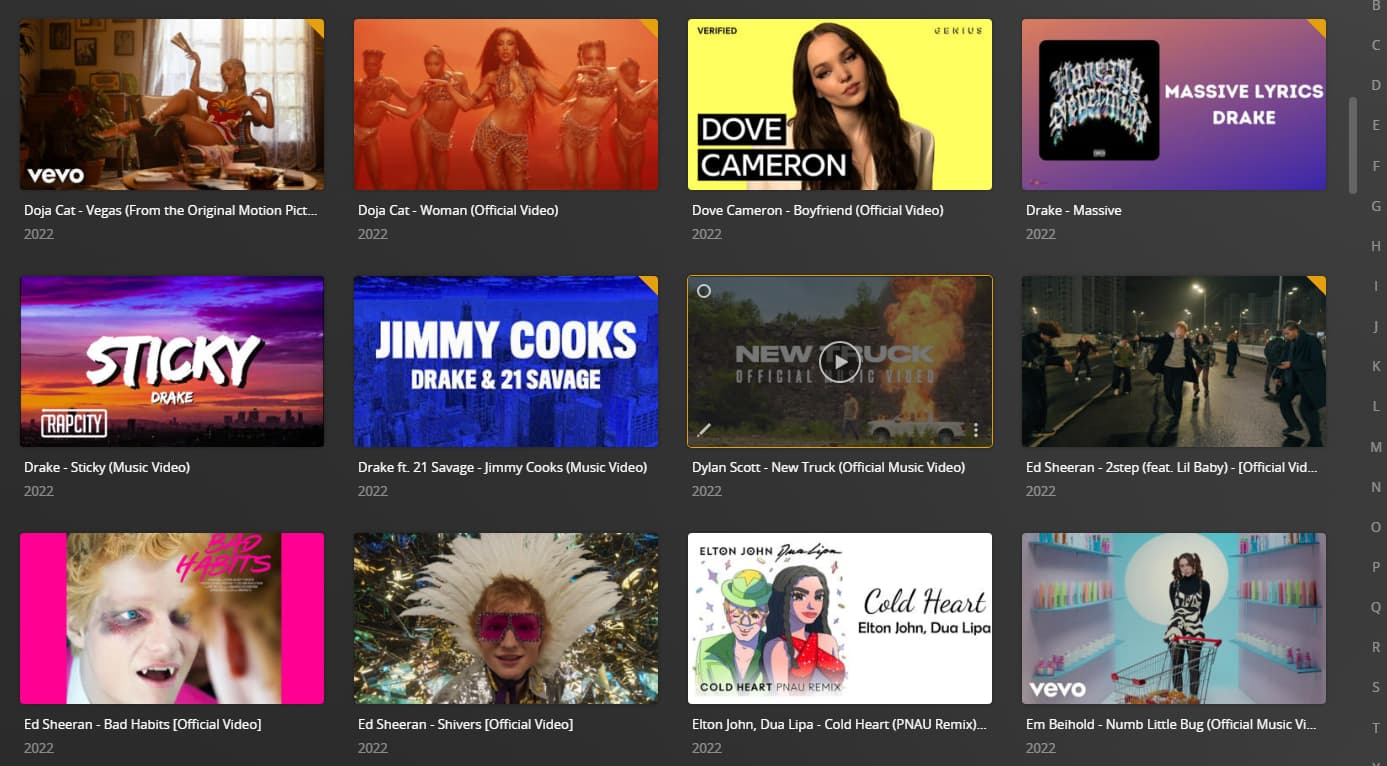
I’m using PMS on Nvidia Shield TV Pro 2019 with Plex client and I have some music videos set up on an ‘other videos’ library.
Most of the media files show up as a random thumbnail in portrait.
Some folders of files instead display as landscape with a seemingly better quality thumbnail with a sort of overlay and with the text of the media file name.
I’ve no idea why Plex seems to do this for some files and folders but not others.
Does anyone know what I can do to make all of them appear in landscape with the text overlay?
This doesn’t sound like your exact issue but being an “other videos/music video” library having thumbnail issues on android tv, sounds too similar not to be related.
I’m having a hard time picturing your issue. Landscape AND portrait videos are all mixed together in the same library? Do you mind sharing a screenshot?
It seems like it does the better looking landscape thumbs if the folder containing those files has another folder within it. If there’s no folder then you get the portrait thumbs.
Not sure why this is - seems like a feature in a way.
I’ll test and reply again if the above is correct.
I took some of the videos I have and removed them from the folders….no change
No matter what I do I can’t get any videos to show up in portrait except in HTPC if I filter the library to date added instead of title. Not sure that should happen either but HTPC is another issue
It’s just showing random background screen grabs. Not sure how yours look like that with the title in writing. Maybe your screen grabs are just different.
Same videos on Plex for Windows/Plex Web and android mobile