Server Version#: latest possible consumer
Player Version#: latest possible consumer
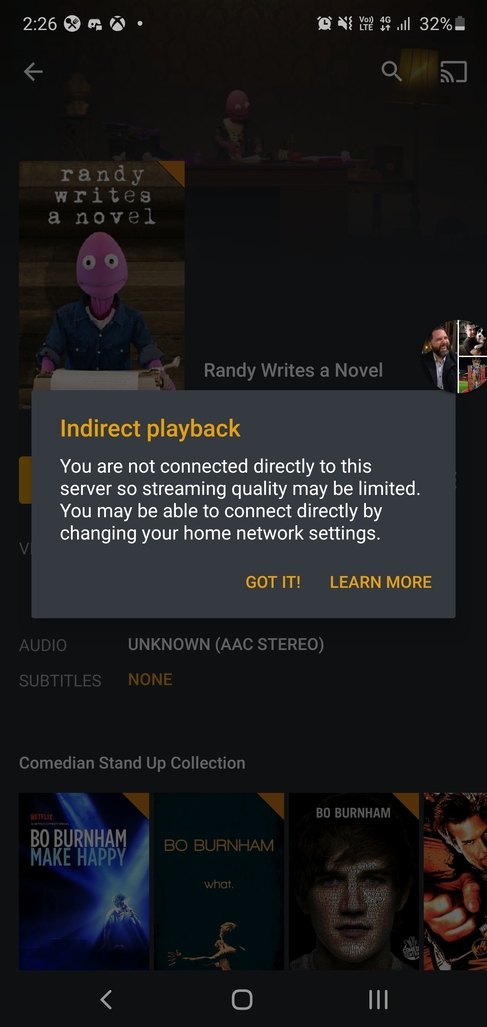
Im currently trying to connect to my media server from outside my network I live in Australia and im running with the nbn so my upload is well above 30mbps ive also payed for lifetime plex plus however when I connect to the server remotely im only allowed 720p at 2mbps and it is often referred to as limited connection or something like that the comutrer the server is running on is also my twitch streaming computer so its more than capable to stream 4k60 at 20mbps so im wondering if this is a port issue on my router or a nbn modem issue im not to sure anyone else had this problem
Ive run through that already set up port forwarding set a static ip reserved the ip address even put the computer hosting the server in dmz after a certain period of time the port stops working and i have to do it all over again and I can never get a secure connection and never get a stream above 720p 2mbps
The only explanation that comes to mind is that you forgot to tick the check box with the external port number in Plex.
I have it set to auto and after a certain period of time it stops as well as forcing it to 720p outside if the network
I had troubles using the 32400 port outside myself, could be my ISP using it for something but seems unlikely as it would work then not. Anyways…
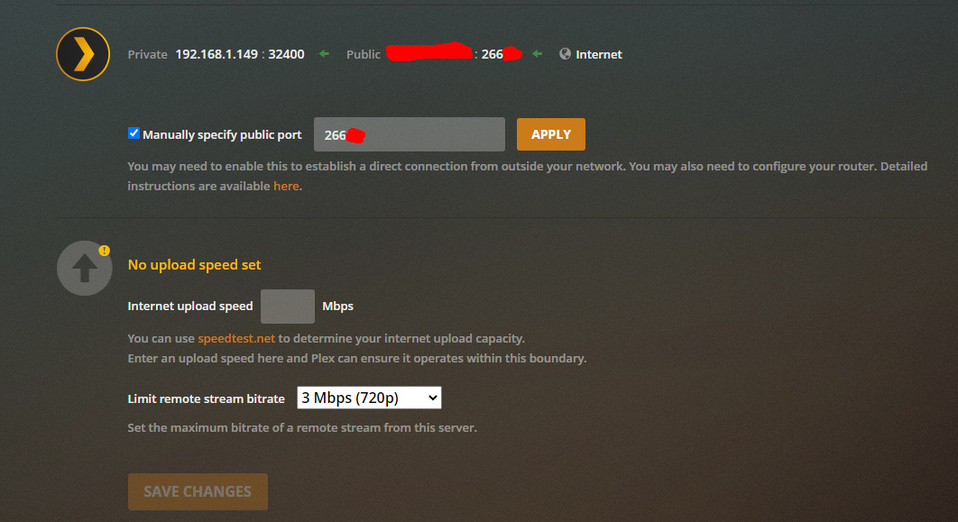
Try manually specifying a new port you haven’t used yet (I’ll use 26666 for my example; setting is in Remote Access section under Settings) and make the appropriate changes to the settings on your router to accommodate your new port. You just need a rule that tells the router if any traffic comes using 26666(again this port is my example, I mean you can use it but you can use anything else really as long as the port isn’t being used for something already) send it to the local IP of your Plex server and the local port which for plex is 32400. Heres the forwarding rule on my router that works for me:
Also let us know
- What your remote stream bitrate currently set at?(Also in the Remote Access section as seen in screenshot)
- What your Secure Connections drop down box is set too(In Network section under settings), I’ve been happily using Preferred myself for a long time. I would advise against putting Required to avoid troubles. Note I would suggest disabling secure connections until you’ve tackled your stream rate issue first FYI
Additionally for the secure connections issue make sure you don’t have a VPN active that’s connecting you to the internal network where the Plex server is running otherwise that may cause issues with getting the secured connection. When I connect to https://app.plex.tv from inside with a VPN connected the secured connection doesn’t happen, but when I disconnect from VPN and go to the website from outside it works.
Small annotation: change the ‘protocol’ to ‘TCP’ only.
Thanks for the catch! I actually use the UDP for something else completely plex unrelated so I can confirm you will only need the TCP