Server Version#: 1.25.3.5409
Player Version#:
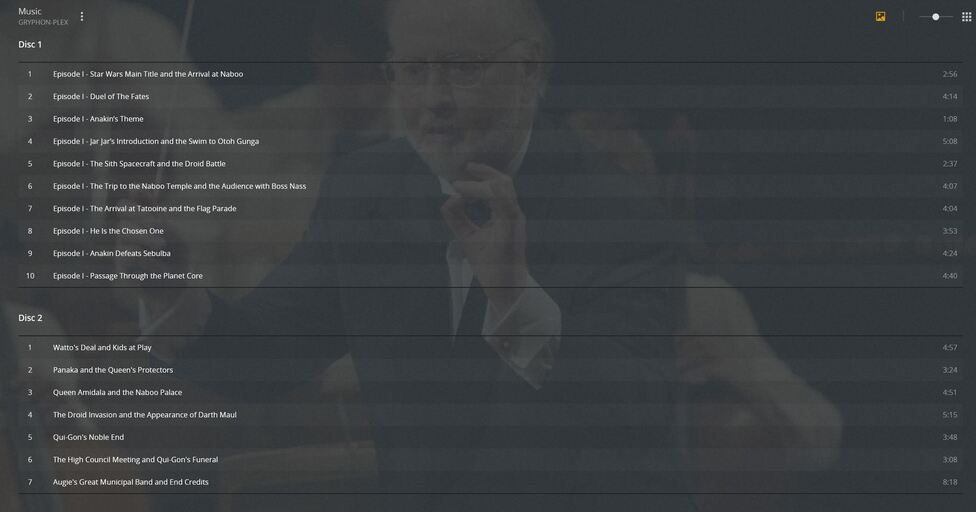
I am trying to add the Star Wars Ultimate Digital Collection to my server. I initially had each episode entered as a separate folder and independently numbered. Then when I went to fix the match because it tries to pull the Vinyl Collection I saw in the preview that it has all of the songs numbered consecutively, so I changed how I had them all tagged.
This is the preview:
…
This is currently how I have them tagged:
Not matter what I do, Plex shows 11 discs (even though there are only 6 episodes in the set) and it doesn’t pull the song titles consistently.
Ideally, it would be nice if Plex would label them in the same method shown in the preview.
Additionally, from experience with another disc, I thought unmatching the record would cause it default to the Tag data, but that doesn’t seem to be the case. Does anyone have suggestions on how to fix this in my collection?
Plex doesn’t read metadata from WAV files.
Convert to Flac, then try again.
OK, I did that and it seems to change the naming of that first disc, but it still shows as 11 discs. The issue is that when it gets added, it always matches the Ultimate Vinyl Collection, which apparently has 11 records. When I fix the match to the digital collection, it does nothing to the layout or track names, it just leaves them as they are. Unmatching just deletes the cover art and defaults to what is in one of the tags.
The screenshot doesn’t show the Discnumber tag. Make sure it is either empty or “1” (but not “1/1”).
Is your library configured to prefer local metadata?
Thanks! The Discnumber tag was empty so I changed them all to 1 and this made it show up correctly when matched to the appropriate entry. It was even the first choice this time, not the vinyl collection. It’s crazy that Plex takes so much into account when matching entries.
Hmm, that’s strange, empty should have been fine, but as long as “1” works, it’s certainly not wrong.
Oh yeah, I forgot to mention that your guide is great. I have bookmarked it.