just updated to 2025.15 and still downloads instantly fail
win11 pms-1.41.6.9685
just updated to 2025.15 and still downloads instantly fail
win11 pms-1.41.6.9685
New experience is still trash, management who forced this should be fired. roll it all back and give me my proper native app back on ios. such a joke, im paying for infuse monthly because of your management being absolute garbage.
wastes my battery at insane speed. live tv only half works, anything on whats on etc is all broken. the live tv page in general is ATROCIOUS, horrible design.
when the app opens i wait, click something and wait, go back and wait. i even bought a brand new ipad pro w m4 and THE PERFORMANCE IS STILL TRASH.
the layout of the entire app is horrible, no one cares about your on demand, let us hide that crap, no matter what your corporate overlords who know control your company say.
these huge images with weird spacing and just why does anyone even need to describe this stuff, its obvious, this app design is horrible.
there is not a SINGLE good thing to say about the “new experience”, beyond it will be a new experience for everyone who drops this crap, calls their plex pass wasted cash and jumps ship to Jellyfin/Emby/Kernel.
Same, I used the shuffle feature all the time. I hope they bring it back quickly.
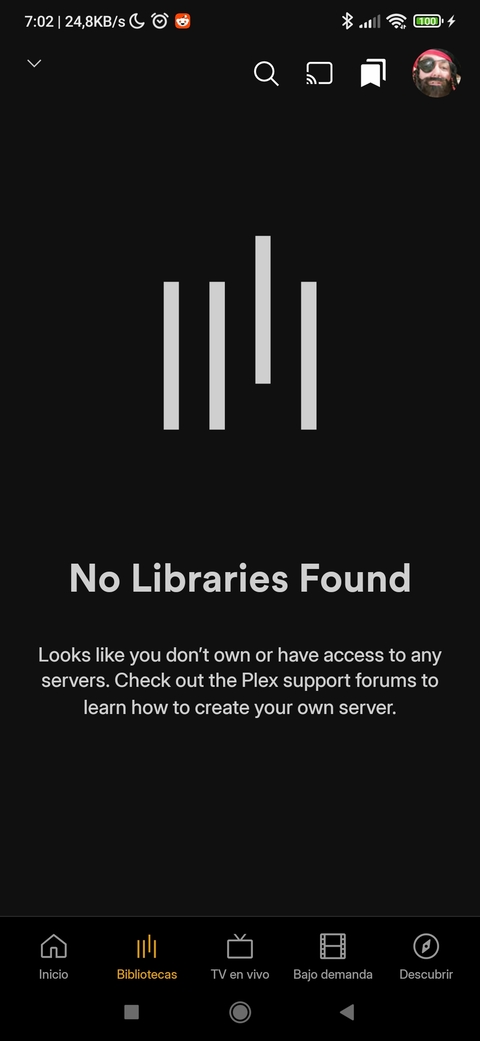
Android. My server disappeared.
It’s there, running and updated, ports open, Reachable, but now for Android app, is gone.
So what do I think about this new app that clogged my homepage with content I don’t want and fails to find my own? Nothing good, and I don’t want to use the words coming to my mind right now…
I really don’t appreciate the app updating itself and removing a feature as important as Library-wide video shuffle.
Please restore shuffle immediately, if not sooner.
Hi @Craig_Holliday,
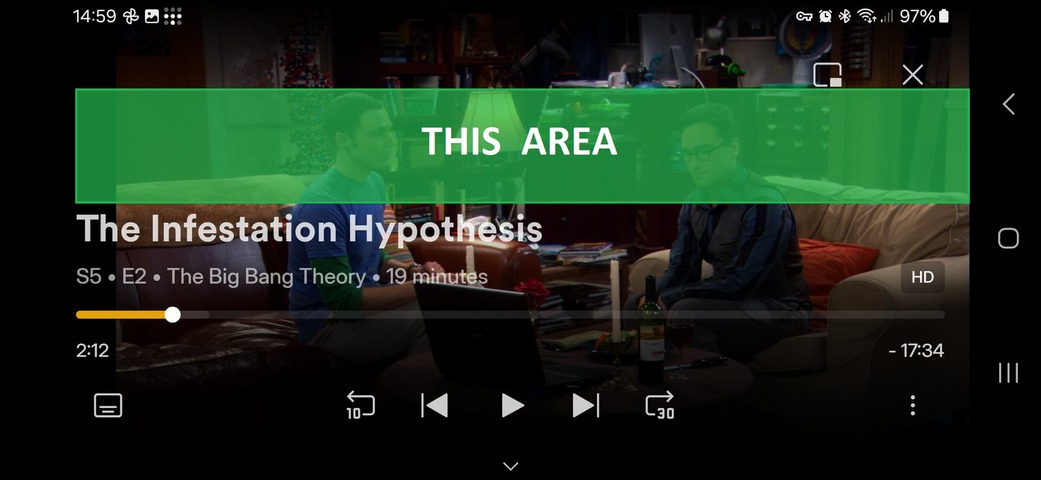
I think the new playback bar in Plex could really use a redesign. In my opinion, it takes up too much space on the screen, which can be quite distracting.
Also, closing the playback bar feels less intuitive now. Previously, I could tap almost anywhere on the screen to close it, but with the new design, I have to tap a very specific, small area, which isn’t as user-friendly.
New app:
Old app:
Another issue I’ve noticed is with the playback settings popup. When I open it and then try to go back, pressing the “back” button closes the entire player instead of just closing the settings popup. Is this intentional? It feels like unexpected behavior.
I think the Plex team could use the YouTube player as a reference. In YouTube’s layout, the main playback controls are centered on the screen, while the episode title is placed in the top-left corner with a reasonably sized font that doesn’t take up too much space.
YouTube player:
Thanks for your time, and I appreciate all the hard work from the team!
I’m not sure why you’re getting the update on Android TV. The TV version has not been released yet.
Maybe try uninstall and re-install the app. I know there was an update pushed out on the beta channel a few weeks ago by mistake, but it was for a very brief time and was corrected, it’s possible this happened to you but seems strange considering this was a while ago now.
I hate to be a Negative Nancy, but there is no way the new app was daily driven by the developers before its release. You only need to try to watch a movie to find a ton of problems. Either they do not use the app for more than a few seconds to start a video or everyone in Plex headquarters knew about all these serious problems and the release was still pushed (which is not really the developers’ fault, but the management’s).
Try renaming your phone if its name contains any unusual characters. I had the same issue, and this solved it for me: No content with the new mobile app - #7 by OttoKerner
Dear Plex support team,
this morning, my tablet received a “new experience” Plex app update.
I know that this thread is on its way to hit 800 messages (probably more over time) and I only had time to watch one movie.
I will not tell you obvious things like “no more music”, “no more watch together” and I don’t need feedback on this.
But here’s the “one movie played”-based feedback for Plex for Android “new experience” fresh update as of today.
I split the list in different sections based on my thought of what this is
bugs / missing features:
UI hassle
things that could be handled more elegantly
things that are just different than before
just questions:
How do I change app language setting? Where?
Since starting to use the New Experience, I can say its definitely a “New” feeling. Simple keyboard controls on the Ipad no longer work such as Pause/Play (Used to use the spacebar) etc. More transcode errors than I have ever seen before. Have to completely close out of the app, then restart and it will work fine for a while. This seems rushed to production, Slow it down and do what you guys have always done best!!
To further add on this topic, favorite libraries and sorting now seems to be account-wide instead of device specific.
That doesn’t make much sense, in especially for people seperating libraries for 4K or Remux.
I was going to try, and all of a sudden, my library was there. nothing done, it just found it. weird.
100% agreed, and I’ll take it a step further. It seems that Plex Media Server as a whole is no longer used by Plex,Inc employees. Anyone who used PMS was affected by the latest RIF and all we have left are FTEs who will focus on ad supported clients.
I installed 2025.14.0 on my new ipad (clean install, not an upgrade), but when i go to the libraries tab, i see a spinner in the middle of the screen and nothing loads.
Any chance you can put the old app back in the App Store… call in Plex Classic or something, just make it available to the plenty of people who seem to want to switch back!
Embrace the new apps as the newborns that they are. Sure, they’ll keep you up all night; you’ll have to change their diapers when they inevitably soil them; occasionally they’ll throw up on you; and there’ll even be the odd tantrum.
But given patience and love, they’ll certainly become the productive members of society fully-featured, stable streaming apps everyone expects them to be.

Our baby was delivered prematurely and is on life support in the NICU.
shoulda been drowned at birth
But we had a nice mature streaming app and woke up one morning to a crying infant