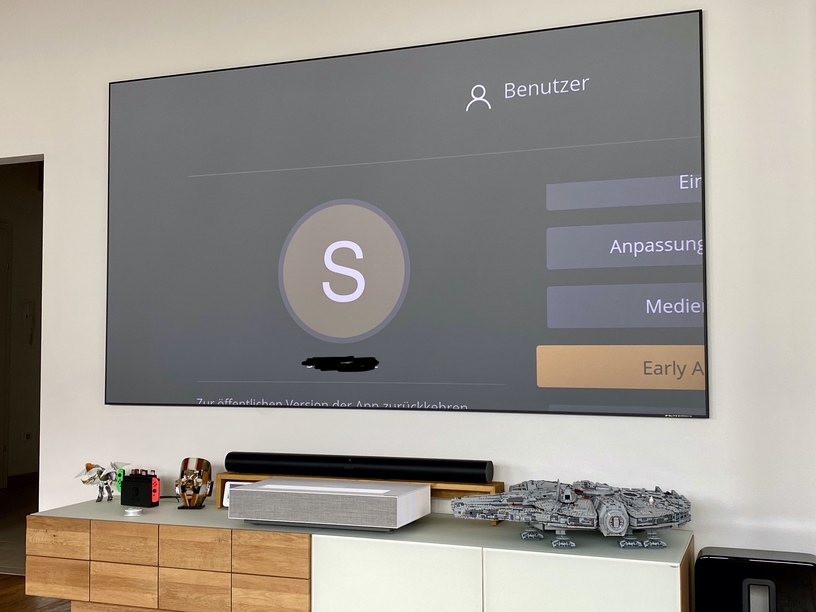
The interface is definitely more responsive. Great experience.
I have several of the same technical problems with 4K content identified above and it sounds like you are working on those things. Rather than repeat, I will identify the interface things that are bothering me:
As others have noted, the display feels like it is “zoomed” on the TV. Where I could see 2.5 rows of content before, I now see 1.5 rows on the Home screen.
I miss the row of actors that used to display in the movie details page. I was using the “other movies with” capability quite a bit.
The progress bar used to show “total time” and “time left” now it shows “total time” and “time played” meaning I have to do math to figure out how much time is left. I will almost always want to know how much time is left and prefer it the old way.
Client Version: 5.0.10
Platform Version: 4.1.0
TV: LG OLED65C8PUA
I just joined the forum. (noob - so, please bear with me ).
I was offered the early access gig last night on one of our LG TV’s following advice that I could feedback any issues experienced in the forums. Well here you are. After one documentary selection in the Plex TV section - Each time an ad break occurred - the item we were watching was restarted. Mildly annoying - I also noted the lower portion of the screen cut off - listing metadata items cast etc. (I assume this is the zoomed issue mentioned in this thread?) - I will update on any additional issues
(Only started using Plex a few months ago, taking the lifetime Plex Pass option)
Model: LG 43UK6300PLB
WebOS: 05.10.45
Lots more buffering. Seems to buffer more often (could be related to more transcoding issues others have pointed out).
Buffering text and spinner flickers on and off multiple times before anything actually plays. Maybe even get rid of the word buffering as the spinner is sufficient.
HDR badge missing on media title screen. Old app showed HDR alongside the other format information.
"Missing" forward/back 10s/30s navigation buttons - I used and liked these buttons on the navigation bar; though may not be speaking for all… If a simple left/right covers it, that’s fine.
Navigation bar size. Navigation bar on pause/seeking covers half the screen - I think this has been noted already, but this really needs slimming back down!
Few suggestions - since the app is being re-designed / rebuilt. These are mainly around buffering/transcoding and general perceived performance:
Informative UI - when buffering/loading, show the user what’s going on. May be an option for people who want to troubleshoot - particularly during such beta tests. The spinner may be enough to indicate buffering; a simple visual indicator could say why, e.g. transcoding video/audio.
If transcoding/buffering, indicate why - especially when slow - e.g. transcoding video reason: using image subtitles / TV doesn’t support native (specific) format / bandwidth available (X) mpbs but requires (Y) mpbs. Suggestions to user on how to improve - e.g. use SRT subtitles / check network connection.
Design the Plex server & UI to actively steer usage away from reliance on transcoding. We all know that performance sucks when transcoding. e.g. Favour SRT subtitles. Indicate a warning if transcoding would be required (e.g. on media title screen), based on player’s capabilities / other factors. Suggest supported formats for direct playback on the device.
Assume resume. Change “Play” button in media title screen to automatically resume. If user wants to play from start, make that its own button/option.
Quick start from beginning option. A navigation bar option to start from beginning when playing a title.
After testing a bit more, seems autoplay does work, but only if you watch the episode until the end. It used to work on the old client where if you backed out of an episode after it has been marked watched, but say during the credits, this would also trigger the autoplay. Now, it just takes you back to the home screen.
Model: LG OLED65B6
WebOS TV: 3.3.5-4321 (dreadlocks-dharug)
same issue here, cannot connect to my local server (which doesn’t have remote access enabled, might that be the cause?)
Can connect instead to my neighbour’s Plex on his NAS, through WAN
I get the same problem. Early access version can’t see my plex media server but old version still works. My TV is OLED55B8PLA software version 05.10.50.
Yesterday I configured manual server up address on early access version and it started working, but today server not seen. Gone back to old version.
I know this isn’t what you’re concerned about and this feedback will be ignored completely but all I can say about the new design is urgh.
The design now feels like some half baked xbmc skin from several years ago. The scrolling where the current selected show/movie poster zooms in and enlarges just looks cheap and nasty.
The redesign of all the icons - the play/resume/mark as played square button looks too big and cheap. Plus when you pause something playing the layout looks overly simplistic and far too large. It takes up half the screen! But even then apparently there isn’t enough room to include the once present shuffle and repeat options, you now have to have several more clicks just to find them under ‘playback modifiers’ option!?! (Plus there is not even a stop (X) option anymore at all)??
You lot seem obsessed with this horizontal scrolling rubbish that’s ruined the android app (if I’m browsing through an artists albums I’d rather be able to see a screen full of them vertically rather than just the 4 that will fit on the screen horizontally). Same has happened here with TV shows and seasons. Instead of wasting all the real estate space use it properly. The option to play, mark as played and ‘more’ literally takes up a third of the screen area at the bottom. The more option could be there without the extra button press.
Also had some weird thing I can’t really describe effectively. Paused a TV show and when came back OLED screen saver had kicked in. Pressing button on remote to bring it back did but it then showed a show summary for a random TV show that I wasnt watching and haven’t for years? Pressing again brought me back to pause screen for actual show I was watching. Was this a bug or it occured to me may be a Plex type screen saver, scrolling though and showing library items or something whilst paused?
Anyways. To sum up design may seem subtle in its changes but has moved it firmly into the cheap and cumbersome category.
I have an LG 4k OLED and today I was entered into early preview mode. With an NAS, I connected fine, but I noticed there is a lot more buffering happening. Further I have been kicked out and had to log in about 5 times, and also I dont see where I can switch back to the previous setting as it worked perfectly, fast and smooth. This new version takes about a full minute just to load the movie info screen. Navigation with my remote was weird too as it would jump like 5 rows at a time. How do I go back to the previous version while they iron out this version?
So I’ve decided to take the preview for a spin, now I love the new design and the responsiveness but as someone who regularly enjoys 4K/HDR content with no issues this version of the app has made the WebOS app unusable. Between surround audio becoming desynced and cutting out and the buffering/percieved lower bitrate capability which is very evident on my display I’ve lost my rag with it. All this whilst on both a wired gigabit network and wireless 5ghz connection is just… not acceptable in my eyes.
Until the issues are fixed with 4K/HDR content I’ll be sticking with the old app. Its a shame because I love how responsive it is and the overall simplified look!
Fingers crossed in the coming months we’ll see massive improvements to this and we wont suffer any issues
Excellent graphical interface, especially now that the side menu is more resized, I wanted to report that I have a problem: when I select a 4k with HDR metadata if I select a DDigital TrueHD audio track I lose the HDR signal.
TV Model: 43UJ6300
webOS Version 3.8.0
Client: 5.0.11 Preview
Really like how much more responsive the new app is, much more on-par with my Fire Stick 4K. There are some basic playback issues, though.
When I tried the app yesterday, none of my 4K UHD video was direct playing. I’d already changed the h264 level back to L5.1 and I tried disabling subtitles and making sure I was on an audio format that should direct play to avoid any reason the server might feel it needed to transcode, but no change. But I didn’t try 4K playback today with the new update to the preview.
I don’t have a lot of 4K content so that’s not a big problem (for me), but my next issue is just as bad…
ALL audio formats are transcoded to AAC.
DTS, AC3, and E-AC3 are all supported formats on my TV, and all of them get transcoded to AAC in the Preview app. Even AAC is transcoded to AAC:
Media Info for that:
    Codec H264
    Bitrate 2090 kbps
    Bit Depth 8
    Chroma Location left
    Chroma Subsampling 4:2:0
    Coded Height 576
    Coded Width 1024
    Frame Rate 30.303 fps
    Height 576
    Level 4.0
    Profile high
    Ref Frames 4
    Scan Type progressive
    Width 1024
    Display Title 480p (H.264)

    Codec AAC
    Channels 2
    Bitrate 125 kbps
    Language English
    Audio Channel Layout stereo
    Profile lc
    Sampling Rate 48000 Hz
    Display Title English (AAC Stereo)

    Codec SRT
    Language English
    Display Title English (SRT)
I do have Direct Stream and Direct Play active and all audio formats checked on in the settings. Local playback quality is set to Original.
Regarding the “big jump”/“chapter skip” button removal:
This is actually one of my favorite features of the LG app. Meanwhile, I think “show OSD” is arguably a lower priority control. I can already show the OSD by simply pressing the center OK button on the navigation cross during playback. Why do I need three buttons all dedicated to the same function (Up/OK/Down)?
I know it’s been said the change is to make the webOS client more in line with other clients – have you considered you’re actually going the wrong way. Instead, maybe you should be adding the big skip/chapter buttons to the directional UP/DOWN on your other clients. I certainly wish I could do it on my Fire Stick instead of having to pull up the OSD just to do a single chapter skip. P.S.: The Channel +/- arrows on my model TV are not working to do this function now, like they are supposed to be with the latest update.
The “More” menu is used way too much.
This is a complaint that is fairly common on users of all clients. Right now during playback there is a more (three dots) menu with only two functions in it: Repeat and Shuffle. There’s no reason to make a menu for only two functions. Just put two graphical toggles on the main OSD. People are pretty familiar with them from their appearance on digital audio players, and there’s plenty of empty space under the timeline bar.
Same with audio track and subtitle. Just give us dedicated icons on the playback OSD for each to bring up the audio track or subtitle selector. No gear menu we have to explain to loved ones, please!
Speaking of audio and subtitle tracks, I didn’t get a chance to check, are those going to start displaying the Title info on them, like the Roku recently got?
Other things:
There seems to be no way to mark a single episode of a show as watched in a series now. (?) If I’m missing how to do this please tell me. From what I can tell, with the new more-dynamic pre-play screen I couldn’t figure out how to keep a single episode selected while choosing other interface controls.
The alphabet “jump” sidebar on the side should be spread out more so it covers more of the right edge. Right now aesthetically it seems a bit “cramped” up at the top.
Did playing from the TV Guide work for you? I’m using xteve but playback doesn’t seem possible from either “What’s on” or “Guide” my TV is OLED65CXPTA and Plex Server 1.19.4.2935 (Works on other Clients)
Hello… Love the new interface. Looks very nice. Seems to load faster and more intuitive. I can’t seem to find the video time left display. I have tried the clock enabled and disabled. I can see the elapsed time on the bottom left of the video. The clock used to appear under that and I’d see the time the video will end as well as the time end countdown to the bottom right of the video.
Thank you
Model: OLED65C8PUA
WebOS: 4.1.4-5629 (goldilocks-glacier)
I do not understand this diagnosis. Everything is working fine in the old version. Over secure or insecure connection. Also, playing high bitrate file over insecure connection did not help with buffering with the new version
 ).
).