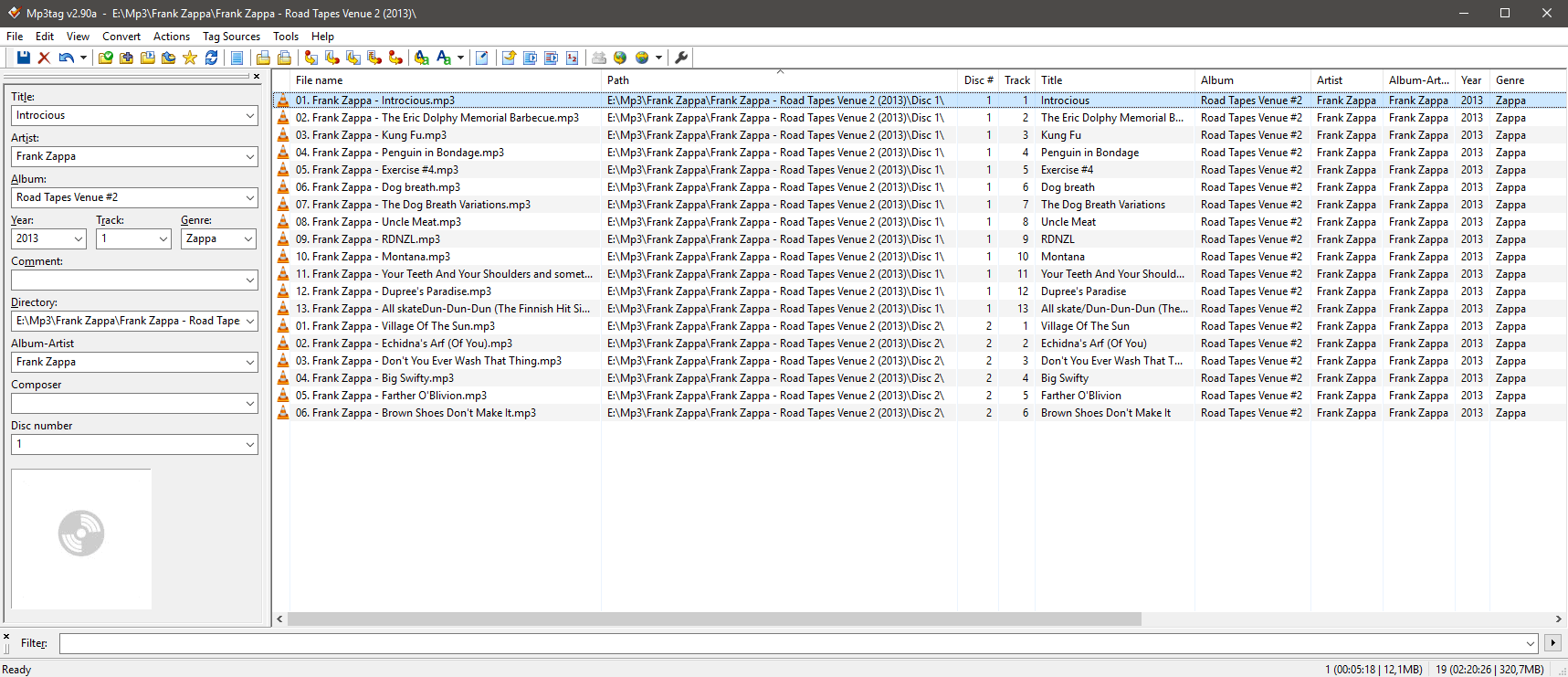
I just downloaded Plex on my desktop and Galaxy S7 to, hopefully, replace GPM. I believe I have the website set to scan my Music folder and upload all subfolders that are there and any music not in a subfolder yet. I am currently seeing a bunch of albums in my list on the website but they are not in any particular order other than a very loooooooong line that I have to keep scrolling through, so it’s hard for me to not only group them but make sure all my stuff is there. I’m also seeing a lot of title mistakes as I’m scrolling.
My current questions are as follows: 1 - how do I change the artist name on an album? For example ‘Thriller (Google Play Exclusive Version)’ does not list Michael Jackson as the artist but rather lists Various Artists. Same with almost all of my Alison Krauss, Paul McCartney, Anthrax and John Lennon albums.
1a - Can I sort this better? I see that next to the pencil and slider bar there is an option for tiles but I cannot click on that.
2 - Is there somewhere I can see the status of my folder scan?
3 - Along with 1a, for some reason every single KISS song I have has been thrown into one album, ‘Alive III’ and virtually every other album/song I had yet to create or move to its own subfolder is now all part of Guardians Of The Galaxy.
Should I not have begun the process of putting each artist in their own subfolder? Some seem to be okay, but others, like KISS mentioned above and now Aerosmith, The Beatles, and more are all just one giant album.
The first step is to make sure your music is organized, and folders and files named, in such a way that Plex can identify them. This guide will help:
If that looks like a lot of work, there are tools available that can help. The tool I see recommended most often is Filebot. I haven’t used it myself, but it apparently can save a lot of time.
I got everything into it’s own folder and then each album in its own from there. So for example:
Kiss
Alive
Alive ll
Alive lll and so on.
What I’m still a little tripped up on is the compilations/soundtracks. Is that page telling me that Guardians Of The Galaxy, Frozen, Star Wars, etc should all be in one giant Various Artists folder but then each album in its own subfolder?
This part I also need clarification on: * The “Album Artist” for each track should be the literal Various Artists
The “Artist” for each track is whichever artist performed that track
In Win10 Properties>Details I see ‘Contributing Artist’ in this case John Williams: London Symphony and there is nothing for ‘Album Artist’. Am I correct in that ‘Album Artist’ should change but I can leave Contributing alone? The above follows for Tropic Thunder, Greatest Showman soundtrack (nothing in Album Artist) and a handful of others. While GOTGV1, Hamilton for example show ‘Various Artists’
So I need to fill in Various Artists on every soundtrack album that doesn’t have it? Oof.
Great, thanks. Am I understanding everything else properly? Artists should have a folder with each album in its own folder there. Soundtracks should all be in one VA folder and the Album Artist on all of the songs for every album needs to be Various?
Now once I’m done all of this how do I get Plex to reorganize everything?
EDIT: What about albums with more than one disk? For example Billy Joel ‘My Life’ has four discs. Should each one have its own folder under the Billy Joel folder, or should there just be a My Life folder with everything in there?
That depends on whether the album is credited to VA or to some particular artist.
When in doubt, look it up on musicbrainz.org
If it is Various Artists, tag the files with AlbumArtist= Various Artists and put the files underneath the ‘Various Artists’ artist folder.
If it’s some other artist name, put this artist name into the AlbumArtist meta tags and put the album underneath an artist folder, named after this artist.
Thanks. And things like this ALL have to be in a Various Artists folder? Am I okay leaving stuff like the Star Wars soundtracks in a John Williams folder since he is listed as both the contributing artist and the album artist?
If the Album Artist is not Various Artists, then of course the album has to go into an Artist folder, titled e.g. “John Williams”.
The AlbumArtist meta tags and the artist folder title must conform to each other, particularly if you enable ‘Prefer local metadata’ in the properties of your library.
Got it, I think. Albums like The Big Chill with multiple bands listed should be in a Various Artist folder, in which case I need to add Various Artists to the metadata for each song. Anything else where it is one person and one person only can have a folder. Am I getting all that right?
So I’ve finally sorted everyone into their own folder and then album subfolders within each artist. How do I get the app/desktop to reset itself? While some bands seem to be showing properly others are still lumping all songs into one album. Additionally every song I pick just keeps resetting after 1 seconds and never continues on past that.