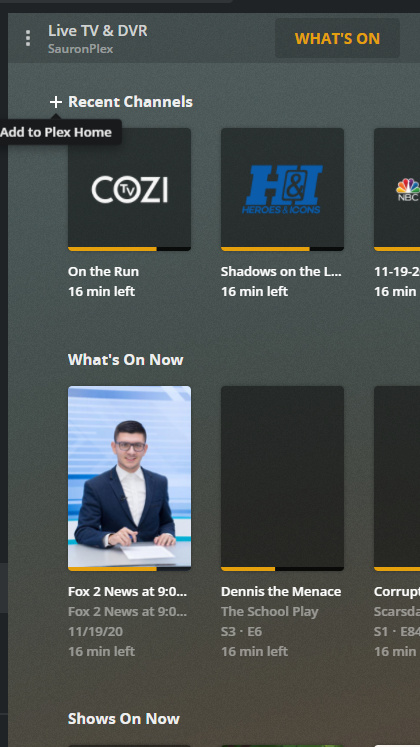
Its probably been mentioned already but just in case it hasn’t…
The Live TV & DVR → Browse feature is not remembering the filter and sort order.
By default it comes up filtering “All Episodes by Airing” but I’m more interested in “All Movies by Airing” so I change it. I then navigate to another part of Plex and back to Live TV & DVR → Browse and its back to “All Episodes by Airing”. Whilst the selected “What’s On”, “Guide” or “Browse” tab is remembered by the app, the filter and sort isn’t
By comparison Plex for Windows remembers my selection so its always at “All Movies by Airing”
Additionally, any word on when/if the Live TV & DVR → DVR Schedule feature coming to the preview?
Overall I love the new app layout and performance. Although I will have to stop using it as the loss of continuous auto play simply makes no sense. Is there any plan on when this will get fixed?
Latest version (5.3.1) is having issues with direct playing 4k HEVC videos. My server is on a Synology NAS. I didn’t have issues before on the xbox. It still plays fine in Sony Android TV app and Mi Box S.
The issue is that after some seconds direct playing, video is buffering and is either change to direct stream in which it remains in 4k resolution but the playback is choppy and unviewable or if I disable direct stream plex will transcode to 1080p. Funny thing is that if I have srt subtitles as well, if I go back to plex main screen, the option to choose said subtitles is gone from that video. I have to restart plex to reappear.
At first I thought that was a shared bug on xbox one and samsung tv app of the same version (5.3.1). In samsung tv app for some strange reason you can’t transcode 4k to 1080p along with srt without constant buffering issues and it has the same issue with subs disappearing from the video when you stop the playback. The difference there is that if you play the video without any subtitles the playback is smooth without any buffering.
But after some extensive tests in xbox one, subtitles are not the issue. It still is unable to direct play 4k HEVC even without them. The only common issue with samsung tv app is that srt are gone and you have to restart the app.
I came to this thread to make this suggestions. Is there somewhere we can make our voices heard to MS to beg for this. The only app I have seen with audio passthrough is their Bluray player and that works perfect. AS for now even on the xbox series X It transcodes Atmos/TrueHD7.1. It is a shame that something dated like the Nvidia Shield still kicks the crap out of something as new as a Xbox Series X considering the power available
This is a shame to hear.
I certainly won’t be in a rush to upgrade my xboxes.
The ability to have a single box that can ‘do it all’ really appeals, but it sounds like we are nowhere near it until Microsoft and Sony make their ‘super pcs in a box’ a bit more open.
Is it the perception that they are indirectly support piracy that prevent them?
Hey, does any of you have a problem with XSX? On PC, Plex connects me to the server, on the phone too, but on the console I have Plex is Currently Unavailable.
Previously, I could leave the early access client which worked around the problem. Since reinstalling on the XSX I don’t have the option to leave early access
So, I was a bit unsure where was most appropriate to ask for this particular pony, but settled on here…
I’m in the process of trying to figure out how to maintain domestic harmony now that my Series X has arrived, and those monsters at Microsoft have removed the OTA / OneGuide support completely (we used the Xbox One S as our all-in-one living room box for years up until now, with the help of the USB tuner).
Using the Live TV feature in Plex seemed like a reasonable solution now that the guide is finally available, as the Series X lets you nominate any app you like to be triggered by the “guide” button on the media remote, but what I’d really love is if you could nominate a section / tab to automatically switch to when you launch into Plex - if the “guide” button took you directly to the Live TV guide view in Plex, I think my ears would ache significantly less
I think this is (or was?) a possibility on the Windows app, via commandline flags, but obviously tinkering like that isn’t an option on the consoles… it does tell me that the app code probably at least caters to the concept internally. Whether managed by a nice UI, or even wrapped in a secondary “Plex Live TV launcher” companion app that packages launching with said flags, I think this would be a helpful feature.
So far I’ve been pretty pleased with how much better the new app has been, and would love to see the momentum continue on solving issues and adding features. Keep up the good work @Moussa and co
I don’t know about your other asks, but in the mean time you might be able to re-arrange the side bar so that live tv is the first section under home.
Not in front of xbox now, but there should be some option or 3 dot menu to customize the sidebar which will let you re-order the list.
also, you should be able to customize the home screen hubs (ie the main/right side of the home screen) by adding/removing any live hubs… here is exampe in plex web, the app should be similar
Thanks… those are solid suggestions, and pretty much what I have done so far. The catch is that you cannot get the guide view itself to be linked from the Home screen, or suppress the home screen, or any tricks that would just take you straight to TV Land ™ on entry.
Kind-of-mostly-there apparently does not quite have sufficient WAF, which hinges on being able to “just show a bloody normal TV guide like every other TV would when i press the button”
I’ve been scanning the replies, but there’s a lot to read!
I’m planning to set up my idle Xbox One X today, and I figured I’d also set up Plex with the new Preview. How is Plex on the Xbox these days? Any significant limitations?
I’m having this issue now as well. After about 5 minutes of Direct Playing 4k HDR content, it buffers and then begins Direct Streaming. This would be fine, but some movies then begin to stutter when this happens.