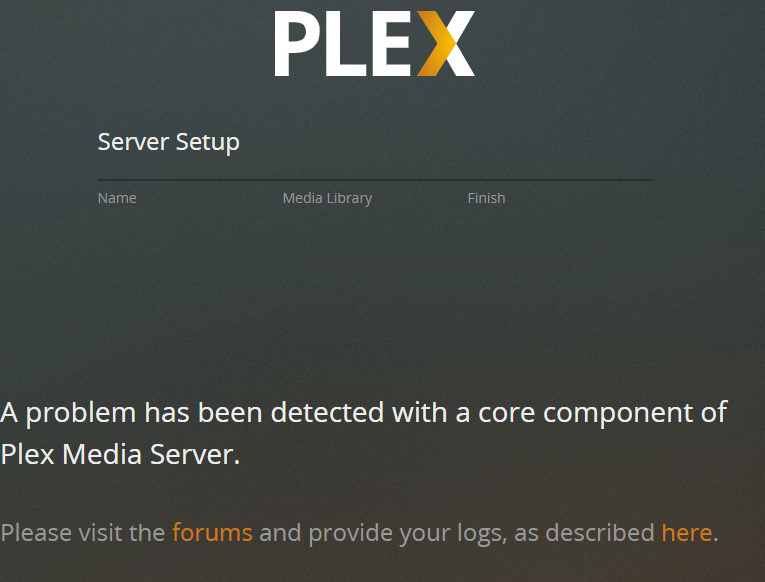
Server Version#:1.19.2.2702.XXXX
Player Version#: Don’t know. Just installed so probably newest.
When I try to open the media server on the left it says “Media server not available”
When I try to add a library it says “Your changes could not be saved”.
I litterally can’t do anything with Plex at the moment. I have restarted the Windows 10 Pro machine 4 times. I’ve reinstalled the server. I’ve logged out and logged back in several times. It just isn’t responsive and none of the “errors” give anything useful for info. Any help before I just cancel my sub?
Sounds like Plex didn’t install properly or the instillation is corrupted. If this is the case, you’ll have to find an uninstaller to remove all traces of plex before reinstalling it again.
Brand new WIndows 10 Pro install. Fresh.
I installed Plex on the computer and it SORTA worked. I could add libraries but couldn’t even open settings. It gave me an error.
So I ran the update it suggested. Then it all went to hell. Then nothing worked. I added new content to a library and it wouldn’t scan. I removed the library and tried to add it back. Wouldn’t add back. So I uninstalled and reinstalled and now we’re here.
Try an uninstaller. Windows has one as well but I’ve had better luck with few free ones on the web. I dont remember any off hand and Its been a while since Ive had to use one but I can almost bet its a corrupted instillation. Do you have your applications installing on another letter drive or any weird drive setups on the server? and where are the Plex data files being kept? it could also be a Hardware issue like bad ram or failing hard drive?
Yeah, I forgot there was a guide somewhere around here on the forums. @OttoKerner, how would this be attributed to a wonky internet connection if its not allowing him to create a Library? Is it that Plex has to have internet connectivity in order to complete some/most tasks?
As soon as you sign in the server to a plex.tv account, ‘secure connections’ are enabled. Which in turn require a working DNS system to function. Otherwise you won’t get access to the server features.
This then results in an inability to add libraries or change any server settings.
That’s not an indication of a fully working DNS. “surfing the net” is just downloading stuff. Operating a Plex server involves “serving”/uploading stuff. Plex needs a few specialties of DNS for that, which not every ISP is considering important for it’s customers.
The Logs aren’t the holy grail. There are a ton of things that could be wrong. I’m giving tips and @OttoKerner is trying to help as well. I recommended Hardware tests and you didn’t respond if you did those or not. @OttoKerner gave additional info in regard to DNS issues possibly being a part of your problem. So I don’t understand why you’re ignoring our recommendations and asking if anyone is gonna help you. In my experience, the more you try the stuff ppl recommend, the more help you’ll get as more ppl start reading the thread. Just my 2 cents.
To follow up on @OttoKerner recommendation, check your router/modem and see if there’s a built-in Firewall that may be blocking services. One thing you can try that would eliminate the internet as an issue is if you can, use your phone and share the internet from your phone and see if plex works that way. I’m not good with the plex logs but I am trying to help the way I know-how.