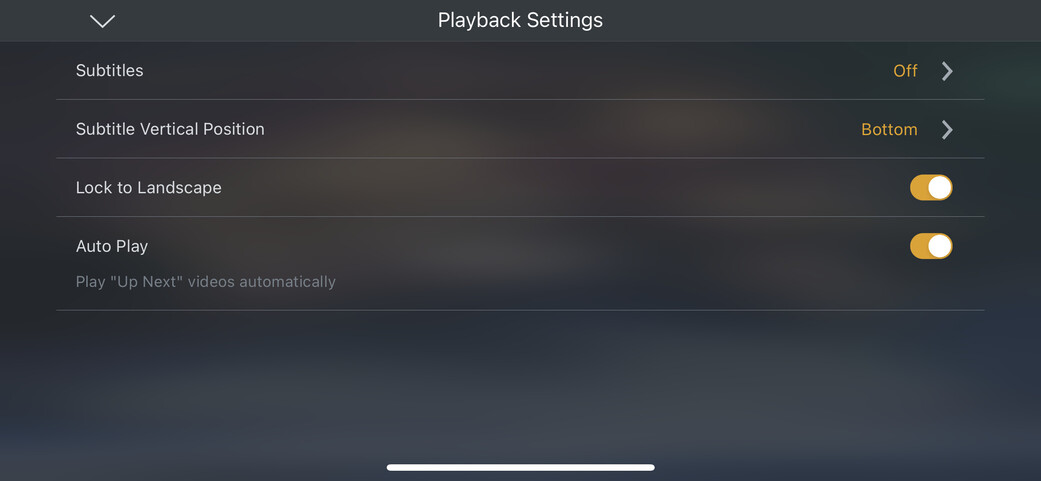
When I play a TV episode which I downloaded onto my mobile device, there is no selector for the audio stream. I have downloaded some episodes where the video file contains a english and a italian audio stream. I have selected in my account settings that I prefer english, also when I go to the episode in the app, the english stream is selected, but still the app plays the italian.
I just checked, when I play another episode which isn’t downloaded it plays in english and there I can also select the stream in the playback settings, but when downloaded all settings regarding the playback disappear.
Would you mind sharing a screenshot?
Language selection is showing fine for downloads on my iPhone (although I downloaded those 2+ months ago… not sure if this might be a recent regression)
That’s from the on-screen-menu while you’re playing that video?
I’ve only checked from the movie page (pre-play screen)… I might be able to check the other later tonight.
Yes that is the screen that comes when pressing the three dots in the playback controls when playing the video and then press on playback settings. Normally there is the selector for the audio stream.
I also have the selector on the movie page. But it has no effect when I change the audio stream there.