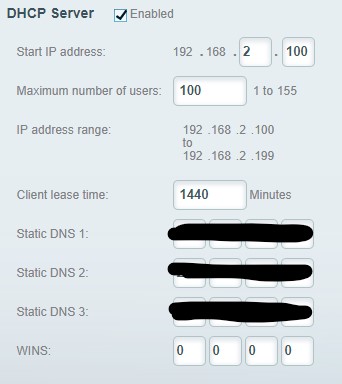
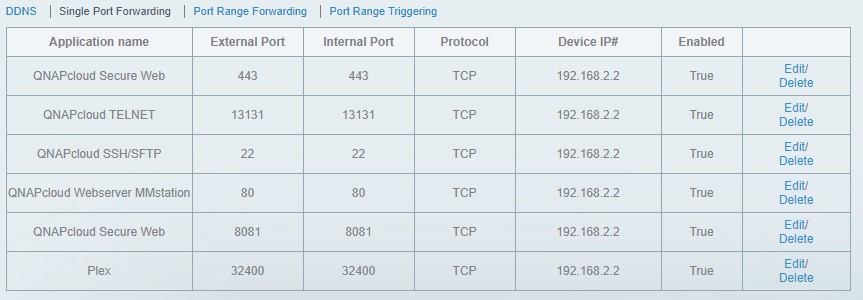
I have Plex installed on a Qnap NAS (TVS-671), Latest Plex server version. It was working fine for a long time but then a couple of months ago remote access stopped working. It would connect and show access was working, then within a few seconds it would change to no access. I did some research and tried quite a few fixes, static route, port opened in router, changed the external port to a custom port number. Nothing worked. I decided to stop messing with it until the next version.
The new version came out and I installed the Qnap package today. Now I have no connection to the Plex server! I can connect to the QNAP and see that the Plex Server is running but I can’t connect to the Plex server with the web player, I’ve tried the local IP address as well as through the main Plex website. It just gives me a “connection timed out”. It may be possible that I left the remote access port assignment at as custom value but if I did I don’t remember what it was.
I tried uninstalling the app and then re-installing, no help. Any ideas?
Current PMS version - 1.16.6.1592 (qpkg)
QTS version - 4.4.1.0978
Network description - Single Dell PowerConnect 2824 with a Linksys Velop router. The Velop, Qnap and the PC (Windows 10) that I use to administrate are hardwired to the switch. As I said I have no problem connecting to the QNAP admin interface.
I’ve attached the screenshot
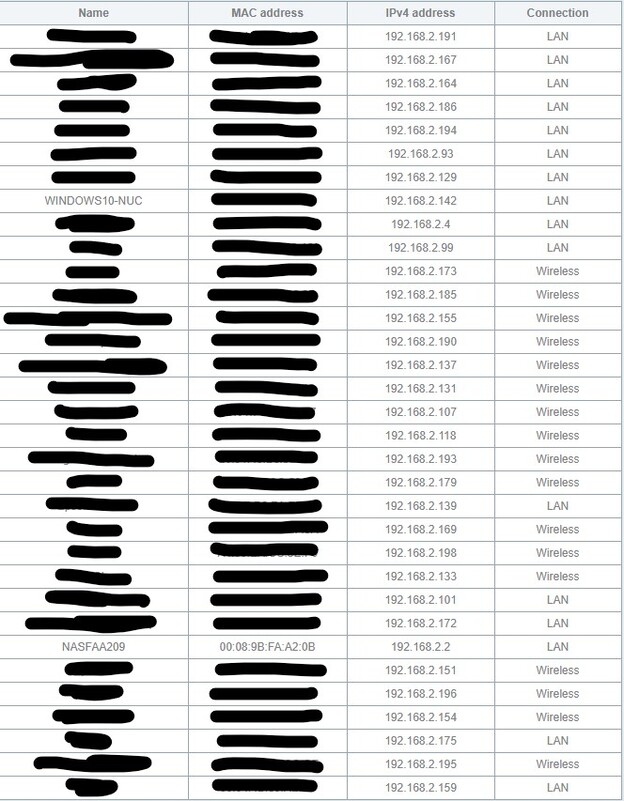
The IP of the player is 192.168.2.142
I’ve done a complete reinstall per Q7
I think the lines from the log that I’ve pasted below are the interesting ones.
Sep 03, 2019 16:44:34.627 [0x7f71bdeb1740] DEBUG - HttpServer: Listening on IPv6 as well as IPv4.
Sep 03, 2019 16:44:34.627 [0x7f71bdeb1740] ERROR - HttpServer: Error binding acceptor: Address already in use
Sep 03, 2019 16:44:34.627 [0x7f71bdeb1740] ERROR - HttpServer: Error opening acceptor on IPv6, falling back to IPv4: Address already in us e
Sep 03, 2019 16:44:34.627 [0x7f71bdeb1740] ERROR - HttpServer: Error binding acceptor: Address already in use
Sep 03, 2019 16:44:34.627 [0x7f71bdeb1740] ERROR - Error: Unable to set up server: listen: Address already in use (N5boost10wrapexceptINS_
That’s a good start. There’s about 5 other pages you can screenshot as you click down the left hand column there, like Interfaces and Virtual Switch etc. Those come into play.
While people consider those, you may find some help on the website.
The issue of I can’t connect to the server at all is covered in this article.
Let us know what happens.
Link Aggregation is very remedial on that switch. It does not support LACP nor does it hash higher than L2. You should review both the Dell and QNAP documentation and choose a different method that both sides will fully support.
The port trunking has been in place for over a year and never been a problem but in order to help the troubleshooting I’ve removed the port trunking completely. I really don’t see how this is a network issue, at least not that kind of network issue. I can access all the other services on the Qnap, just not Plex.
Can anyone tell me what “Error: Unable to set up server: listen: Address already in use (N5boost10wrapexceptINS_” actually means. It seems that Plex is trying to set it’s port bindings and seeing the address is already in use “Error binding acceptor: Address already in use”. Which address is this referencing? Is it the IP/Port assignment?
Is your adapter getting it’s IP address from DHCP? You didn’t screenshot all the pages in Network and Virtual Switch. How long have you been using that QTS beta 4.4.1? Have a look on the website about Server Logs and attach them please. I saw your question about the port in use error, but often it’s the context or a slightly different error, which is why the logs are useful.
It means PMS, after creating the socket() which the server then listen()s on, is attempting to assign the address and port number by using bind(). The network layer is reporting it is unavailable / already in use.
There is either a stray PMS still running (hung) or networking is mishaving.
Now, via the shell (ssh to the QNAP), ps -ef | grep -i plex.
If you still see any processes, one of them is likely causing the issue you’re seeing.
Choices are:
Terminate the stray processes.
Restart the NAS.
I would be surprised to find stray PMS processes which are hung after commanding shutdown in App Center. My script pauses after issuing the shutdown command before verifying everything is indeed shut down. If it still sees something, it forces a hard kill()
So I did as you suggested. Didn’t see any stray process but I restarted the NAS and now I have connection. It looks like a brand new install, none of the database seems to have survived but I’ll let it rebuild from my media folders. It does still have issues:
There was an unexpected error loading the dashboard when clicking on the home icon
and
There was an unexpected error loading this library when clicking on any of the libraries
IO’m hoping that’s just because it hasn’t scanned yet.
When PMS first starts, if you access the web page too soon, it can do that.
There’s nothing wrong per se. It’s just not ready yet to serve up .
The Web browser isn’t giving it enough time.
There is a delay between when you enable Remote Access and Plex.tv has verified it.
Whether or not it goes green immediately is based entirely on plex.tv loading.
If Plex.tv didn’t perform the DDNS brokering, it would go green immediately (which most apps do but then require you to handle the DDNS… just an implementer’s choice)
Nice you guys got it working. Can you summarize what was wrong and what you fixed?
It sounds like a reboot + setting the “Manually specify external port” solved this?
But I doubt you went all these months without a reboot.
I’m not sure what the issue was that caused it but there seemed to be a hung process that was occupying the port that Plex needs. I had rebooted the server previously but for whatever reason the fix required a complete removal of Plex, then a reboot, then a re-installation. I lost the database and had to rebuild but that only took a day.