No Metadata is downloaded

Hey,

im using the newest beta on my Synology NAS and until yesterday everything did work fine. But today, the Metadata loading takes forever and no cover pics are loaded. Is there a known problem so i dont have to look into the problem?

it doesnt matter which agent i choose btw. every has the same problem

Please download the log files and attach the ZIP here.

Settings - Server - Troubleshooting - Download Logs

there u go Plex Media Server Logs_2020-02-11_19-42-58.zip (3.7 MB)

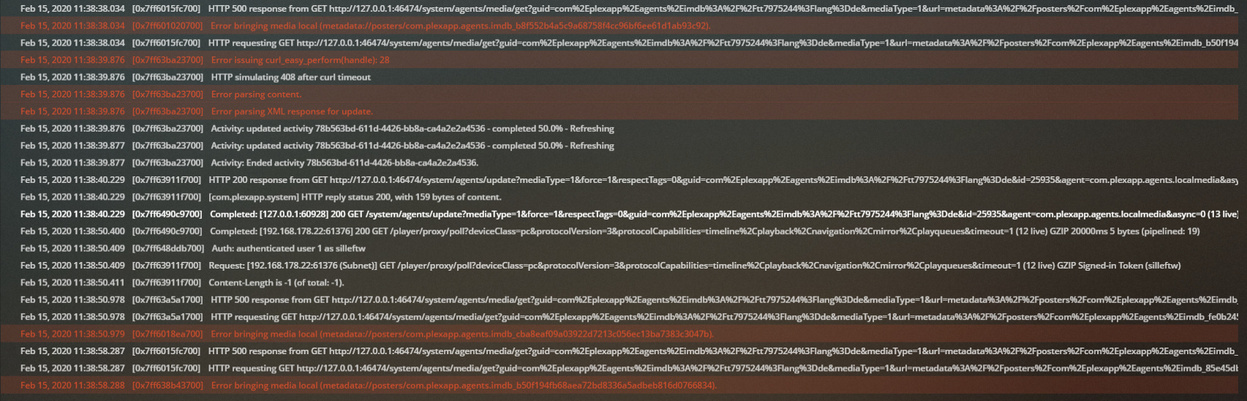
and i just saw this in the console

That is a good indicator of what’s happening. Thanks for catching. You’ve saved me time. I will go through all the logs as well.

Has any part of this installation been rehosted from a Windows server?

no its only on the NAS if i do understand correctly what u want :slight_smile:

Yes, I’m asking if any part of the Synology NAS Plex server was rehosted from a previous Windows-based PMS server.

I ask this because metadata and tokens (which are used to pull all the info) are text files.

On Windows, those files are written with CR/LF as End-of-Line marker.
On Linux, only LF is the End-of-Line marker and those CR characters cause it to break.

The problem is confined to the caches and easily cleaned out once we know the root cause. It can be done from File Station. :slight_smile:

nono the setup is entirely on the NAS and it worked the last couple of months without any problems until yesterday. Then it started to infinity loop on finding metadata :slight_smile:

Thanks. I’m looking through it now. It’s behaving as if it has no connectivity to the outside world without any obvious failure codes being returned.

As if requests are going into a black hole. Does this mean anything?

NAS adapter configuration changes? LAN config changes?

nope nothing has changed the last couple of months. Now i see that it got some metadata like the movie plot summary but the covers arent applied. But i can apply them manually because they seem to be downloaded but not applied

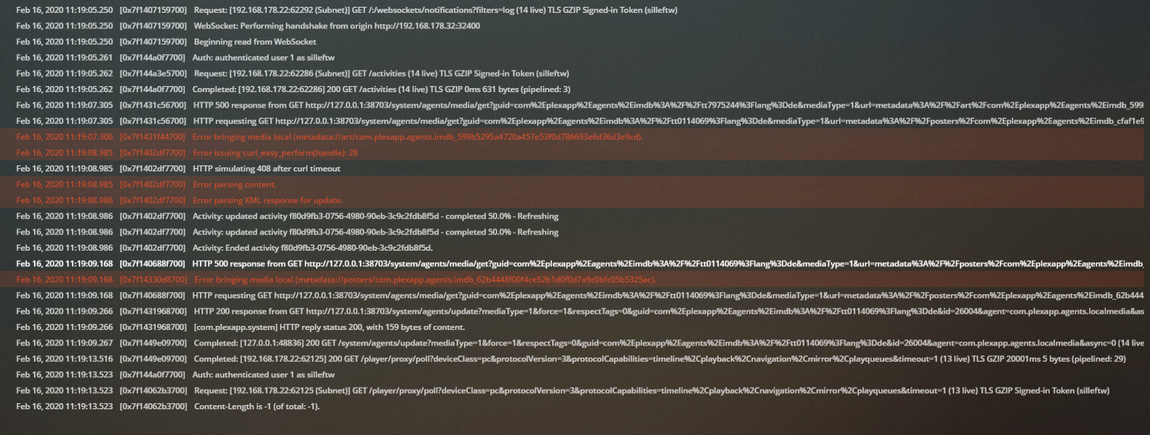
today i got some different console log

I would like to ask you to stop PMS and forcibly clear all the caches.

  1. Stop PMS
  2. Open File Station
  3. Navigate to the Plex share
  4. Navigate into Library/Application Support/Plex Media Server/Plug-in Support/Caches
  5. Delete everything you see there. Empty the Synology Recycle Bin afterwards if enabled.
  6. With the caches purged, Start PMS
  7. Refresh All Metadata for one section.
  8. Observe the behavior.
  9. If metadata fully populates, proceed to the next.
  10. If metadata does not begin to populate, then Download the logs and attach here for me to inspect.

hey,

the same thing is happening, logs attached Plex Media Server Logs_2020-02-16_10-55-30.zip (3.8 MB)

still the same i guess :slight_smile:

I would like one last thing

  1. stop Plex
  2. Open File Station
  3. Navigate to the Plex share
  4. Right-click “Library”
  5. Go to “Properties”
  6. Forcibly reset the OWNER as plex

still the same issue. But after couple of hours, the metadata is downloaded …

If it’s slow to come for you due to ISP then let it come.
I cannot explain why this is the case at this time unless it’s the naming & agent configuration which is hampering it.

This topic was automatically closed 90 days after the last reply. New replies are no longer allowed.