OK ill get one of those CPU’s thank you.
Here is what it said
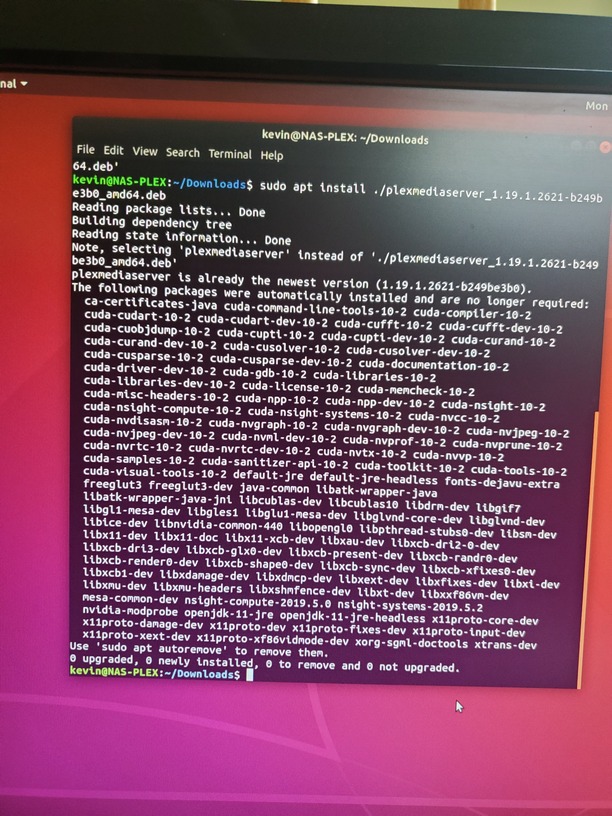
First, you need to perform that sudo apt autoremove and clean things up.
Next, Download the DEB from Plex and make it install manually with
sudo dpkg -i filename.deb
OK, done
Kevin,
Something which will make your life easier. “Gnome Screenshot”.
It’s built in.
I have it added to my favorites.
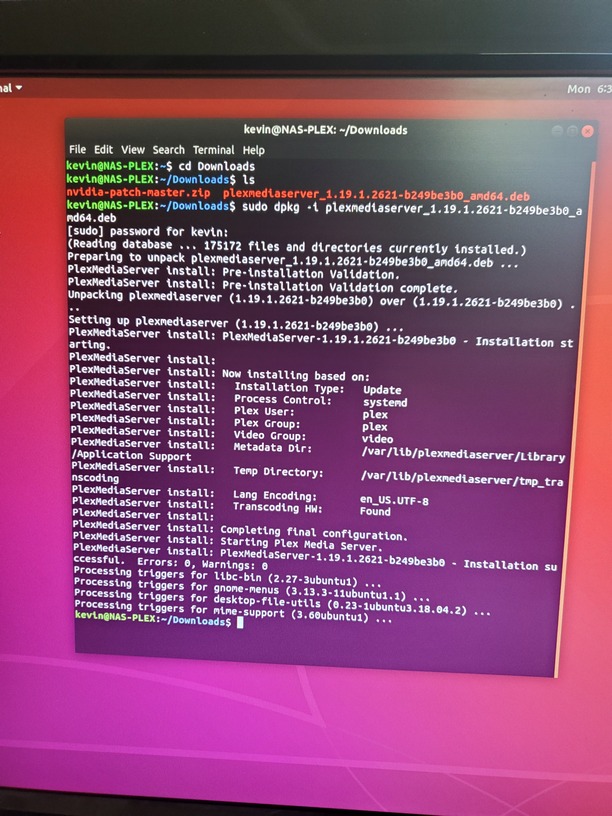
Where are you getting 1.18.9 from? I know you just installed 1.19.1 on that machine, without any errors.
Whether it’s claimed and part of your account is another matter.
I can’t tell that (yet) from the installer but I suppose I could 
In the Settings, General page it sais “Version 1.18.9.2578”
Then either this host hasn’t update with Plex.tv
-or-
you’re using another system.
I think we’re about to find the root problem.
It sounds like a permissions problem. My media in in a Local mount, and Transcode dir is /Tmp/
This is my first time making a Linux machine, besides a raspberry pi or three.
I am using another system, My first Plex Server was a window machine, In fact I’m on it now.
I built the Ubuntu because we needed more space and I didn’t want to slow down the Plex Server by doing some download or something
/tmp should be local. If it’s not, that’ll only hurt transcoding (file locking).
Easiest way to mount media, imo, is this way. I’ll present it all here for you to use as you need.
Local
NFS
CIFS (not conducive to multiple users on Linux due to most being CIFS 3.0) so it’s either your username or Plex that has control (impacts recording / optimizing).
Luckly my Media a internal 4 6TB WD Red Drives and is Mounted at /mnt/md0 its a 24TB Raid 5 I made with madam.
The /Tmp/ I think is RAM, right? When it transcodes the RAM usage goes up.
Dose Plex Group need permissions to the Media?
Plex is an unprivileged user on Linux.
You need give it read permissions only.
The best to do is , with your username as the owner of it all,
Directories get 755, files get 644.
Thank you, ill check the media folder and the Plex folders
as warning. /var/lib/plexmediaserver is to be fully owned by Plex and no media is to go there. It’s entirely for metadata
I’m back, I bought a I7-8700 changed out the I5-9400. I made sure in the BIOS the default video is Auto and I have a Dummy monitor is plugged into the Quadro K2200 and updated Ubuntu.
What would be the next step for getting HW transcoding to work?
Forgot to tell you, In the server logs it said “[FFMPEG] - Cannot load libcuda.so.1”
The i7-8700 itself will do the hardware transcoding. It doesn’t need a video plug either when in desktop/ server mode (unlike windows)
If the card needs it, then do whatever it needs.
The message you show above indicates the Nvidia drivers for Linux aren’t installed and in the path ( /lib or /lib64 ) where Plex can find them.
Should I reinstall the Video Driver?
See what their support docs show.
I can’t be of help with that ( I have a NUC ).
AFAIK, the drivers should install themselves in the proper system locations for the desktop which should be correct for Plex too.
I unfortunately have no idea how to install and make work in normal Linux (I have a NUC)
I know that, on qnap. PMS looks for the driver (QNAP puts it in a specific location).
The min driver version required is 418.30 (their numbers) if that helps in any way
