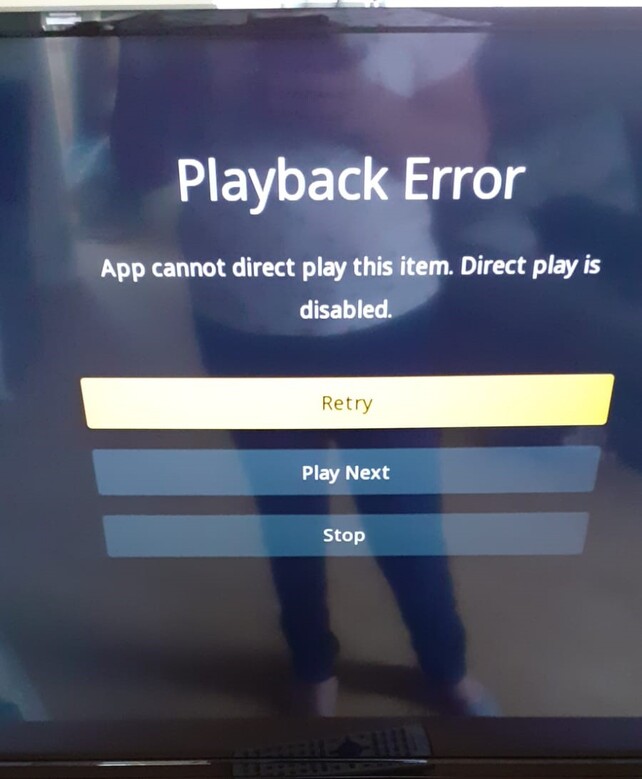
No one who has remote access to my server can log in, they get the above error message. In Plex Web Player, Remote Access in the settings is all OK, has a public IP with a green tick.
I have updated to the latest version of Plex, I have checked Synology OS version, all up to date, services are running OK. I have restarted services. I have done a soft restart and a hard boot. Nothing seems to work, always the same.
They have access to other online providers, such as Amazon and Netflix. They are using the app on a Samsung TV.
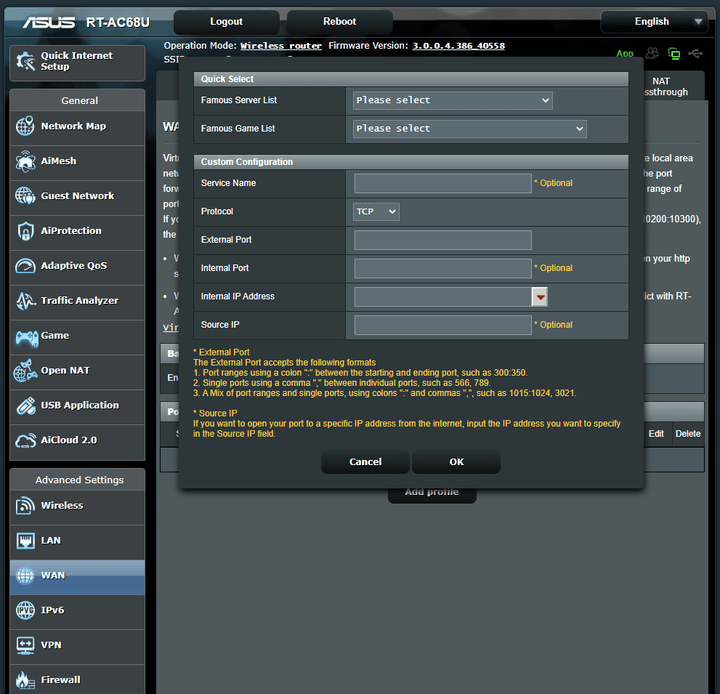
I have personally never done any port forwarding rules. This would be something the NAS had, as I have not changed anything in this area. A message appeared just after all the reboots.
Ah OK. Just looking at it now. Do I need to have a static IP address for it to work now then? I have never needed one before? If so, will need to speak to Broadband provider, and get them to assign one? From what I can see, it needs to be a Port Forward rather than a Port Trigger?
I’m learning a lot so thanks for your help!
They are accessing using TV apps on Samsung TVs. They have all worked until recently, when they collectively all stopped. I have changed it to empty/blank, as per BigWheel’s suggestion, and see what happens? I thought I had a Plex Pass but looks like I let it lapse. Will look into it.
OK, we have taken a big step forward, as we now have a varying amount of other error messages. Some can play some files. Others cannot see the server at all.
Thank you for this. The most frustrating thing is that these were all working fine when I had version 1.18 for all this time, and reluctantly upgraded to 1.22 get this issue resolved.
I’ve known for a long time that I could not transcode with my NAS, which does need upgrading to something better, completely appreciate it isn’t powerful enough for future proofing. But, I’ve been able to play films and TV in .mp4 and .mkv formats, without any of these issues, and so have friends and family. I think the recent “certificates” change may have triggered it? Usually for issues to start, something has been changed. 99% of the time anyway. I have not changed anything.
I have been getting my friends and family to try different files, and also to select Direct Play as transcoding is not possible.
Why has this just stopped working? How do I force the end-users to Direct Play and not transcode?
Transcoding is disabled already. It has for quite some time now. I work in software, so I know enough tech to know that rolling back is never a good idea. Latest is always greatest, so issues can be resolved. Totally get it.
Their apps played these files before last week without issue. They all have their own user accounts, so they are simply continuing to play files they were looking at before.
The change came from Plex, and now these users are experiencing issues. After going through all of the advice of things to check, we have come to the end? They are checking their settings, again nothing changed.
I really do appreciate the support so far, but I have followed all of the advice given so far. I am logged onto Plex.tv right now on a completely different network, as I have asked all of the other users to do too. All of them and I are not able to connect to the Server. Screenshot below.
Can this be escalated to Plex please? If I need to get a Plex Pass to get this resolved, I will pay. I want to continue using Plex for many years to come. If the advice is to upgrade my server to get round the issue, that’s fine, but I need to know that. My fear is I will spend some £500 upgrading the NAS and still get the same issue.
I didn’t do anything further. I did, however, video call and look at the settings on their Plex Settings on their TVs. They all had varying settings for quality etc. and changed them to “Original Quality” and “Direct Play” was set to Auto and we changed to “force”. All went back to normal. Waiting on a few more, but seems to be working so far. Thanks for your help.