Server Version#:1.27.0.5897-7000
Player Version#:4.76.1
After updating my Synology DS281+ to the current version today, I see that new files are not being scanned and added.
I can see that if I change the name of a show that I know has new videos in it, Plex will update and refresh the shows that are there, but new shows are ignored.
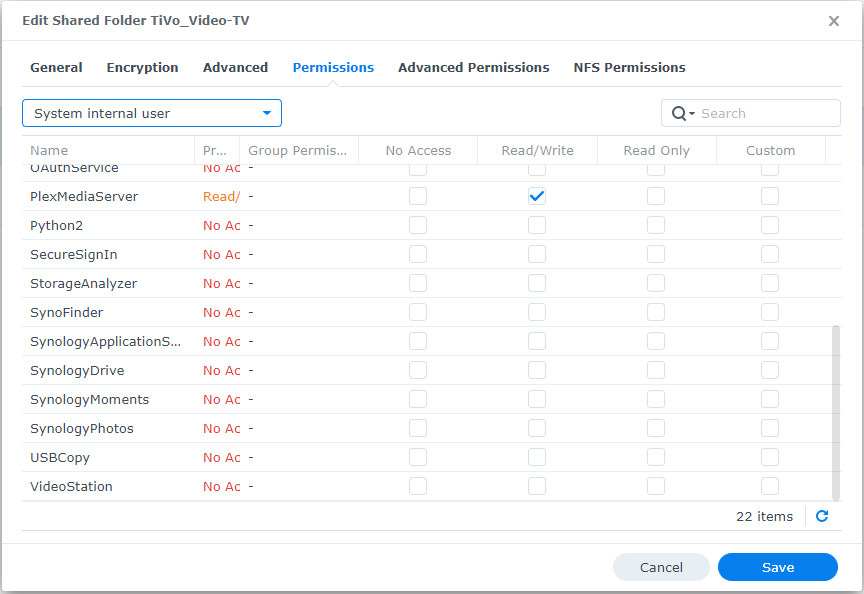
I followed the instructions about checking permissions and they appear to be set as recommended.
I have also rebooted several times. No change.
Tried to roll back to the previous version. Could not even connect so I re-installed the new version.
Downloaded install file again and installed it. No change.
Tried fiddling with the advanced permissions. No change.
At this point I am at a loss.
Why would Plex ignore specific content in folders after an update?
While the scan is being performed here are the new shows:
“\TiVo_Video\TiVo_Video-TV\TiVo_TV_Shows\Doctor Who\Doctor Who S20 S08 Snakedance.mp4”
“\TiVo_Video\TiVo_Video-TV\TiVo_TV_Shows\Doctor Who\Doctor Who S20 S07 Snakedance.mp4”
“\TiVo_Video\TiVo_Video-TV\TiVo_TV_Shows\Doctor Who\Doctor Who S20 S06 Snakedance.mp4”
“\TiVo_Video\TiVo_Video-TV\TiVo_TV_Shows\Doctor Who\Doctor Who S20 S05 Snakedance.mp4”
“\TiVo_Video\TiVo_Video-TV\TiVo_TV_Shows\Doctor Who\Doctor Who S15 S12 Image of the Fendahl.mp4”
“\TiVo_Video\TiVo_Video-TV\TiVo_TV_Shows\Doctor Who\Doctor Who S15 S11 Image of the Fendahl.mp4”
“\TiVo_Video\TiVo_Video-TV\TiVo_TV_Shows\Doctor Who\Doctor Who S15 S10 Image of the Fendahl.mp4”
“\TiVo_Video\TiVo_Video-TV\TiVo_TV_Shows\Doctor Who\Doctor Who S15 S09 Image of the Fendahl.mp4”
“\TiVo_Video\TiVo_Video-TV\TiVo_TV_Shows\VEEP\Veep S03 S06.mp4”
“\TiVo_Video\TiVo_Video-TV\TiVo_TV_Shows\VEEP\Veep S03 S07.mp4”
“\TiVo_Video\TiVo_Video-TV\TiVo_TV_Shows\VEEP\Veep S03 S08.mp4”
“\TiVo_Video\TiVo_Video-TV\TiVo_TV_Shows\VEEP\Veep S03 S09.mp4”
“\TiVo_Video\TiVo_Video-TV\TiVo_TV_Shows\VEEP\Veep S03 S10.mp4”
Note that both Doctor Who and VEEP already have shows in those folders and are named the same as they are here.
Not trying to be rude here but take a look at your file name Doctor Who S20 S08 Snakedance.mp4 whats wrong with that? Doctor Who S20E08 Snakedance.mp4 is the correct file name. try fixing your naming and see if it parses.
When burning from disc I copied the first title, pasted and changed the number at the end for each additional episode. I totally missed that double “S”.
I was trying not to say that I would also recommend no putting a space in the file name. Plex’s recommended format is <BASEFOLDER>\<SHOW NAME>\<SHOWNAME> SxxExx <TITLE>.<EXT> the techincally recommended format is to include a Season xx folder too, but Im not a fan of excessive folders.
Nearly everything I have is in the SS_EE so I hesitate to change that and lose my meta data (that happened once before) and folder names are just the show title.

 I would also recommend no putting a space in the file name. Plex’s recommended format is