I’ve installed an EdgeRouter 4 and for some reason, I seem to have lost the ability to manage my remote access settings on my local server (via app.plex.tv).
I was able to set up port forwarding to allow access to port 32400 on my server and I tested with “canyouseeme.com”
Plex works locally (on my iPad) but when I log in to plex.tv (via web browser and app.plex.tv) I’m not able to access any of the media on my server.
One of the articles on the support site suggest going to Settings > Server > Remote Access but that option has disappeared from my UI.
Any ideas what might be up? I’ve enabled debug logs but I’m not sure if it is acceptable to upload theme here.
I ssh’d into my Synology NAS, located the Preferences.xml file and removed the entries noted in the article. When I accessed the app via local address, I was presented with the attached screen. When I proceeded to “Sign in”, I was taken back to the crippled UI (that was missing the Settings > Server options.)
I removed the server using the web UI as you instructed, did a hard cache flush (shift-reload) from my browser and was asked to log back in. It felt like progress but unfortunately, I’m still not able to see any settings.
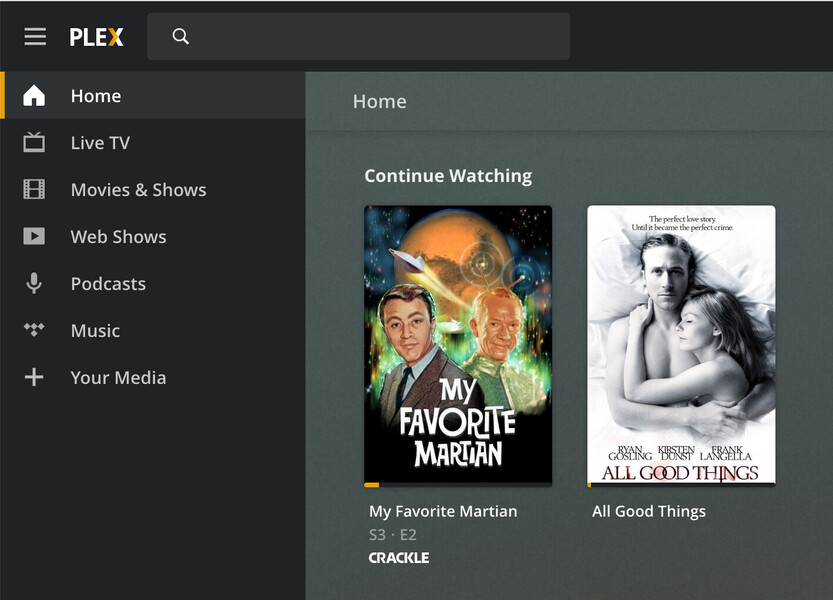
It almost seems like the remote app is not recognizing my server (because it has a new IP address) and is refusing to connect to it. I am getting Plex but its all of the public content and none of my personal stuff.
I’m attaching a screen capture of the settings menu that I’m seeing.
Hello again BigWheel. In the past few days, I actually removed my legacy Plex installation and reinstalled. Unfortunately, I’m running into similar errors.
So, as you’ve directed, I was able to grab the server log files and will attach them to this ticket for some kind soul to examine.
Turns out there was a configuration error (DNS related) on my Synology NAS that their support team helped me resolve. With the updated configuration, Plex is now working properly.
Posting their configuration suggestions here in case someone stumbles on this thread in the future with a similar problem:
While logged into DSM navigate to Main Menu->Control Panel>-Network and input 8.8.8.8 as your “Alternative DNS Address” and then apply the changed settings. If connected to an Active Directory Server please check your DNS settings on the ADS server.
Go to Control Panel->Network and make sure the “Default gateway” is set to the router’s IP address. If it is incorrect you will need to change it in the Control Panel->Network->Network Interface tab by editing the active connection.
Go to Control Panel->Regional Options and choose “Synchronize with NTP server”. If you are already using this option then please choose a different server address and hit apply.