I have been working on this seems like forever. I’ve reinstalled everything I’ve got twice. (Qnap 451 with 24 TB on it and 2 60" Smart LG TVs one is 2 years old and the other 1 year old). I can acc the NAS from all my stuff. PLEX even appears on the TV with its options, but It won’t let me acc the info on the NAS. QNAP said they can’t help because PLEX is not supported. ATT say theirs nothing wrong with the router. I’ve got the newest version of PLEX. I even tried to chat with someone from PLEX via Facebook. I’m a lifetime member and this is the only way I can try to get support. At over $100 USC per client, you would think there would be someone you could call. Oh one more thing, this just out of the blue happened. I just don’t have anymore ideas…
Plex is free. Where did you come up with " At over $100 USC per client, " ?
I guess your not a member
How about we back this up to the beginning and start fresh?
Which version of PMS do you have installed on your TS-451 ?
Which version of QTS is installed on the unit?
Whomever you spoke with at QNAP (if it was QNAP) gave you 100% incorrect information.
Plex is supported on their platforms. They don’t provide the support but we do.
The QNAP US team will help as much as they can. I speak to them on a regular basis.
I have a good working relationship with the QNAP Project Manager for the TS, TVS, and HS series NAS models.
I am curious by the reply “I guess your not a member” . What do you mean by this?
Well I was talking about Having a PLEX pass for life, cost $99.50. I’m sorry but I don’t know what PMS or QTS means. I just know everything used to work and does work via Qfinder pro on the computer and I can acc the NAS via my LG tv through a files app on the smart TV. But when I go through the PLEX app on the smart TV, I just pick up PLEX stuff not the NAS. Even thou I see the nas on the smart TV via the Files app.
Forgot to say I’ve done all the updates on the Qfinder pro (NAS) and PLEX
go @ Plex Web, if it asks you to log in, use the same email/pass that you used for these forums.
take a screenshot, then paste it into a reply
if you have setup your PMS correctly, you should be able to see/browse/play your content direct from you web browser.
If all that works, then your server should be fine, and you should concentrate on getting 1 tv at a time working the same as the web page.
also, plex pass is linked with your plex account, you should only need 1 account, and 1 plex pass for all your servers/clients.
if you have multiple accounts and paid more than once for plex pass, then you are doing it wrong.
- “Plex” is the short form name which most use for “Plex Media Server”
- “PMS” is the acronym of “Plex Media Server”
- “QTS” is the name of QNAP’s operating system (as so indicated at the bottom of the login page)
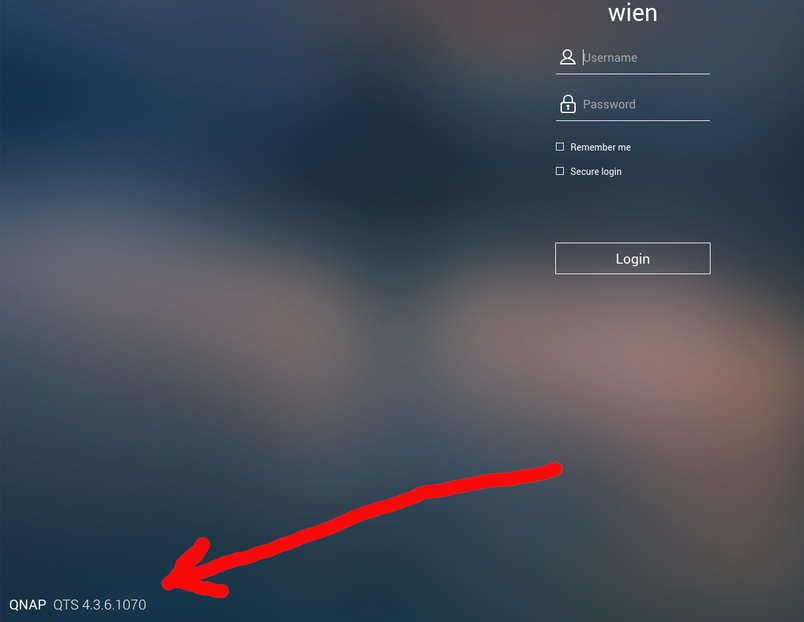
Before proceeding further to diagnose here, I need basic information about the local LAN.
- What is the IP address range in use?
- Is the Plex server wired or on WiFi
- Are the other players (television, etc) wrired or on WiFi?
- Which platform (Windows, Linux, or Mac) is being used for administration of the Plex server?
This topic was automatically closed 90 days after the last reply. New replies are no longer allowed.
