Only Optimized Version location option is "In folders with original Items"

Server Version#: 1.25.2.5319
Player Version#: 4.72.0 (web)

I’m trying to setup Optimized Versions in my movie library. I’ve added a second folder location into the library settings but the only option in the dropdown for the version folder is “In folders with original items”. I’ve followed the directions in Using Read-Only and Read-Write shares for Optimized media on Synology but it doesn’t seem to work. Bug?
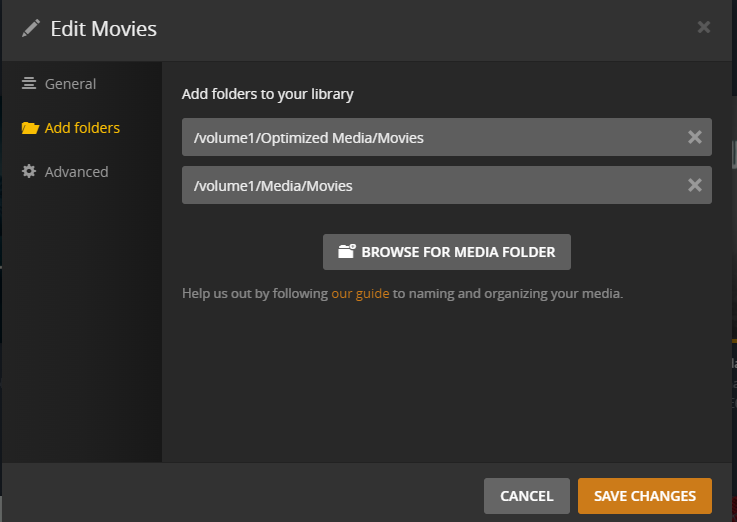
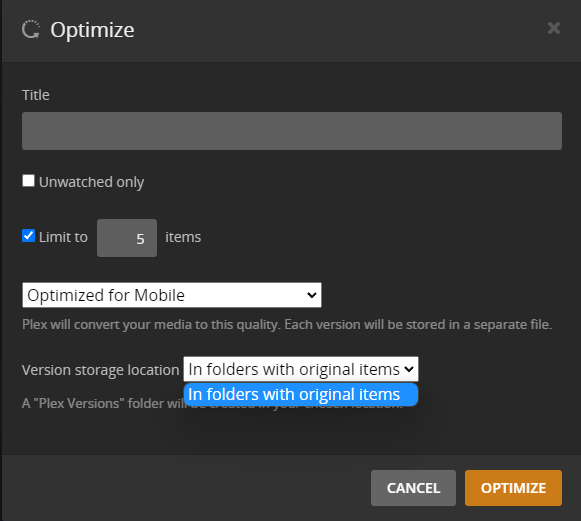

image

What’s interesting is that I can choose different folders if I optimize a single asset. It doesn’t work if I do it on a filtered view of the library to optimize multiple assets.

Also reported by @bashers in "Optimise" location not adjustable anymore

Tested on Web client version 4.66.1 as well and same issue

This topic was automatically closed 90 days after the last reply. New replies are no longer allowed.