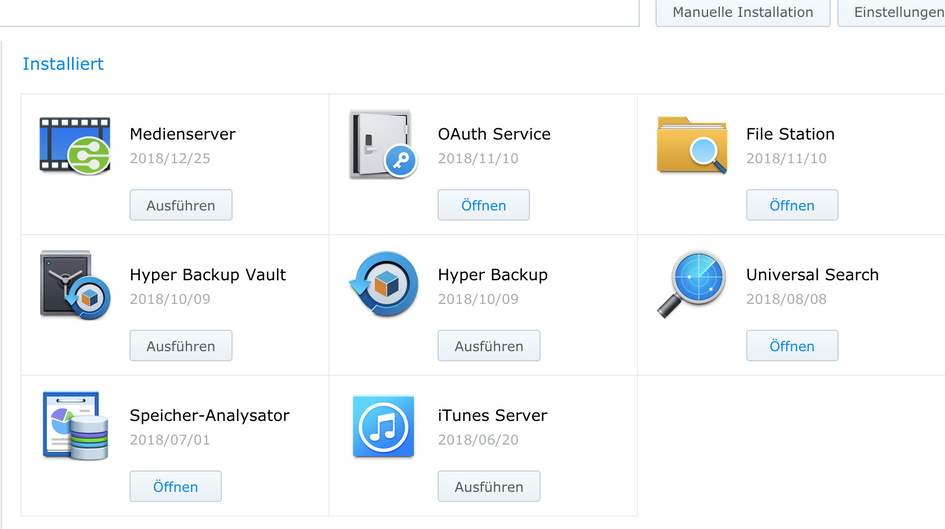
Operations failed on manual Install DS418play ((DSM 6.2.1-23824 Update 4)

Hi all from Germany,

tried to upgrade my server version to 1.14.1.5488 after getting some update message in the web frontend ( Version 1.13.4.5271)
after stoppig the server, deinstalling the old version, i chose the new PlexMediaServer-1.14.1.5488-cc260c476-x86_64.spk but i was not able to install. every time i get the message “operation failed”
packages from every source are allowed - not only from synology or known developers.
what can i do?

regards ingo
Server Version#: [(DSM 6.2.1-23824 Update 4)]
Player Version#:PlexMediaServer-1.14.1.5488-cc260c476-x86_64

Hi Trumpy,

did as you suggested but no sulution seen. deinstalled the old version from the package center, deleted the plex user including it’s homefile (but left the shared file because of deleting it mandatory) did a new download from the plex website (same checksum), installed plex RSA key but always the same errormessage (operation failed)
any further idea?

Ingo

I’m sorry - wrong expression.
Ment left shared folder but deleted the Homefolder from Plex user.

I had a SSH connection via Macbook including root but saw no files - perhaps not enough experience with this. What have i to do? Where can i find those files?

Its only possible by upload a screenshot. Copy paste i get a message, i only can mention 5 users in one answer :flushed:

Having reviewed the thread, I would like to take the following steps

  1. Do not be concerned with anything at the command level at this point. It will only complicate things
  2. Control Panel - User - Delete the Plex user there if it still exists.
  3. Control Panel - Shared Folder - Delete the Plex share if it exists
  4. Package Center - Uninstall Plex
  5. Restart DSM
  6. Package Center - Manual Install of the downloaded 64-bit package SPK. Report if any errors
  7. Click the box to “start” after installation
  8. Wait 10 seconds after installation completed before connecting
  9. Connect to http://ip.addr.of.synology:32400/web
  10. Begin a fully cold, fresh, setup

[quote=“ChuckPA, post:11, topic:358084, full:true”]
Having reviewed the thread, I would like to take the following steps

  1. Do not be concerned with anything at the command level at this point. It will only complicate things
  2. Control Panel - User - Delete the Plex user there if it still exists. DONE
  3. Control Panel - Shared Folder - Delete the Plex share if it exists DONE
  4. Package Center - Uninstall Plex DONE
  5. Restart DSM DONE
  6. Package Center - Manual Install of the downloaded 64-bit package SPK. Report if any errors OPERATION FAILED

Whichever browser you are using, please use another to both download and then install on DSM.
This sounds very much like the Safari problem of recent.

Hi Chuck,

i am using Firefox in Version 64.0 on Macbook. Because i am in duty for the next 5 days, I will try the same procedure with IE and Chrome at the weekend. Please be kind to wait untill then for my next reply.
Regards from Bavaria.

Ingo

Once again,

i was able to give another try via VPN using Safari with success. It seemes to be Firefox the bottleneck. With Safari I was able to download the latest version, load it up to 418Play and installing it. Now server is running again. Will setup all my movies again at the weekend! Thanks to all for their support.

Ingo

Thank you for replying.

It seems now FireFox is the poorly behaving child. Interesting.

This topic was automatically closed 90 days after the last reply. New replies are no longer allowed.