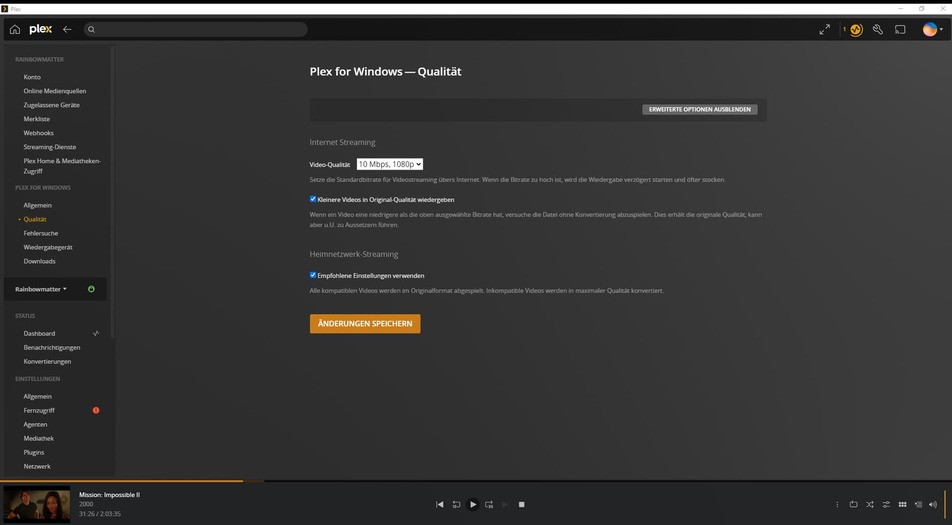
Hi guys, I just recognized a significant difference in the picture-quality between Plex-Player and VLC-Player.
Look at the Screenshot. -Can U pls help me to fix it?
Stop using Plex Media Player., It doesn’t support HDR.
Downlopad and install either Plex for Windows7mac/linux
or Plex HTPC from the download links below.
You say, that I need to stop using PlexMediaPlayer and in the next sentence U say I have to download Plex for Window. This Plex Player is Plex for Windows. 
Probably mistyped?
Regards
Plex Media Player is not Plex for Windows.
If you are indeed using the newer Plex for Windows, then
Hi, thanks for answering.
That means the player has to perform “tone mapping”, to compress the extended color space of the file to fit into the limited color space of your screen.
Depending on the player, the results of this process can yield quite different results.
Go to the menu item “Wiedergabegerät”.
Activate “Erweiterte Einstellungen”
There is the relevant selector “Video Playback Quality”
If you don’t see it, you might not be on the latest software version of the player.
(Go to the “Allgemein” menu item to see the version number.)
Thank U for the explaination. 
I have this settings, but when I change it, nothing happens to the colour. 
(tryed from low quality to “Make My GPU Hurt”
Regards
Toasty
Have you ever created a customized mpv.conf file?
What is your current software version of Plex for Windows?
Does your screen have a valid color profile assigned to it? (in the screen properties of the Windows device manager)
By default Plex htpc uses the 0-255 unlimited colour space.
Add the following to mpv.conf / make sure you restart Plex and see if it now looks the same/similar to VLC.
video-output-levels=limited
Btw, mpv.conf goes in %localappdata%\Plex HTPC\mpv.conf
Just add a blank text file and change the file extension from .txt to .conf (and apologies if the instructions are easy or hard!)