The logs from v7.19 would be fine, as long as it’s a newer version than v7.15. Without logs we can’t do anything about the issue, which is why it hasn’t been fixed yet as you’ve said it works on your other device and it’s not a common issue for all our users (for the issue since v7.15). Without knowing the details of what is failing (which would be clearer with logs), we can’t make fixes for issues that we can’t replicate or have no information about sadly.
@sixones, if the original issues in this thread are resolved, and any of the other ones for that matter, maybe you should lock all of these outdated topics and start a fresh one asking for new logs with modern clients and modern servers.
Right now there’s just hundreds of posts of misinformation and totally irrelevant logs because none of it means anything any more. Both the server and client have gone through numerous major changes since this thread was started, so making a new clean thread where people can make more relevant posts and include more relevant logs would probably help both you devs and any users coming here to look for help.
Imagine coming to this forum and starting with post 1 in these various threads? You’d pull your hair out driving yourself insane 
EDIT - OK… I got this fixed on the one machine that was not working. I looked at my settings on my Pro and checked to see if they were the same on my 16GB. The only thing I changed was the H264 maximum Level to 5.2 (Recommended). For some reason it was on 5.1 and that to me was causing it to fail.
Here are my new Logs on my 16GB - wifi enabled Nvidia shield. I am also running the new Nvidia shield update 8.0 on both machines which could be a changing factor.
New.txt (1.1 MB)
OLD - LETS get this fixed… Here at my logs… I turned on networking logs and then tried to play a couple of my IPhoneX 4K concert videos that I have taken in the past year or so. I get the error right away and here are the logs.
I am running 7.19.0.11571 on my Shield TV.
Log-08012019-0920.txt (2.5 MB)
NOW… That is on my 16GB Shield using Wifi… I also have a Shield Pro, Hardwired and running version 7.19.0.11608 and it is working.
Here are the good logs on the same file
Working.txt (1.9 MB)
I am here EVERY day… all day… lets get this fixed!!!
Interesting, it does seem like for you the issue is the H264 level. When the level is 5.1, and since the video is level 5.2, we end up transcoding the video. The transcoded video however seems to be corrupt and we can’t seem to play it with any of our demuxers.
Could you grab the server logs? Does this only happen on the SHIELD that is also acting as your server?
I have not had a chance to look through all the messages, but I have recently gotten around the issue, and, as suspected, it seems to be the ExoPlayer. I have chosen to use an external player (VLC) instead of the ExoPlayer, and playback works fantastic on my Pixel 3 w/ Android Q. When i switch back to the ExoPlayer, I get the error.
If you are on a mobile, the issue will be fixed in v7.20 which will enter beta soon.
2 Likes
So in my case, it worked on the Plex server because that client was set at 5.2 but when I changed it to 5.1 and it failed as well. On my second one (not the server), it failed until I turned it to 5.2.
So basically both failed when set to 5.1.
Here are my server logs. I tried it again at 5.1 on the server so there should be a failure there.
@sixones I’m currently out of action, my Plex servers PSU kind of how up 2 nights ago, so I’m in the process of waiting for another 800w PSU.
I’m seriously fitting with purchasing a HP Proliant or similar once we’ve moved home the end of this month, then I’ll have a 12 Core/24 Thread server with a Quadro GPU to handle everything rather than my aging it 3330k with 8Gb RAM. If I’m going to do it right, I may aswell do it this way and then use my i5 Desktop as a player on my surround sound system.
Oh, I’ll treat the new beta once I’m back up and running also, here’s hoping after what seems 6 months to wait, the issue is finally fixed?
Dave
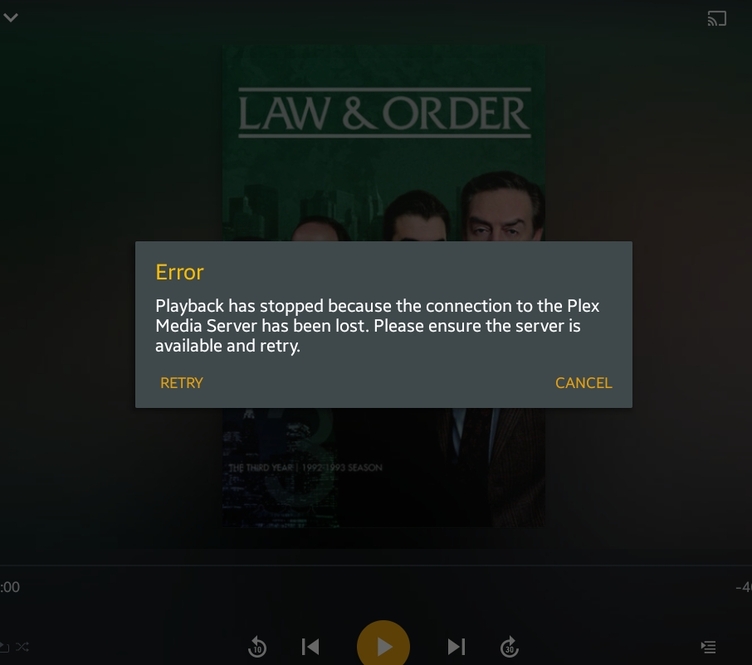
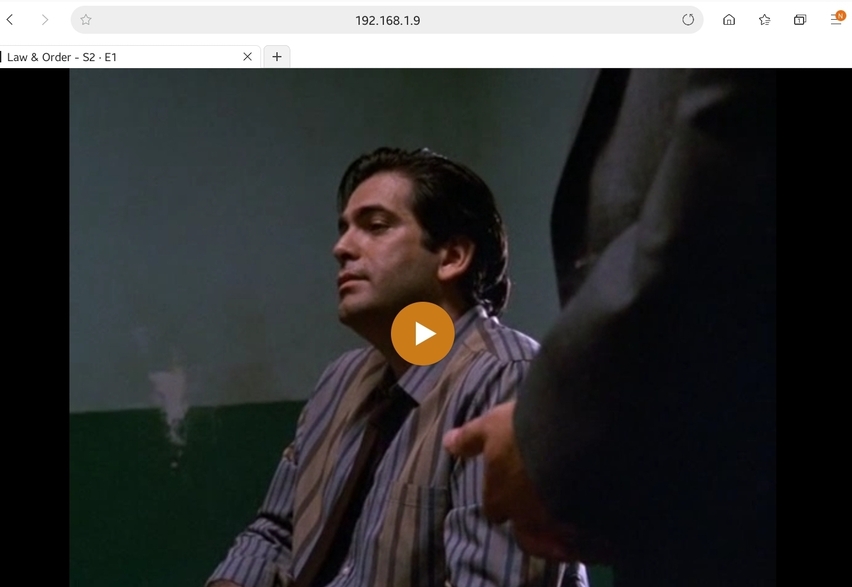
Hey guys! I’d like to throw my hat in, too, into the topic. Galaxy Note 9 just got updated with the July update from Samsung and before I was watching a TV series, Law and Order, and after I updated it stopped working. None of the episodes worked from law and order. But curiously enough, every other tv show and movie works fine. I even went into the browser of my phone and it worked fine. It’s definitely the app, as mentioned here before. I uninstalled the Android app, reinstalled, and it still didn’t work with Law and Order (and it did work with every other video file I have on the server). Quite strange.

1 Like
So I installed the latest build and pretty sure I still have the issue. Before when I first started testing, I was direct streaming everything so no transcoding. However, now I am forcing transcoding and am getting the error on all files I have tried. The big issue in my logs is this:
Analyzing media 1920x1080 15578kbps (Container mov, Video h264, Audio aac)
Transcode Reason: Resolution or bitrate exceeds maximum allowed
Clearly it’s not the Resolution because that seems to be pretty standard. Does it not like the bitrate? From what I can tell, these bitrates (from my videos taken from my IphoneX) will change depending on basically how much light gets into the camera. I have seen ranges from 35K all the way down to 10K.
I just did a small test on the same file and transcoded it down to 2mbit 720 and it plays just fine on my phone. But when I try to play the same file as the same rate on my 16GB nvidia shield, it fails.
EDIT - Ok… so I got a little crappy file 512x384 1143kbps 23.98f/s (Audio 133kbps, 2 (stereo) 48.000 kHz) and that still comes back saying that it exceeds maximum allows but transcodes just fine.
Where the other file is 3840/2160 10767kbps 29.98f/s (Audio 84kbps, 1 (mono), 44.100 kHz) and it fails.
Logs - 08052019.txt (518.2 KB)
Let me know if you need anything else!
1 Like
@ASiDiE Playback of MOV files / iPhone recordings is fixed in v7.20. Do you see the issue in any other video types or was it just with MOV files / iPhone X recordings?
@zkyevolved Would you be able to grab some logs after you have experience the issue and let me know if you are trying to play MOV files, if so the issue should be fixed in v7.20.
Information about grabbing the logs is available here; https://support.plex.tv/articles/201573117-android-android-tv-fire-tv-logs/
Don’t suppose your server is back in action? If so, has the latest v7.20 beta fixed the issues you were experiencing?
Hi, same result on 7.19 and 7.20, I sent you the logs via PM for both Android logs (7.19 and 7.20) along with both server logs. I hope it helps!
Sixones,
I tested out all the files I had from TV recordings to older files as well as some 4K samples I downloading from the net and was unable to reproduce the issue.
Also, you were correct when saying 7.20.0.11785 will fix the issue. I went back and played some of the files I was having issues with before and they all worked.
Could this issue be finally fixed?!?!?! Anyone else want to download the latest version and try out their files and let us know.
Hey @sixones and all!
Seems the old PSU took the CPU and motherboard out also, Argh!! The i7 3770k and lga1155 board have to come earlier!! I’ve opted for this board and CPU as it’s powerful and cheap at the same time, and coupled with a Quadro GPU, should get Plex singing again.
Will let you know one way or another…
Dave
@sixones Will 7.20 install automatically on my Fire TV Stick 4K? If not then how can I try it? I really want to try the videos that refused to play and see if they will now work.
Did my sample video help at all with your debugging?
For Amazon Fire TV you will need to manually install the APK I’m afraid until v7.20 becomes public (should be in 2 weeks roughly).
I think I’ve missed the sample you’ve supplied, would you be able to send me the link to where you posted it and I will take a look? (Sorry this issue has got rather confusing!)
@sixones . What is the URL to the APK that I can install manually?
It’s the one you referenced in this post: "Playback has stopped because the connection to the Plex Media Server has been lost"
I just tried the latest beta (7.20) on my Insignia 32" FireTV. Unfortunately, Plex still cannot play anything. Same error, “Playback has stopped because the connection to the Plex Media Server has been lost.” I’m super disappointed.
