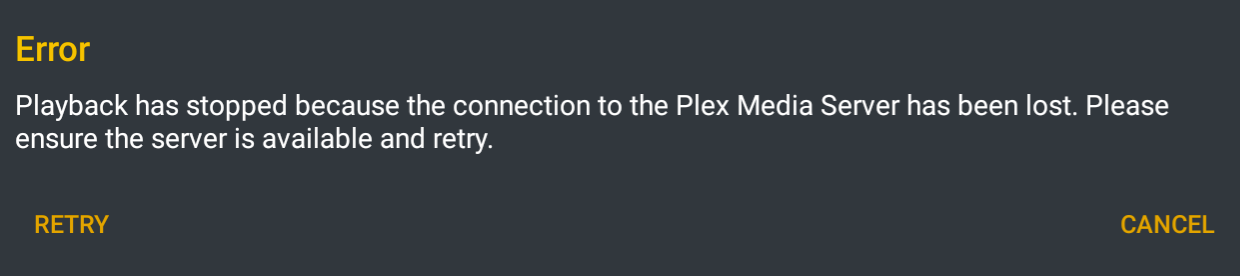
The “playback has stopped because…” error has not been solved on the Fire Stick when attempting to play HEVC Main 10 files, which is a majority of my library. The problem is not fixed on 7.23 or 7.24 using the latest stable server. I’ll post my logs when I’m at my computer.
Edit: Here are my logs. Tested with an HEVC Main 10 file (Westworld S02E01).
Just noticed this issue with the latest Android TV Beta (7.24.0.13291) on my Bravia TV, as soon as I try and transcode I get the error. Happened with both TV Shows and Movies .
Direct play works fine.
I can play the same files using PMP and transcoding works fine on that, so looks like something in the client, not the server.
Happens if I choose the new player or the standard one.
Tried on various servers (remote and local) problem exists on all of them.
So after more testing,… it appears to something to do with passthrough.
If I enable passthrough in the Plex app on the TV (I have a receiver) then I get the problem.
If I disable passthrough then it works, once disabled, the TV has to transcode the audio as the TV does not support DTS, wheras if passthrough is enabled then the receiver will handle the DTS
Tried on my Shield which is running 7.24.0.13291 and transcoding works fine with passthrough enabled.
I see this topic has been open for a long time with no clear resolution. I receive a message stating the server is unreachable using the PLEX app on my Chromebook. I can use the web with no issues and my iPhone app is successful. A related issue may also be that synced content will not play either. Seems odd to get a server error when I’m offline and attempting to watch synced content. I went ahead and attached my logs.
Same problem here. Audio passthrough is set to optical and ac3 is checked. I have to do this as I have a Sonos system and it does not play AAC 5.1 audio. The player is the 2017 Nvidia shield. If i turn off passthough i can play anything but i lose surround. Any thoughts @romancamelia, @ManuelPG or anyone from the Android team? I just noticed this with 7.24**** betas.
Same issue here with a Shield TV and LIVE TV streaming. Works fine for playing 4k content so I am not sure why it is JUST live TV? HDHomerun App works fine and other Plex versions (Samsung Tablet/Phone/Apple TV) work fine also.
Player version - 7.24.0.13403 (4029577c)
Server version - 1.18.1.1973-0fabfbcc
The Insignia Fire TV issue was fixed in the latest beta. It is not available in the Amazon AppStore, so you will have to download it from Release Announcements - Android TV beta and sideload it.
7.24.0.13641 does not solve this problem when using certain HEVC files with the Amazon Fire TV Stick. The only way to fix the problem is to downgrade to 6.12.0.3239.
Today is Day 659 since this bug was introduced, and it amazingly still hasn’t been fixed. Attached are my logs, even though I’m probably being ignored.
7.25.0.13841 does not solve this problem when using certain HEVC files with the Amazon Fire TV Stick. The only way to fix the problem is to downgrade to 6.12.0.3239.
Today is Day 662 since this bug was introduced, and it amazingly still hasn’t been fixed. Attached are my logs, even though I’m probably being ignored. logging.txt (178.9 KB)
The original “Playback has stopped because…” issue with HEVC Main 10 files has not been fixed on the Amazon Fire TV Stick. The problem exists on every version of Plex from 6.13 to 7.25. While HEVC Main 10 files automatically transcode properly using 6.12, the “Playback has stopped because…” error happens on all versions of Plex on 6.13 and higher. I have posted my logs numerous times, and testing new builds and posting logs is getting tiring. Is there any plan to fix this? Is there any plan to acknowledge the problem and/or respond to my posts about it?
If there’s no plan to fix the issue, for whatever reason, please don’t let me continue to waste my time with it.