Server Version#:1.26.1.5772-7000
Player Version#:
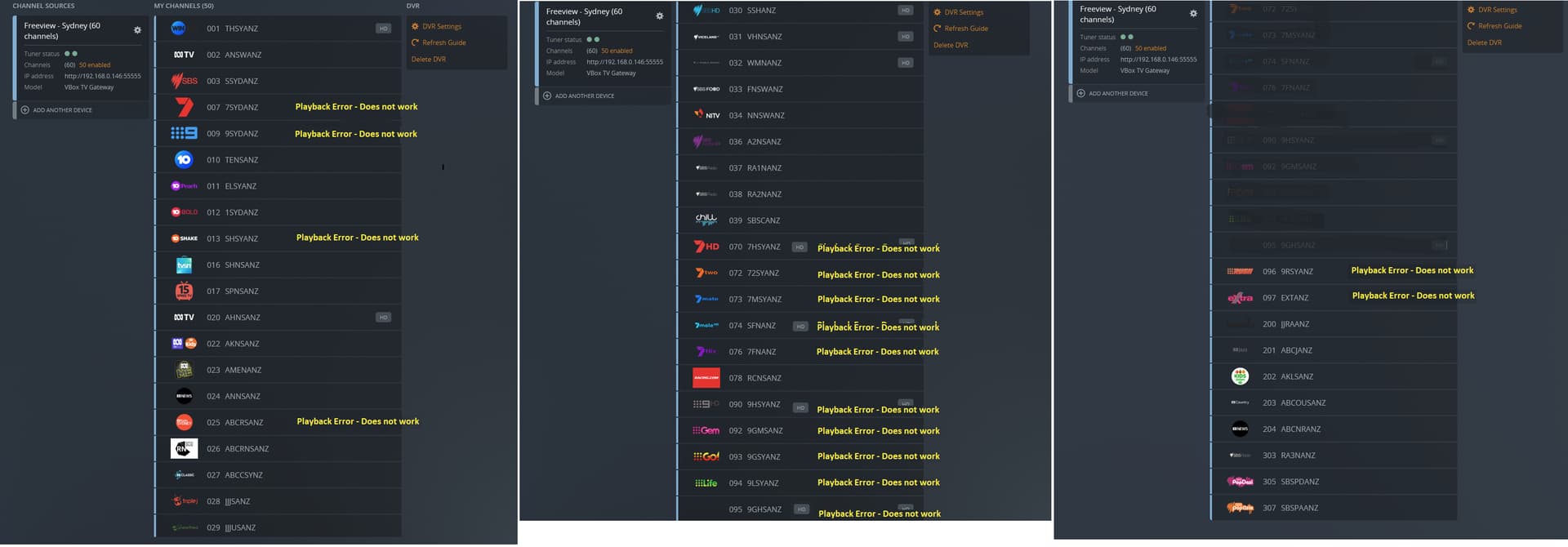
I have a VBox XTi (VBox_4952) FTA capture device. I perform a channel scan and it correctly finds all the channels which play successfully with VLC Media Player. However, Plex seems to be unable to connect to several of the channels and it does appear that the guide info that Plex is using does not have proper channel mapping option, or the name is incorrect. I have taken screen shots of the channel lineup on my VBox device created using the XML source:
http:// xmltv.net/xml_files/Sydney.xml*, and screen shots of what plex is finding from my EPG config. What can be done to enable Plex to correctly process the EPG data so that all channels can work with the DVR facility?
(I had to insert a space into the link above to prevent the link being processed and converted to XML data)
Any Plex employes able to respond here please?.
The top pic. shows all the available FTA channels for my local area (Sydney, Australia). Apart from those channels with the text, in yellow (“Playback Error - Does not work”), all other TV and radio channels detected using the Manifest are correctly identified and playable through my Synology based DSM 7 Plex server.
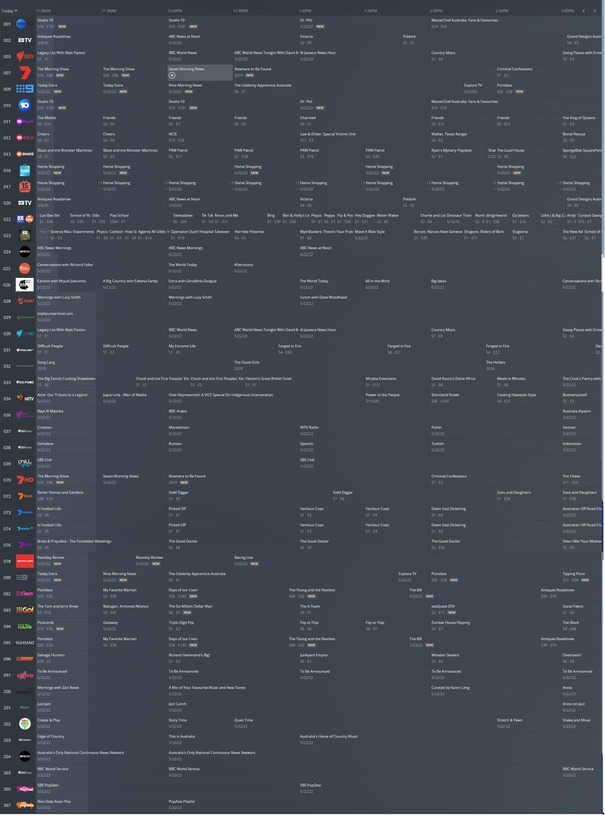
As you can see from the second image above (which shows the actual EPG data presented from the channel mapping), my Synology DSM 7 Plex app. does detect the true Program guide data for all 49 local Sydney channels. But despite the fact that the EPG guide data appears correct, my Plex server errors out trying to play/capture any of those channels which are marked with the yellow text.
Given that those channels are correctly identified (and can actually be played through VLC Media Player), what is wrong with Plex causing it to error out trying to play or record the exact same channels that VLC can play correctly?
The Guide data is correctly identified and presented. Why can’t PMS actually work correctly with the exact same EPG?
Still to be resolved.
VBox Australia/New Zealand Support has advised:
support@adonis Jun 29, 18:54
Hi Rod,
I have escalated with VBox and copied in the forum data. As VLC works it appears to them and I that it is a EPG translation issue where the EPG url is not the same as the channel; one. This may be a fault with freeviews naming for Sydney being different than the naming for other areas so the XML is being pulled wrong (my theory). We use the same xml pull as plex so thats why the same issue.
I think we now have enough for us to find it and fix it so please leave it with me till Monday (3 July) and I will come back to you with info.
Kind Regards,
Lloyd Gallagher
Customer Team
Gallagher & Co, Adonis Technology, Adonis Voice - service that helps you work smarter
Talk about getting the run-around:
On July 10, I requested an update from the Vbox Australian/New Zealand Support agent and received the following response @ 2:53 PM the same day:
"Hi Rod,
As you escalated to Plex also its been handed fully to them to investigate. Currently I am out of the loop and expect they will advise through the forum.
Kind Regards,
Lloyd Gallagher
Customer Team
Gallagher & Co, Adonis Technology, Adonis Voice - service that helps you work smarter
FileID20210713-356"
Frankly, I’m finding this whole process very depressing. I’m starting to think about cancelling my puchase of the Vbox device and returning it for refund. Doesn’t look like Plex staff have been making any progress in resolving this problem.
Thanks for the update, hopefully plex can resolve on there side and they dont pass it back to vbox to resolve. I agree that vbox is non compliant and shouldnt have plex compatible status if it isnt working as intended. Definitely reasons for a refund to be issued
That’s the problem - having seen that VLC Player can play all of the channels from the VBox device, it does seem to me that the VBox_XTi device is working correctly and that the problem is with Plex.
It would be nice if we could get some feedback from Plex Staff on where things are at on resolving this issue.
Server Version#:1.27.2.5929-7000
Player Version#: Version 4.76.1
Current State of Play?
From my perspective, my VBox_3442 is operating normally and installed as the Plex Live TV & DVR device with a fixed ip of 192.168.0.146 on my local network. When installed, Plex identified the device and provided the xmltv feed for the Sydney, Australia, area in response to my providing the Sydney area code: 2000.
I’m very happy with the xmltv guide being generated from my Plex Media Server running as a Synology disk station under DSM7.01 OS.
With VLC Player pointed at the VBox_3442 device LiveTV channels UpnP output, every channel plays perfectly. This seems conclusive proof that there is nothing wrong with the channels output by the VBox_3442 device. It seems therefore that the only issue to be resolved is to sort out the Plex tuning of those Channel 7 group & Channel 9 group channels marked with “yellow” text at the start of my post, above.
If any Plex staff need further information to resolve this issue, please advise details of what’s required and I’ll do my best to furnish that information.
I understand that Plex staff and possibly VBoxComm.com are investigating this matter; it would be nice to know how/if this is progressing.