Server Version#: v.1.42.1.10060-4e8b05daf
Player Version#:???
<If providing server logs please do NOT turn on verbose logging, only debug logging should be enabled>
Server logs please
Warning: I am old (83) and started using PLex bout 15 years ago. It was as struggle then and even more now. Fortunately I haven’t had to to do much with it over the years.
Plex Crash Uploader.2.log (535 Bytes)
Plex Crash Uploader.1.log (531 Bytes)
Plex Crash Uploader.log (534 Bytes)
Plex Crash Uploader.5.log (533 Bytes)
Plex Crash Uploader.4.log (537 Bytes)
Plex Crash Uploader.3.log (535 Bytes)
Hopefully this is what you asked for. If not be more specific.
Thank you very much for your time in looking at my problem.
Fred
See the article on the Plex server log (yellow link) and we will need the entire zip.


That is for cases where you can log into the server. What does http://127.0.0.1:32400/web Show? (PS See Manually Finding Log Files of that linked article.)

Ok that means that plex isnt running, if you go to your start menu and click on the plex server icon, does that URL Change?
Is this maybe the problem?
The server logs are not under my Fred/App data…..

No they are identical
Lets take a look at C:\Users\Fred\AppData\Local\Plex Media Server\Logs (where Fred is your windows user name) and see what shows there? that should be a folder with a lot of text/log files. Ideally that should be zipped up and attached to your post.
I found that directory, I selected 40 of them, but it won’t let me zip.
I need to restart the computer.
Slight delay
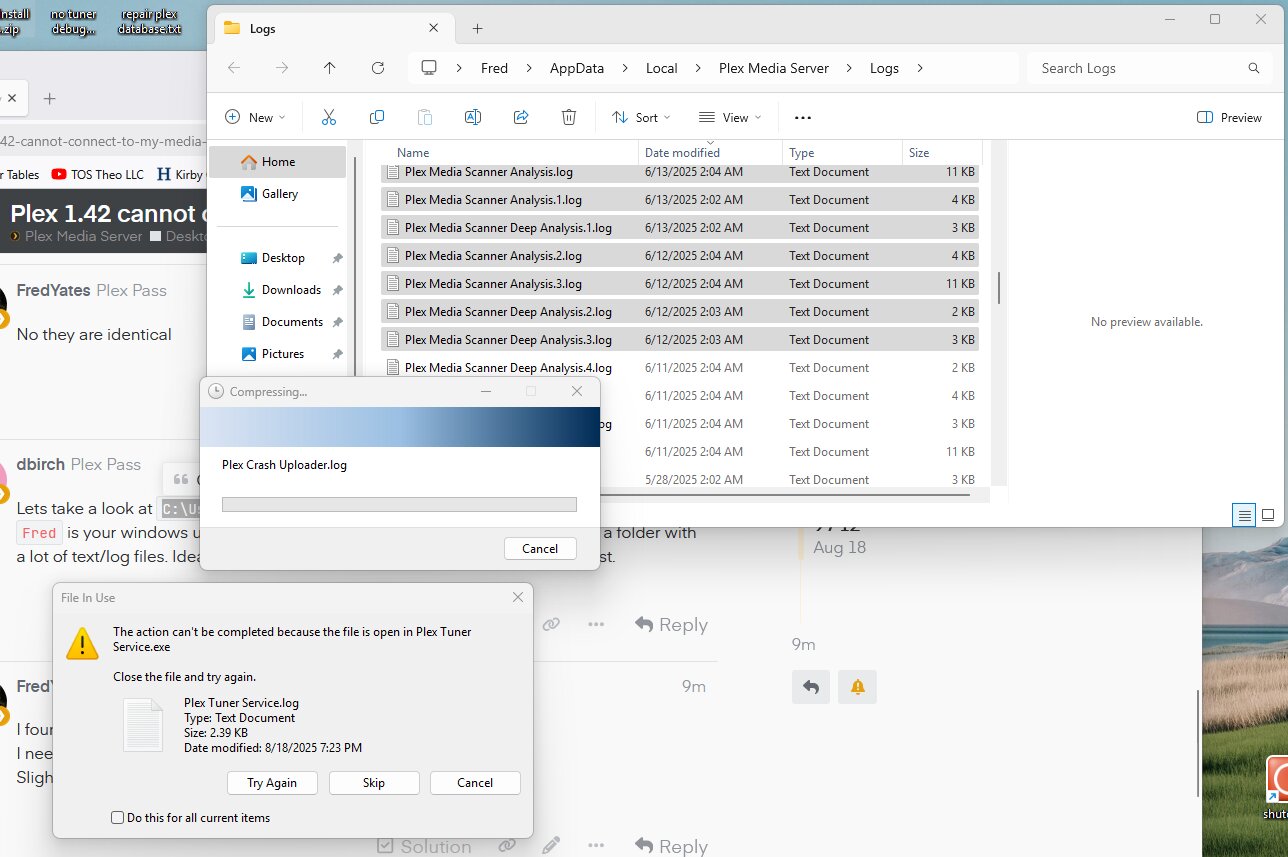
What a zoo I am.
Here you go. There might be multiple zips inside the zip. My system was trying to update the 3-D app, but I don’t have a camera.
Plex Crash Uploader (5).zip (3.0 MB)
I’m so sorry.
Ok try the http://127.0.0.1:32400/web or http://127.0.0.1:32400/web/index.html#!/ URL again. I think Plex may have crashed with regards to the DVR functionality but not sure of that.
Is plex running in the bottom right system tray?

Then troubleshooting wont do anything until you turn it back on.
It won’t let me ZIP with it turned on.
It was running, but I stopped it to ZIP.
It is set to start at Login.
It shows up in the bottom right corner.
With it running does the 127 address show anything?
