Hi All,
Back on Dec 19th, I received an email stating that a new device was used to sign into my Plex account. I logged in as fast as I could to change my password but it was already too late. Shortly after I had lost access to my Plex server.
I have tired the " Why am I locked out of Server Settings and how do I get in?" guide but had no luck following the steps under Linux since I’m running an unraid plex docker.
I even went as far as spinning up a new docker and just trying to add all my media back, but I still get the " Not authorized. You do not have access to this server screen."
At this point, I’m at a loss as to why I can’t even stand up a new docker that isn’t using any of the old settings.
Any help is appreciated, I have already reached out to Plex billing to see if they can do anything.
Hey I had this happen to me before. I was able to use the email and change the password and log back in. When my account was hacked I had to use the email to log in. I hope this helps.
Thanks for the reply but i have access to my plex.tv account already. But lost access to the server I get the not authorized error page.
I reached out to them and they said my account is in order and there are no general issues
Oh So if I am remembering correctly, What you need to do it go into your server. Mine was on qnap and re-establish the connection again. Since you have control of the account just not the server it self. I can’t remember where in the control panel or settings I did it, But it was a few easy process.
As far as I can see, you have successfully claimed your new server.
Now you need to access it and create your libraries etc.
Since it is running in a Docker, you should first check that there are no unnecessary firewalls or NAT instances inbetween your home network and the container.
While i have the new docker contaner up and running if I navigate to http://myserveripaddress:32400/web/ I still get the not authorized page.
Is your docker using Host or Bridge networking? In Bridge mode (default), your server is on a different subnet, and you cannot access the claim page from a computer in a different subnet.
Docker is running in host mode.
The computer and unraid server / docker are within the same subnet.
I have tried multiple other things and still having issues.
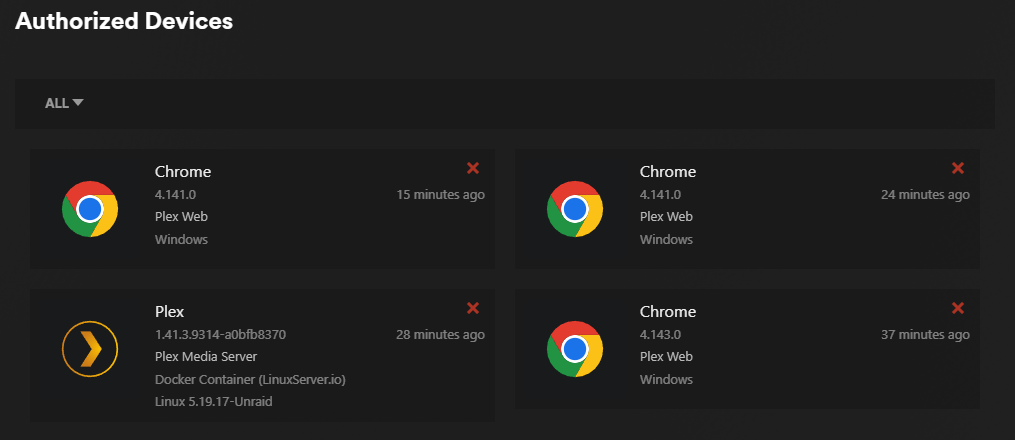
I verified that my preferences.xml has my account information when I log in to plex.tv I also see that it’s an authorized device.
But when I navigate to: http://myserveripaddress:32400/web/ I am still greeted with the “Not authorized You do not have access to this server.” error
I have also tried SSH into the unraid server with
- Open PowerShell (on Windows 10/11) or Terminal (on macOS/Linux), and using the information you recorded earlier substituted for the {PLACEHOLDERS}, enter the following command:
ssh {YOUR_USERNAME}@{YOUR_SERVER_URL_OR_IP}
I pop open a web browser and navigate to http://myserveripaddress:8888/web/
and once again am greeted with the “Not authorized You do not have access to this server.” error.
Im getting stuck on this last little part where it just needs to add media to the server. I don’t understand why I’m getting not authorized error.