how can this feature been asked since nearly 10 years and still totally ignored by developers?
You’ll find post about it everywhere on the forum…
We simply ask to be able to do the same as you implemented for google cast but for dlna renderer. At least for music if you think video would be too complex…
DLNA is implemented in a lot of older devices that will NEVER support google cast (or even receive firmware update) but are able to play perfectly a lot of music formats.
Still nothing? Would love this. I used Emby for a while just for DLNA music playback. Got tired of maintaining Plex for video content and Emby purely for music- if Plex had this I’d not need anything else.
Another BIG +1 for Plex(amp) working as DLNA server!
It’s a shame to get such awesome browsing experience while it’s not possible to offload the stream to the Raspberry PI in my stereo setup. While I also have a Chromecast audio, it doesn’t play sample-accurate.
If you’re running the 64-bit version of moOde I’d expect you to be able to install Plexamp using the information in the link I provided. You can then control it via Plexamp on your phone/tablet/computer or its built-in web UI. I’d recommend giving it a shot.
Tried that guide twice & also used this bash installer once:
Each time, I got through the installation process without issues and I can detect my Raspberry Pi’s Plexamp instance from my phone & start playback. However, if I use my browser to access the Plexamp web GUI running on the Raspberry, I can browse, search & access settings only. The playback screen is broken - just black with a loading icon and no audio.
The guide is for installing headless plexamp next to moOde. It doesn’t tell you how to use headless plexamp. As mentioned in the guide, documentation is kind of scattered throughout this forum in many different topics. I’m sure eventually the Plex guys will bang out some actual documentation somewhere, but until then, it’s a skunkworks project and you kind of have to dig around in here. I suggest doing searches for “rpi” and “headless” with the tag “plexamp” to find most of what there is.
That did the trick! sorry for the extra clutter going to start fresh with the manual installation method as suggested by @pjv - in the end this seems to be a cleaner solution to use with Moode. The script on the other hand covered a lot of additional settings - timezone etc. (I think the creator assumes you start with a fresh, barebones Linux installation)
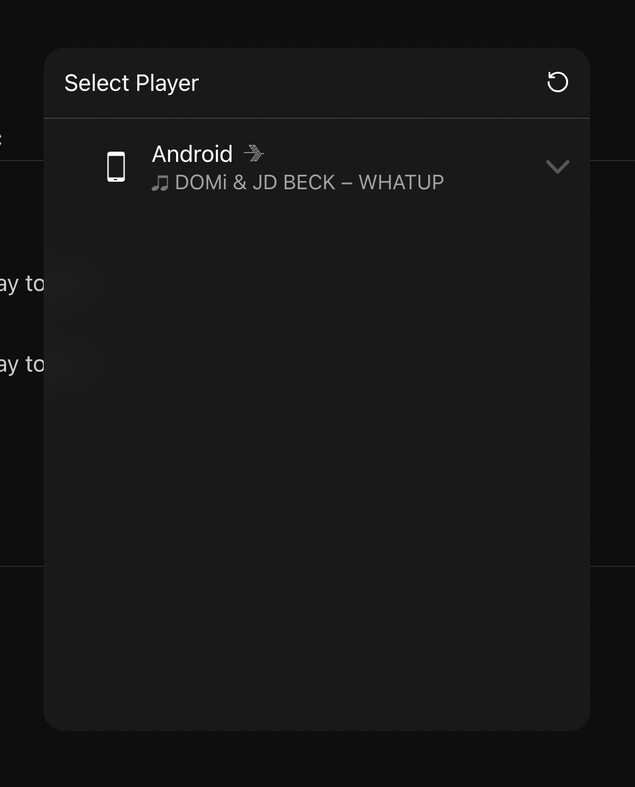
Few days later and the Plexamp instance from my Raspberry PI’s Moode installation won’t show up in the Android app’s “cast” menu anymore.
I can still access the Raspberry’s Plexamp instance through the webinterface, but if I open up the “cast” menu over there, I can only see my phone and not the local player. So somehow, Plexamp is still running, but has become pretty much useless :') and yes, I did restart the Raspberry a few times
Yes definitely, I verified this after install. Also tried force - starting it with a command line… When I connect from the Raspberry Pi Plexamp instance to my phone, playback control works perfectly (with audio still coming from my phone)
Edit: working again following the same installation steps (and going from version 4.2.0 to 4.3.0)
I understand that most UPnP/DLNA libraries suck but it’s so easy to reverse engineer with something like Wireshark on your local network. That’s exactly what I’ve done to stream Tidal to my raspberry pi running upmpdcli. See GitHub - R0CKH0PP3R/TiDaLNA: A Tidal UPnP/DLNA client for more info. If only Plex (and especially Plexamp) took this on it’d be awesome. FWIW, I like headless Plexamp but I’ve also found it a pain to update and less than user friendly to setup. I certainly don’t see one detracting from the other, rather simply catering for a wider audience.

 going to start fresh with the manual installation method as suggested by