Server Version#: 1.41.3.9314
Player Version#:
My PMS runs on Synology, because I can’t directly access some subdomains of Plex in China, so I set proxy rules for some subdomains of Plex to ensure that Plex can be scraped correctly. The specific proxy rules are as follows:
Some video files cannot be played, and the web playback interface prompts the error:
An error occurred trying to play “一条狗的使命”.
Error code: s1001 (Network)
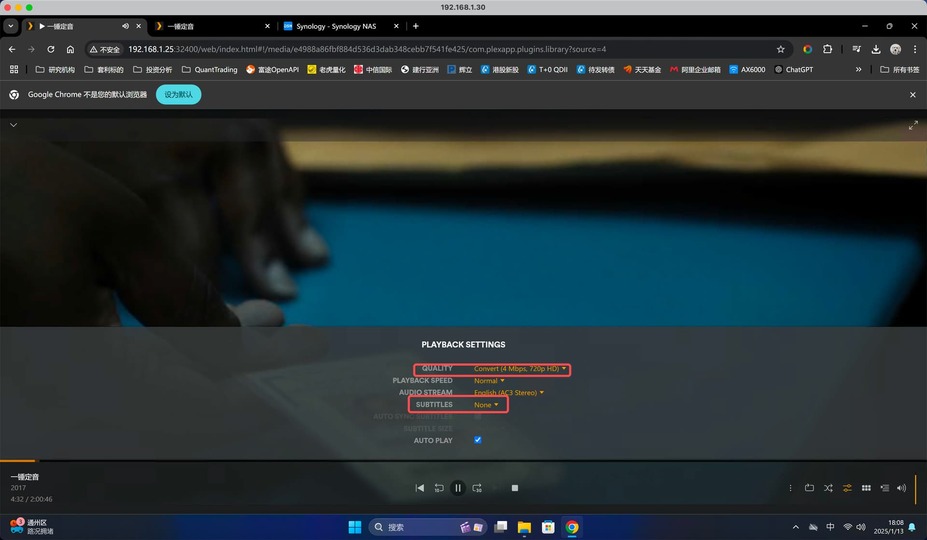
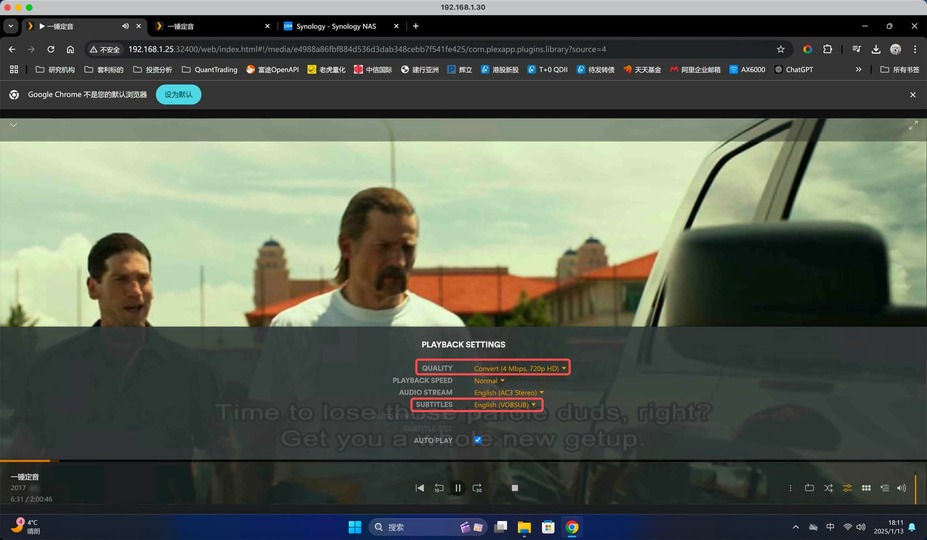
In the video that can be played, I must use Original to play. If I transcode to play, an error will be prompted:
Conversion failed. The transcoder failed to start up.
The transcoder cannot handle the subtitle in the file.
Jan 13, 2025 12:40:28.533 [140700551498552] DEBUG - [Req#2bb/Transcode] [Universal] Using local file path instead of URL: /volume2/储存池2/电影/一锤定音 (2017)/一锤定音 (2017) 1080p EAC3.mkv
Jan 13, 2025 12:40:28.533 [140700551498552] DEBUG - [Req#2bb/Transcode/HCl#6e] HTTP requesting GET http://127.0.0.1:32400/library/streams/2223?X-Plex-Token=xxxxxxxxxxxxxxxxxxxx&autoAdjustSubtitle=1
Jan 13, 2025 12:40:28.533 [140700619590456] DEBUG - [HttpClient/HCl#6e] HTTP/1.1 (0.0s) 502 response from GET http://127.0.0.1:32400/library/streams/2223?X-Plex-Token=xxxxxxxxxxxxxxxxxxxx&autoAdjustSubtitle=1 (reused)
Jan 13, 2025 12:40:28.533 [140700551498552] ERROR - [Req#2bb/Transcode] Error configuring transcoder: TPU: Failed to download sub-stream to temporary file
Jan 13, 2025 12:40:28.533 [140700551498552] DEBUG - [Req#2bb/Transcode] Streaming Resource: Terminating session 0x7ff76988f1e8:f9a1j2w38pzppzb7cwgeewzt which is using 14716kbps of WAN bandwidth.  Used is now 0kbps
Jan 13, 2025 12:40:28.533 [140700551498552] DEBUG - [Req#2bb/Transcode] Streaming Resource: Terminated session 0x7ff76988f1e8:f9a1j2w38pzppzb7cwgeewzt with reason Conversion failed. The transcoder failed to start up.
Jan 13, 2025 12:40:28.533 [140700615260984] DEBUG - [Req#2bb/Transcode] Killing job.
Can you try playing without subtitles to confirm everything else is working?
Also , can you try it with Plex/web instead of the Android app?
(Plex/web is easier to debug because more info is written in the server logs)
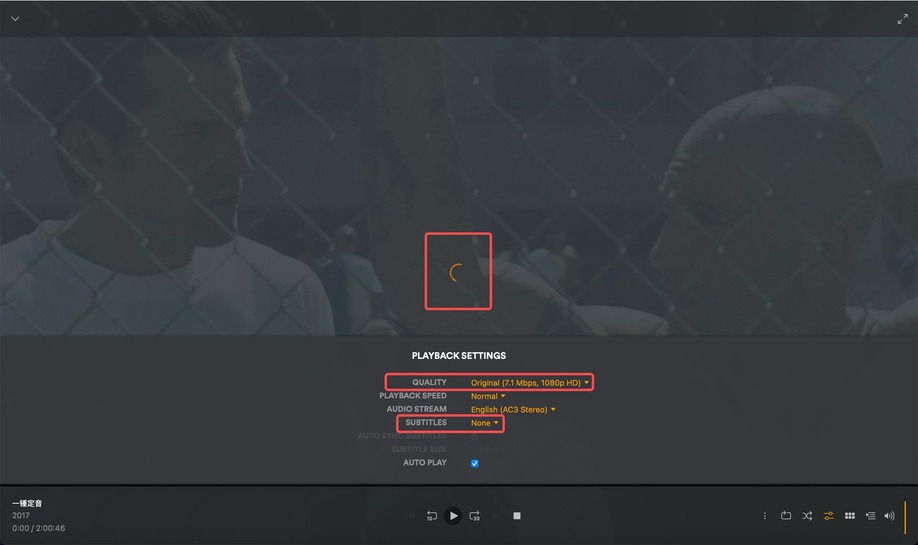
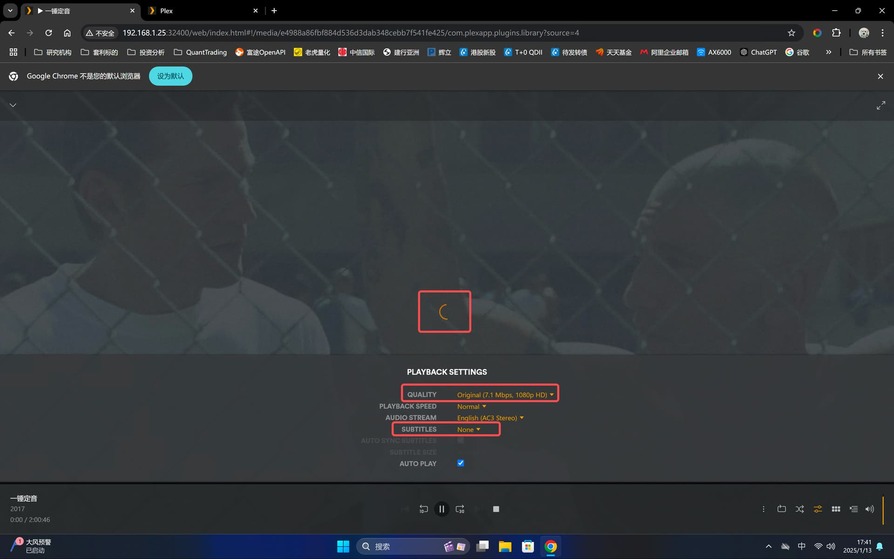
I play the movie with the web, played in the original code, and turned off the subtitles. But he kept spinning and couldn’t play it. I extracted the log. It can be played with the Mac client.
Synology boxes do not play well with Public IP addresses.
Synology boxes are for home LAN IP ranges and expected to be behind the protection of the modem/router.
If you are going to use it with the 36.x.x.x public IPv4 shown in your logs then you should also consider adding the Syno to that same 36.x.x.x block and not keeping is solely on 192.168.1.125.
You do have IPv6 not did not access it using v6.
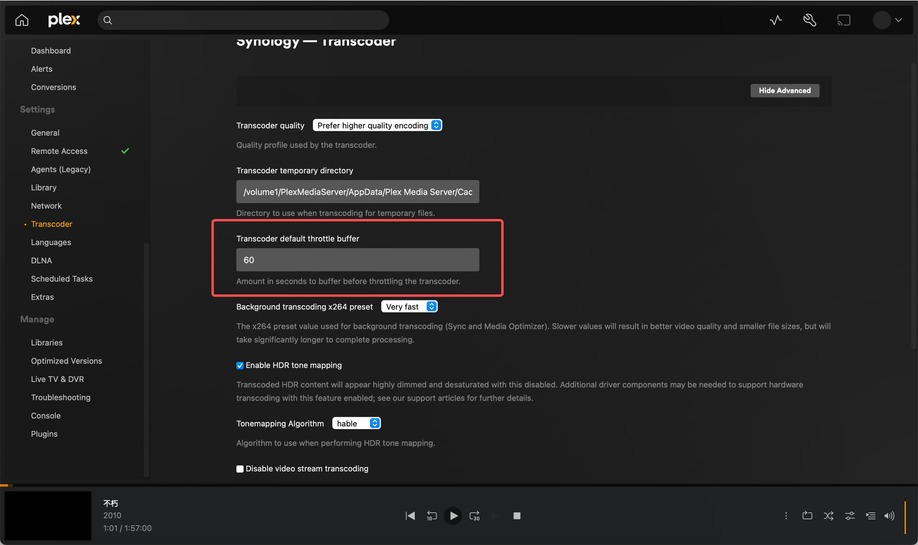
Your default transcode buffer length setting is a problem.
You have 120 minutes set.
Jan 13, 2025 15:52:57.218 [140700564667192] DEBUG - [Req#302c/Transcode/JobRunner] Jobs: Starting child process with pid 16245
Jan 13, 2025 15:53:07.218 [140700564667192] DEBUG - [Req#302c/Transcode] Using default transcode duration of 120 minutes
Jan 13, 2025 15:53:07.218 [140700564667192] DEBUG - [Req#302c/Transcode] Started session successfully: z52q5zmdbt4t1upisd5gt2ln
Jan 13, 2025 15:53:07.218 [140700640795448] DEBUG - Completed: [36.110.86.162:60784] 200 GET /video/:/transcode/universal/start.mpd?hasMDE=1&path=%2Flibrary%2Fmetadata%2F432&mediaIndex=0&partIndex=0&protocol=dash&fastSeek=1&directPlay=0&directStream=1&subtitleSize=100&audioBoost=100&location=wan&addDebugOverlay=0&autoAdjustQuality=0&directStreamAudio=1&autoAdjustSubtitle=1&mediaBufferSize=102400&session=z52q5zmdbt4t1upisd5gt2ln&subtitles=burn&Accept-Language=en (9 live) #302c TLS GZIP 10007ms 1083 bytes (pipelined: 9)
You should set it to something far shorter. 2-5 minutes will be more than enough. The default is 2 minutes (120 seconds)
While using a public v4 range in your home is your choice, it makes using Plex much more difficult as Plex expects Private RFC-1918 LAN addresses.
How the heck did you hack synology to make an i9-13900 CPU?
They don’t make such a box.
Jan 13, 2025 12:34:15.012 [140700653300536] INFO - Plex Media Server v1.41.3.9314-a0bfb8370 - Synology sa6400 x86_64 - build: linux-x86_64 synology-dsm72 - GMT 08:00
Jan 13, 2025 12:34:15.012 [140700653300536] INFO - Linux version: DSM 7.2.2.72806-2, language: en-US
Jan 13, 2025 12:34:15.012 [140700653300536] INFO - Processor: 4-core 13th Gen Intel(R) Core(TM) i9-13900K
.mp4 file can also be played normally, whether it is transcoded or the original code.
So I guess the above problem is related to the http proxy, but if I don’t open the proxy, I can’t scrape. Sometimes it prompts that the codec cannot be downloaded during transcoding.
When the http proxy is turned on, the scraping is normal, but there is the above problem in playback.
So you’re experiencing partial block from the government,
-and-
As expected, running your own proxy for plex.tv connections fail.
(PMS → Plex.tv must be a direct connection. You cannot proxy it
I’ve seen where folks will have inbound proxy to their domains → PMS
but never seen successful outbound
For outbound, the most successful I’ve seen is a captive VPN which will also support Remote Access.
(I’ve seen others use this technique in countries where their governments also heavily restrict / mostly block Plex )