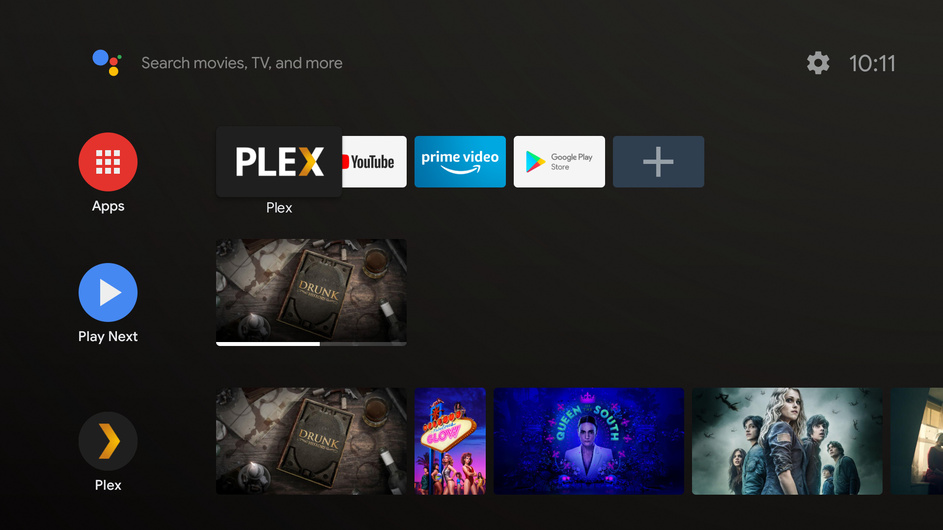
Since updating to Shield Experience 8.0 (Android 9.0 Pie), the Plex Recommendations channel that is available on the Shield home screen constantly keeps disappearing. For some reason, randomly, the Plex row of content will quickly show a message like ‘Looks like nothing is here right now, hiding this channel’ and then it will disappear. If you wait a short while and then navigate down to the very bottom of the list of channels, the Plex Recommendations row will be back and populated with all of my content. And if I move it back up the screen to the top where I usually keep it then the same issue will keep happening over and over again. It seems to be somewhat triggered by opening/closing various apps and coming back to the home page but I haven’t been able to narrow down the root cause.
Has anyone else experienced this issue? And finally, is there any way to just disable that setting which is hiding the channel automatically? I just always want the Plex row to remain where it is placed on the screen
This new update is trash, it broke the home screen while simultaneously giving us more customization. You can pick and choose what shows up on the home screen, but instead of collecting every recently added movie into one row. It creates one row for each sidebar. So 4K movies have one row of recently added movies, regular movies have their own and another section of movies has their very own row. So instead of 4 or 5 total sections, I can have 28. If I want to check to see what new tv shows I’ve added, I have to scroll through the entire list and figure out if it’s the 4K section, the recent episodes section or the older tv shows that I added and want to watch section of recently added tv. Instead of making a good feature better, they ruined an already not broken system.
I have had some problems playing some movies and even Tv-shows that used to be playable prior to the Plex update. I also got the new Nvidia Shield experience and at the same time the Plex app was updated, so at first I thought that maybe the Nvidia update broke something but then I opened the Google App store and choose “remove all updates” from the Plex app and behold all my problems went away. Except that now I don’t get any updates, which can be a problem if I like the new stuff that comes out.
If necessary I could do some troubleshooting and get the logs for all this, but it seems a little obvious that the new update broke some random things and maybe it get’s sorted out in a few days? Otherwise if some Plex Support person see’s this and find it intriguing I can get some logs. reason why it’s not the first thing I did is I’m on vacation, days are filled with activities and evenings we enjoy some movies on Plex, I simply have not had the obvious free time to do it. But if it helps then I can go the extra mile.
The channel appears empty every time I wake my Shield. Because of that, it drops off the home screen. When I go in to Plex and back out to the home screen, the channel is populated again but it’s now down at the bottom.
They mean the Android TV “channels” that are hubs on the home screen of Android TV itself. Saw another report of the "Play Next " channel being flakey as well and am looking into it.
Yes, precisely what @BigWheel mentioned, the channels on the home screen of the Android TV interface is what we are referring to. Since updating, they are gone from my home screen and I can’t even get them to come back, whenever I edit the channels, they both show as ‘Empty’ with no content in them and Android TV OS automatically hides these for some reason.
Thanks for acknowledging the issue, will wait to hear further of any updates
Would you mind getting your Android TV logs after being in the app where you have thing in on deck/continue watching, then go back to Android home screen where they do not show up. They have been working for all my home accounts even when switching users.
just want to note that this is also a problem on sony tv’s with the Oreo update, plex is the only app that has this issue
getting logs is tricky because it’s not related to starting or using other apps, the home screen channel just vanishes at some point during the night/day
Glad I am not the only one!
Mine has been doing this since the Shield Update however PLEX updated on the very same day and I just got the new update on my Sony 43X800E and it is doing the same thing so I think this is all on PLEX.
It is annoying AF.