Server Version#: v1.2.16
Player Version#: 2025.27.0 (android)
<If providing server logs please do NOT turn on verbose logging, only debug logging should be enabled>
Hello,
That’s my very first post, because that’s my very first Plex install !
I installed it on TrueNas SCALE, which works fine, I can watch my movies on my apple TV, it works fine !
However, it doesn’t work on my phone, because it says that’s I’m remote, even though I’m not.
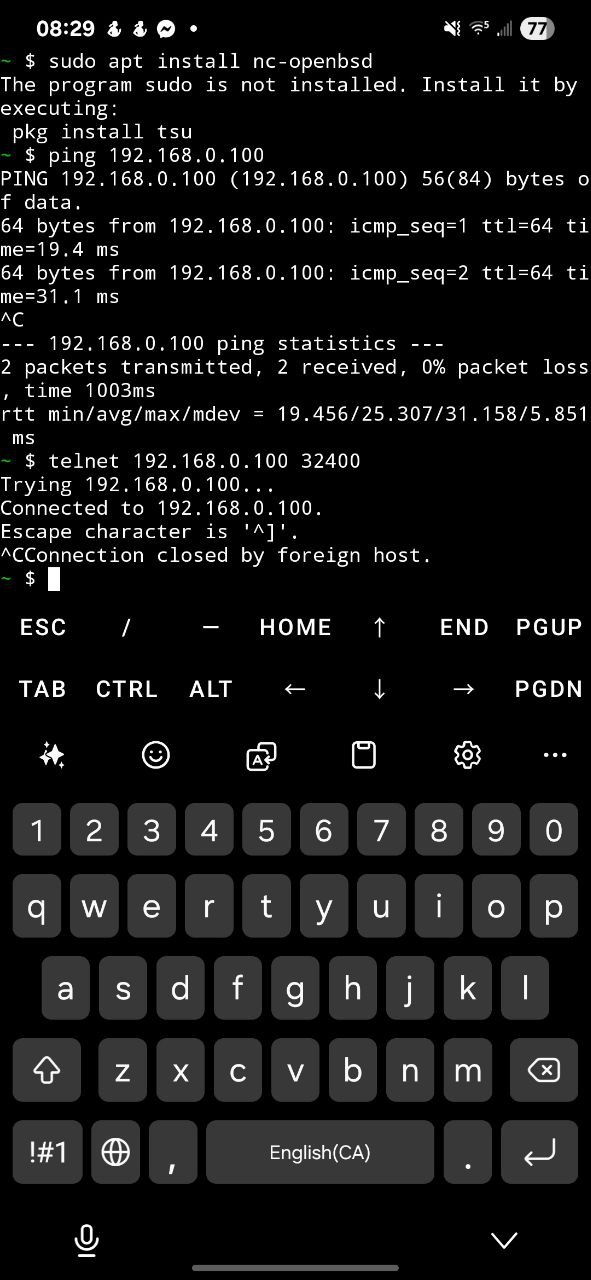
I’m in the same residential network, no VPN, I can ping it and check its port, it works fine.
Plex Media Server Logs_2025-10-10_05-53-01.zip (4.0 MB)
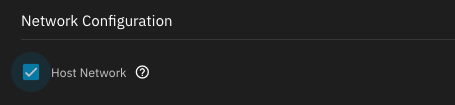
A common problem with TrueNAS Scale installations is that folks leave the container (app) configured for bridged networking.
Open the app’s configuration and ensure you have the “Host Network” box checked in the network configuration area:
If not, check it and then save your changes (and ensure the app is restarted). Give it a few minutes and then try again (make sure you close and reopen that app on your phone).
This will cause PMS to advertise the host’s IP address for connection rather than the container’s bridged IP address.
Aside from that, I’d recommend ensuring that your TrueNAS host is using a public DNS provider (1.1.1.1) for example.
Note that there’s nothing wrong with using bridged networking. I just requires additional configuration. It’s just easier to set it to host networking and not have to deal with it.
As above^^^
The actual IP address of our server is
* 7 eth0 (172.16.1.2) (02-42-AC-10-01-02) (loopback: 0)
Well thanks ! it did the trick !
You’re welcome! Glad you got it working.