PART FOUR @br3nn88 @tegenarian
@dclaw: I made my decision: I use now Emby and bought da android-Media Player (Zidoo X9S). The last one has his own “Home Theater”, which can play 3D-Isos, 3D-MKV and BluRay-Iso. Guess what: The most works out of the box much faster then Plex ever was.
It seems, that I burn my money for the lifetime-Plex Pass (doesn’t get any refund), but I prefer this for my health…  ).
).
@tegenarian Emby is pretty sweet imho, but my users and I made bad experiences streaming through remote access. I like the UI much more than on Plex tbh, but there’s nothing better than Plex’ remote access and syncing I gotta say, that’s why I came back to Plex. But I see your point going to Emby. Hope you’re luckier than I was/we were.
@dclaw As I know that design from the Windows Plex App (PMP) and didn’t see the predecessor to the current PS4 App design, I can’t say much about that. I like this design though, but can’t tell anything whether it was better before it or not. It’s not the fastest one I guess and it doesn’t seem to direct play in my local network (lol?), but it’s working pretty well after the update and I’m glad it does now.
Cheers guys. Have a great sunday
I have Plex 1.14 and the PlayStation app 1.05, however the app constantly crashes when trying to select a different category. I have two categories for tv shows but when I try to open the little menu to select the other category the app only shows the background and I have to start the app again to get back to plex. I tried many times but I just can’t switch from category which means I currently can’t watch anything.
@mattchamlee Thanks for the report. Filing this internally to fix.
@dclaw Could you post some server logs with logging enabled for us to look at.
@michaelwijnands What do you mean by category? Could you take a screenshot?
@lennier76 Thanks for the sample. So we did some internal testing and the file failed when attempting to play the video stream without transcoding. To be thorough I also tested the video against the v1 app (see below) with identical results. I also tested against older releases of the v1 app. At no point did the video ever successfully direct play. The player specifications for the PS4 tell us explicitly that only progressive frame type videos are supported, so unfortunately this seems like there’s nothing further we can do here.
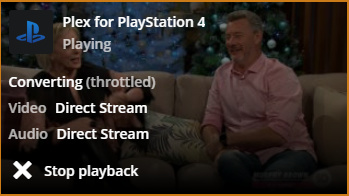

@moussa ok that’s very strange, how do you explain that I could play these files yet you can’t? Or have I been imagining that I’ve been using Plex DVR and the PS4 player for the past year? 
Seriously though, we need to get to the bottom of this. My Plex server is on a low-end QNAP NAS, it cannot transcode anything in real time, let alone full HD, yet with the old PS4 app I could play files that you say can only be played by transcoding, so what is going on?
Furthermore these recordings play fine using the PS4’s own Media Player, which clearly is not asking the Plex server to transcode anything. Have you tried my sample through that?
I don’t see how to reconcile what I’ve been doing for the past year or more with the test results you say you are getting.
Bottom line: Everything worked fine for me until the new PS4 app was released, then suddenly everything fails through needing to be transcoded, so something in the app has to be working differently since that is all that changed.
Ah I with categories I meant libraries. When I try to choose a different library the app gets stuck and only shows the background.
Sounds to me like out of some reason the file now needs transcoding even though the ps4 could directly play it. Since the media player can play it, it makes it kinda obvious that either plex or sony has changed something.
Worst case atm everything needs to be transcoded for ps4.
I own one too and to be fair they support so few formats(media player), it s disapointing to say the least. Maybe it would be possible to add some compability through the plex client?
@Dreadeus I strongly suspect that the old PS4 app did de-interlacing, since clearly there was no server transcoding involved yet the interlaced files played. I’ve also noticed that when Media Player plays them the TV reports the input as 1080P, which indicates that de-interlacing in the client is how it deals with them. If I still had the old PS4 app I could confirm what the TV saw it outputting, but of course I can’t do that any more. If Media Player can de-interlace though, it’s certainly possible the old PS4 app did. The only thing that doesn’t make sense then is @Moussa’s test with the old app which apparently still failed. De-interlacing in the app still seems like the only possibility for what I’ve been doing for the past year if the PS4 really can’t play interlaced video directly (which Media Player’s approach seems to confirm).
My PS4 Pro app STILL FREEZES on the user select screen. What is going on here?!
1 Like
@Moussa I don’t know where else to ask for this, but will you implement/are you working on implementing TV show theme songs into the PS4 app? I’m so glad it finally works as I was pretty mad about it not working for weeks (when I just bought a brandnew PS4 especially, but not only for a cool new Plex experience), but how mad I was, the happier I am now.
Is this feature coming any time soon? Kind regards
The new PS4 app is SO SLOW. Icons barely load, sometimes the cursor doesn’t appear and it’s like I’m using a dial up modem. Is there any way to revert back to the previous version? 
I have Plex 1.14 and the PlayStation app 1.05, however the app constantly crashes when trying to select a different library of TV shows. I have two libraries for tv shows but when I try to open the little menu to select the other library the app only shows the background and I have to start the app again to get back to Plex. I tried many times but I just can’t switch from library which means I currently can’t watch anything.
Here’s a photo of what I see when trying to switch from libraries: click here.
@Moussa hey there,
thank you for the update. I already told @BigWheel that I’m ready to help, if you need some logs or something 
Anyways could you make clear what you said some weeks ago according the update process for the PS4 Plex app? I already know, that there’s a difference between plattform and app updates, but how do I know whether an app update is available for my device? Did you mean these take 10 - 60 minutes to arrive?
Regards from Germany
@lennier76 I’m just as puzzled as you are tbh. We’ve never implemented de-interlacing within the PS4 app. The platform player has always handled playback. And there isn’t, and has never been, a way to de-interlace on the client because the platform just does not support it. The PS4 Media Player might support interlaced content, but they definitely do not give us the option to support it. So to sum up, I’m not at all sure how it was possible your content ever direct played.
@Curt0 @michaelwijnands Can you let us know if the latest update helped?
@Donatus1989 We are working to get theme music support but there’s currently a platform bug that’s preventing us from adding it. Sony are aware and are working on a fix. Regarding updates, you can check the version inside the app via the settings page -> About.
Hey Moussa!
Thank you very much for claryfying the theme music topic. That’s bittersweet, but great that that this feature might also make its way to the PS4 some day!
Regarding the update thing there’s 2 points. If I go to the
about
preference the shown app version is 1.05, which I thought was the plattform version, am I right?
Same thing for
update process
from the options button on Plex. It shows Version 1.05 instead of “v3.80.0”, which I thought was the actual app version.
I hope I’m not making an idiot out of myself. Maybe I got something wrong. Anyways thanks for the chat!
EDIT: Are you maybe working or plan on working on adding more extensions for direct play also? Like .mkv?
I finally got it working. I had to remove my user Pin and SPAM X until I heard the noise of it selecting.
Then I had to slowly move across to the bottom to allow my server access (took about 20 minutes) whilst pressing the home button, and then returning to the app.
It seems to work fine now since I have auto-login enabled and my server linked.
But I’m not going to lie it was a massive ball ache.
@Donatus1989 Sorry, I meant within the app itself. From the user menu you access Settings.
@Curt0 That’s strange sounding. So you’re saying the user select screen was functional but invisible?
Ahhhh! I am blind! Thank you so much 
