Server Version#: 1.19.3.2831
Player Version#: 1.11.0.1215-1d8c460c
The new “Plex for Windows” app stutters in direct play on local device. There is no bottleneck, and it doesn’t happen with Plex Media Player or MPC-BE. This has also been a reported bug for a while but never fixed.
Same for me bought the lifetime pass because plex used to be great but now plays on chrome with 60kbps better than through my network at over 100mbps its sad im asking for my money back. I have a gigabit ethernet adapter on my server but it plays better through my crappy LTE hotspot on chrome than wired directly to my home gigabit network.
I gave up on plex for windows and now use Kodi with the Plex plugin, I have had zero issues since doing this, there are setting in Kodi to set Passthrough on the audio if you have a 5.1 AV amp and I get every HD audio format without issue, you just need to set settings to expert then choose WASAPI (av receiver name) instead of Direct Play. Its worth a try for the time it takes to set up. The plex app can be added to Kodi very easily.
Have you tried enabling/disabling Use Hardware Transcoding in the app settings?
Settings → Plex for Windows → Player (Show Advanced).
Also try enabling/disabling Exclusive Audio (same location).
FWIW, I’m not seeing stuttering even when playing 80 Mbps 4K HDR movies. I’ve a Win10 PC with 4790K processor & 750 Ti video card. The CPU runs ~35%, as Plex for Windows scales the 4K video to my 1080p display. CPU is ~5% when playing 1080p content. Plex for Windows version 1.11.0.1215.
Other than updates introducing stutter during playback every so update… plex player is super snappy and flawless. The stutter really disappoints me though and I’m getting to the point of uninstalling and not coming back…
Enabled\disabled hardware transcoding…exclusive audio…tried direct play and transcode. Tried different movies and servers. It stutters for 1 sec every 3-10 seconds. Then I play on Web player…No stutter at all. Might just go back to web player for good.
Please link me to previous releases till this is fixed.
@FordGuy61 I have tried with no effect. As I said in my post, there is no hardware bottleneck, nor any transcoding going on. CPU and GPU usage is near 0% for PMS and Plex for Windows, hard drive usage is not maxed out, and the content plays fine in Plex Media Player and MPC-BE. Also, another thing to note, the stuttering occurs with any video. I have tried on 4K HDR Atmos, 1080p 5.1, and even 480p 2.0.
@anon18523487 It’s not consistently reproducible, except for the fact that it will occur on any type of video. It’s a random stutter, and subsequent stutters, and it doesn’t always happen. Sometimes pausing for a few seconds or minutes will fix it, other times only relaunching the video will.
@1am2strong Yep, agreed. Other than this stuttering (which has been present since the first release), the app is great. Unfortunately, my only other alternative is Plex Media Player because of surround sound, and PMP doesn’t have some features like the new intro skipping, as well as some other issues. Currently there is no good “one-for-all” Plex Player on Windows 10.
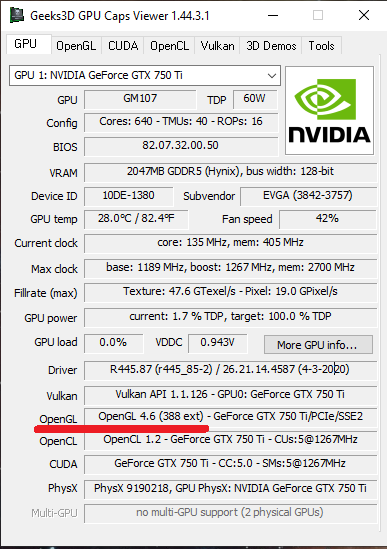
@aaronth07 Are you running on a Windows 7 computer? I have issues with stuttering on that due to that computer not having a video that supports OpenGL3.
That only shows if the GPU supports OpenGL, not is Plex for Windows is using it. My GPU supports OpenGL (I have a 1070 Ti), if that’s the question. Plex Media Player had an option within TV mode to enable or disable OpenGL playback, but I don’t see such an option within Plex for Windows’ settings. So assuming that it is force enabled, then that can’t be the problem.
I am in the same camp. I took the advice from the guy above. Just downloaded Kodi with the plex plugin for now. It’s not great, but it beats all the stuttering mess when actually just trying to watch something. Does anyone know a known working version that I can roll back to?
So been troubleshooting a very similar issue with my setup.
I have an i7 Intel Nuc with PMS installed.
This just started 2 days ago, but if i use either Plex for Windows or Plex Media player i get video stutter, every 30-60secs or so (audio is fine).
It was working fine until i did an Server upgrade 2 days ago.
But now, after reinstalling and even downgrading, PMS, Plex for Windows and Plex media player i get stutter. Also upgraded all drivers to latest version.
Played with hardware acceleration, Exclusive audio an other settings with same results.
However, Plex for windows on different computer system works as expected.
Any suggestions?
EDIT: After enabling OpenGL settings on PMP, the stuttering stopped. Where can i force this same setting on Plex for windows?
I just fixed my issue. What I did was uninstall PMP. Boot in safe mode and use DDU to uninstall both the intel and nvidia drivers. I reinstalled the nvidia drivers without Geforce Experience and let windows update the intel driver and double checked the driver was up to date with the Intel support assistant. Everything is playing super smooth now. I am also on Windows 2004 already as well.