I have the Plex app loaded on 3 of my TVs. Recently, on the 2 Samsung TVs, the normally yellow highlight bar is now replaced. On one TV, it is blacked out with black text so I can’t see anything. On the other, it looks garbled and pixelated and again unreadable.
I’m not sure what you mean by “highlight bar”. can you take a screenshot or cellphone pic
Highlight bar is what indicates the choice: Resume at XX:XX or Start from beginning. I found that turning off Early Access fixes this issue, but I really prefer the Early Access GUI so I hope this gets fixed.
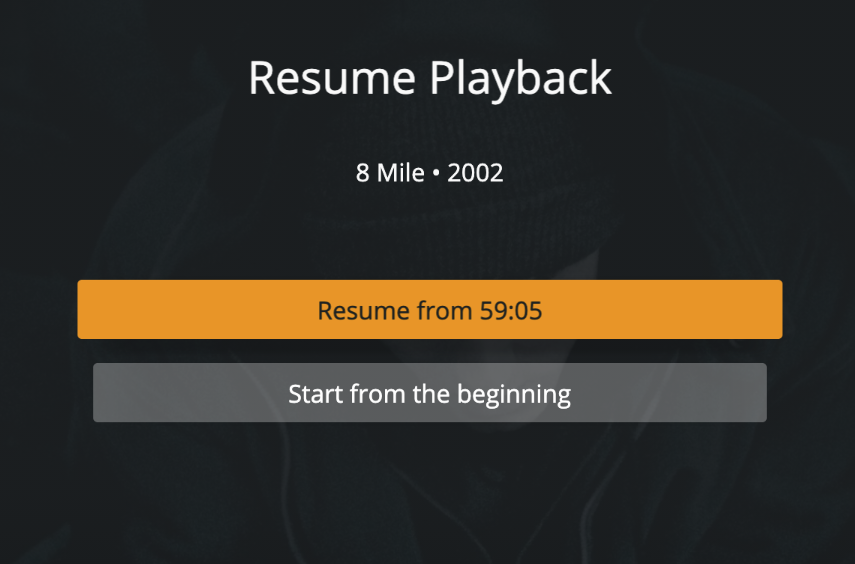
The Orange highlight bar on the “Resume from…”. Yes.
Next time say the highlighted (or focused) button on the Resume Playback screen or whatever screen. No one will know what you are taking about otherwise.
What model number TVs do you have exactly
Unfortunately, I do not know and thwy are currently hanging on walls so not easy to get to the backs.
On my Samsung, I can go to Settings > Support > Contact Samsung to get to a title page that displays model and serial number information.
You’re model might be different, but it might be worth checking out
thanks.
What version does it say the app is in settings
Client version 5.3.1, platform version 4
And 5.1.0, Tizen 4.0 on the other TV
I’m told that should have been fixed in version 5.2.1. so it makes sense that one TV does not have the fix. curious why it did not update.
It didn’t work on either client version.
This topic was automatically closed 90 days after the last reply. New replies are no longer allowed.
