Plex libraries is currently unavailable | Server CentOS 8

Hi All!

All of the sudden I started having very weird issue with Plex server on Linux.

Here is what’s happening: get to localhost::32400/web no problem but all libraries show as unavailable for some strange reason. Port 32400 is open and Plex server is listening on this port.

netstat -an | grep 32400
tcp        0      0 0.0.0.0:32400           0.0.0.0:*               LISTEN     
tcp        0      0 10.10.10.4:32400        10.10.10.54:51046       TIME_WAIT  
tcp        0      0 10.10.10.4:32400        10.10.10.54:50573       TIME_WAIT  
tcp        0      0 10.10.10.4:32400        10.10.10.54:50616       TIME_WAIT
ps -ef | grep 4361
plex        4361       1  0 20:51 ?        00:00:03 /usr/lib/plexmediaserver/Plex Media Server
plex        4386    4361  0 20:51 ?        00:00:03 Plex Plug-in [com.plexapp.system] /usr/lib/plexmediaserver/Resources/Plug-ins-1b7748a7b/Framework.bundle/Contents/Resources/Versions/2/Python/bootstrap.py --server-version 1.21.4.4079-1b7748a7b /usr/lib/plexmediaserver/Resources/Plug-ins-1b7748a7b/System.bundle
plex        4467    4361  0 20:52 ?        00:00:00 /usr/lib/plexmediaserver/Plex Tuner Service /usr/lib/plexmediaserver/Resources/Tuner/Private /usr/lib/plexmediaserver/Resources/Tuner/Shared 1.21.4.4079-1b7748a7b 32600
plex        4471    4361  0 20:52 ?        00:00:02 /usr/lib/plexmediaserver/Plex DLNA Server
root        5469    2816  0 21:22 pts/0    00:00:00 grep --color=auto 4361

Plex server logs don’t have much info in them.

Feb 26, 2021 21:24:24.920 [0x7f0e82ff5700] VERBOSE -  * X-Plex-Client-Identifier => 9wuecdpta2vth3y6mfwh7idp
Feb 26, 2021 21:24:24.920 [0x7f0e82ff5700] VERBOSE -  * X-Plex-Device => OSX
Feb 26, 2021 21:24:24.920 [0x7f0e82ff5700] VERBOSE -  * X-Plex-Device-Name => Firefox
Feb 26, 2021 21:24:24.920 [0x7f0e82ff5700] VERBOSE -  * X-Plex-Device-Screen-Resolution => 1680x925,1680x1050
Feb 26, 2021 21:24:24.920 [0x7f0e82ff5700] VERBOSE -  * X-Plex-Features => external-media,indirect-media
Feb 26, 2021 21:24:24.920 [0x7f0e82ff5700] VERBOSE -  * X-Plex-Language => en
Feb 26, 2021 21:24:24.920 [0x7f0e82ff5700] VERBOSE -  * X-Plex-Model => bundled
Feb 26, 2021 21:24:24.920 [0x7f0e82ff5700] VERBOSE -  * X-Plex-Platform => Firefox
Feb 26, 2021 21:24:24.920 [0x7f0e82ff5700] VERBOSE -  * X-Plex-Platform-Version => 78.0
Feb 26, 2021 21:24:24.920 [0x7f0e82ff5700] VERBOSE -  * X-Plex-Product => Plex Web
Feb 26, 2021 21:24:24.920 [0x7f0e82ff5700] VERBOSE -  * X-Plex-Sync-Version => 2
Feb 26, 2021 21:24:24.920 [0x7f0e82ff5700] VERBOSE -  * X-Plex-Token => xxxxxxxxxxxxxxxxxxxx
Feb 26, 2021 21:24:24.920 [0x7f0e82ff5700] VERBOSE -  * X-Plex-Version => 4.51.3
Feb 26, 2021 21:24:24.920 [0x7f0e82ff5700] VERBOSE -  * X-Plex-Product => Plex Web
Feb 26, 2021 21:24:24.920 [0x7f0e82ff5700] VERBOSE -  * X-Plex-Version => 4.51.3
Feb 26, 2021 21:24:24.920 [0x7f0e82ff5700] VERBOSE -  * X-Plex-Client-Identifier => 9wuecdpta2vth3y6mfwh7idp
Feb 26, 2021 21:24:24.920 [0x7f0e82ff5700] VERBOSE -  * X-Plex-Platform => Firefox
Feb 26, 2021 21:24:24.920 [0x7f0e82ff5700] VERBOSE -  * X-Plex-Platform-Version => 78.0
Feb 26, 2021 21:24:24.920 [0x7f0e82ff5700] VERBOSE -  * X-Plex-Sync-Version => 2
Feb 26, 2021 21:24:24.920 [0x7f0e82ff5700] VERBOSE -  * X-Plex-Features => external-media,indirect-media
Feb 26, 2021 21:24:24.920 [0x7f0e82ff5700] VERBOSE -  * X-Plex-Model => bundled
Feb 26, 2021 21:24:24.920 [0x7f0e82ff5700] VERBOSE -  * X-Plex-Device => OSX
Feb 26, 2021 21:24:24.920 [0x7f0e82ff5700] VERBOSE -  * X-Plex-Device-Name => Firefox
Feb 26, 2021 21:24:24.920 [0x7f0e82ff5700] VERBOSE -  * X-Plex-Device-Screen-Resolution => 1680x925,1680x1050
Feb 26, 2021 21:24:24.920 [0x7f0e82ff5700] VERBOSE -  * X-Plex-Token => xxxxxxxxxxxxxxxxxxxx
Feb 26, 2021 21:24:24.920 [0x7f0e82ff5700] VERBOSE -  * X-Plex-Language => en
Feb 26, 2021 21:24:24.922 [0x7f0e82ff5700] VERBOSE - It took 0.0 sec to serialize a list with 1 elements.
Feb 26, 2021 21:24:24.922 [0x7f0eab7fe700] DEBUG - Completed: [10.10.10.54:51347] 200 GET /media/providers (5 live) GZIP 2ms 4632 bytes (pipelined: 1)
Feb 26, 2021 21:24:25.547 [0x7f0eab7fe700] VERBOSE - WebSocket: processed 1 frame(s)

I know for sure this is not permission or share mount issue for sure as my HDD is mounted on /home.

Any idea Plex gurus on here?

Much appreciated.

And yes firewalld is open with all ports needed.

firewall-cmd --list-all
public (active)
  target: default
  icmp-block-inversion: no
  interfaces: eth0
  sources: 
  services: cockpit dhcpv6-client samba ssh
  ports: 32400/tcp 32469/tcp 8324/tcp 3005/tcp 5353/udp 32412/udp 32413/udp 1900/udp 32469/udp 139/tcp 445/tcp 32400/udp 32414/udp 1041/tcp
  protocols: 
  masquerade: no
  forward-ports: 
  source-ports: 
  icmp-blocks: 
  rich rules:
Please attach the entire ZIP? (keepalive packet snippets tell us nothing)

  1. Turn VERBOSE – OFF … it’s off by default (no need to log individual packets)
  2. Turn DEBUG ON
  3. Save
  4. Restart PMS
  5. Recreate the problem (click whatever you did)
  6. Wait 20 seconds
  7. Settings - Server - Troubleshooting - Download Logs
  8. Attach the ZIP for me to review.

Thanks for your response!
Here are the logs.

Plex Media Server Logs_2021-02-27_10-03-44.zip (1.5 MB)

Paully?

Did you forget something ?

Feb 27, 2021 09:58:40.370 [0x7f0eb47dd700] INFO - Plex Media Server v1.21.4.4079-1b7748a7b - CentOS Linux PC x86_64 - build: linux-x86_64 redhat - GMT -05:00
Feb 27, 2021 09:58:40.370 [0x7f0eb47dd700] INFO - Linux version: 8, language: en-US
Feb 27, 2021 09:58:40.370 [0x7f0eb47dd700] INFO - Processor Intel(R) Core(TM) i5-4570 CPU @ 3.20GHz
Feb 27, 2021 09:58:40.370 [0x7f0eb47dd700] INFO - /usr/lib/plexmediaserver/Plex Media Server
Feb 27, 2021 09:58:40.367 [0x7f0eaaffd700] VERBOSE -  * X-Plex-Product => Plex Web
Feb 27, 2021 09:58:40.367 [0x7f0eaaffd700] VERBOSE -  * X-Plex-Sync-Version => 2
Feb 27, 2021 09:58:40.367 [0x7f0eaaffd700] VERBOSE -  * X-Plex-Token => xxxxxxxxxxxxxxxxxxxx
Feb 27, 2021 09:58:40.367 [0x7f0eaaffd700] VERBOSE -  * X-Plex-Version => 4.51.3
Feb 27, 2021 09:58:40.367 [0x7f0eaaffd700] VERBOSE -  * X-Plex-Product => Plex Web
Feb 27, 2021 09:58:40.367 [0x7f0eaaffd700] VERBOSE -  * X-Plex-Version => 4.51.3
Feb 27, 2021 09:58:40.367 [0x7f0eaaffd700] VERBOSE -  * X-Plex-Client-Identifier => 9wuecdpta2vth3y6mfwh7idp
Feb 27, 2021 09:58:40.367 [0x7f0eaaffd700] VERBOSE -  * X-Plex-Platform => Firefox
Feb 27, 2021 09:58:40.367 [0x7f0eaaffd700] VERBOSE -  * X-Plex-Platform-Version => 78.0
Feb 27, 2021 09:58:40.367 [0x7f0eaaffd700] VERBOSE -  * X-Plex-Sync-Version => 2

Sorry, but these aren’t useful.

  1. It covers 2 minutes of elapsed time
  2. It doesn’t contain the error

DEBUG on, VERBOSE off is both the default and what I need. I need a bigger window.

Also, since you’re doing it again,

  1. After changing the logging.
  2. Restart PMS
  3. Wait 2 minutes for PMS to start up
  4. Now recreate the error which shows the unavailability
  5. Download the logs ZIP file
  6. Attach

Hi,

Yes I disabled verbose and just enabled DEBUG on web interface and then restarted the server but still appears to be logging verbose. Are there any hard config file i can edit to disable verbose?
Some strange happening with the plex server for sure. Logs attached.
Odd thing is that I don’t see any issues in the logs. From first glance it appears to be a network issue, some port is not open or permissions) but that is not the case. Other network services like SAMBA is working fine on this server. Just the Plex is not able to load any libraries content.


Plex Media Server Logs_2021-02-28_00-03-33.zip (3.5 MB)

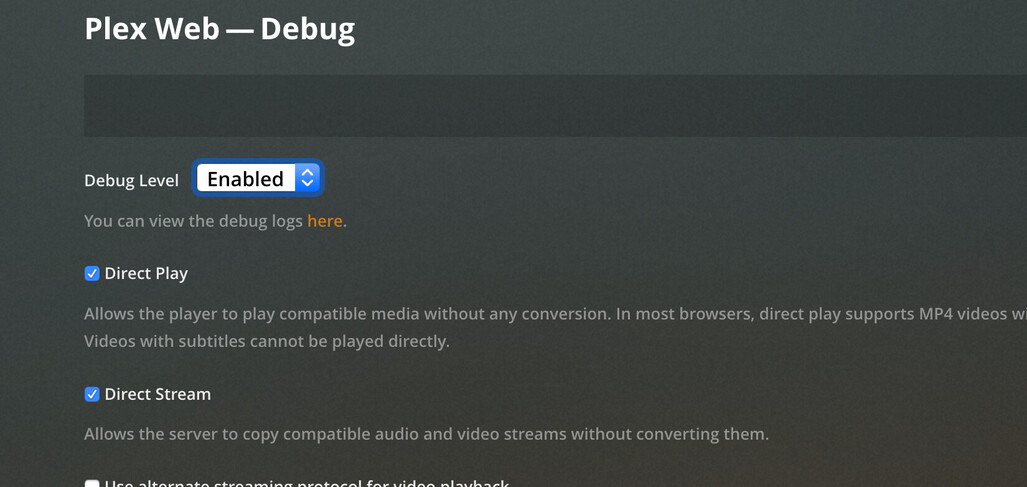
You are showing Plex Web log settings, not the Server settings.

Settings - Server - General - Show Advanced

Here is the non verbose logs(hopefully).Plex Media Server Logs_2021-03-01_09-38-56.zip (4.1 MB)

Were you able to find anything in the updated logs? As I said they don’t show much in regards to this problem, whether verbose or not.

@PaullyD

No I do not see anything there. I apologize for the delay responding today. I’m really far behind in my forum work due to some technical emergencies.

Would you mind forcing a “Scan Files” for every library section you have defined and then downloading the logs again?

Something very simple is wrong here.

Thanks a lot for your effort here! Yes I did try force scanning and even deleting libraries but no dice. I am out of options now.

For “Giggles” (there’s another term but I can’t write it here… haha)

  1. Sign out of Plex/web (upper right)
  2. Stop Plex
  3. Go to /var/lib/plexmediaserver
  4. Rename Library to Library.keep (to save the server instance)
  5. Start Plex
  6. Give it a minute to start up before doing anything
  7. open http://127.0.0.1:32400/web
  8. It will want to setup a new server – which you are –
  9. HOWEVER Give it a Different Friendly Name (don’t use the default). Changing name avoids collision with the existing.
  10. Now continue to setup as you wish.
  11. I recommend one section which gives you the most issues.
  12. We can work from there.

HI All,

The Docker container and all is interesting but my original topic is not Docker related; it is CentOS 8 without any containers. Perhaps it would reasonable to create a separate topic for that?

I still have no progress with my issue here. Wonder what could break in Plex to cause that issue on a random Tuesday?

@PaullyD

All the other posts have been split out to a parallel thread.

This is your thread.

When PMS declares something “Unavailable” (Red trash can) it means it can’t get to where the media is. It can’t determine if it’s present or not.

It does this because it can’t verify if it’s actually present or not.

I should have thought of this sooner (my apologies). however, A very simple way to verify what user plex can see is:

  1. Hover over the item, click the ellipsis, look at the pathname(s) listed.
  2. The pathname(s) listed are what you need to verify using:

Consider the example (PMS shows us the path to the file):

/nas/movies/My Movie (2002)/My Movie (2002).mkv

If the contents of /nas is empty (or permission denied), or the contents of /nas/movies is empty (or also permission denied), then “My Movie” is marked “Unavailable”. by PMS.

For my example, it looks like this:

  1. launch a shell as user plex
su -s  /bin/bash plex
  1. as user plex, perform ls for each item in the path, working your way down the tree

ls /nas
ls /nas/movies
ls “/nas/movies/My Movie (2002)”

  1. If there is only one instance of the movie in your library, the error will be obvious this way,. At some point, you’ll get “Permission denied” or the “ls” will be empty.

  2. If there are multiple copies of this movie in your library, repeat is again for the other listed pathname(s).

  3. If everything is there then we need to check the permissions on the actual file(s) themselves to make sure user plex can read them.

So I followed your instruction which you labeled “for giggles”)) but now can’t add a library. See image. The next button is grayed out. What the hell is happening with plex I have not idea here.
I am giving any name but the next button just wont light up.

Ok… That tells me it is a permissions problem.

Now to go back and find it.

To UNDO what we did.

  1. Stop Plex
  2. cd /var/lib/plexmediaserver
  3. sudo rm -rf Library
  4. sudo mv Library.keep Library
  5. Start Plex

Let’s start tracking down these permission problems.
They might be in /var/lib/plexmediaserver itself.
trying to get a foothold on something

Really appreciate your help with this!

I just checked and plex data dir is entirely owned by plex user. SElinux is disabled. I doubt this is permission issue. Perhaps to do with networking?

Temporary solution:

vi /etc/passwd, change the plex’s group to 0:0, and restart the plex server to c if the issue fixed.
