Thanks, it seemed to me that Plex finally supported TOS 5…
Not yet but they will soon
Not for this update either?

still available on my website

After upgrading to TOS5 did anyone here manually migrate their TOS 4.x Plex appdata to the new “Plex” share that is created by @outkastm unofficial package? I am just wanting to see what users did to retain their library during the upgrade from TOS4 to TOS5?
I didn’t know there was an option to migrate the Plex appdata from TOS 4 to TOS 5 so I just created a new Plex library after completing the upgrade to TOS 5.
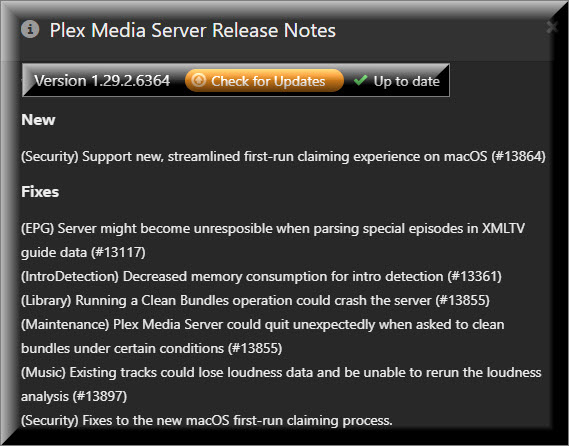
@ralexlaptop That is to be expected. As I shared earlier in this thread we are working on a build and hope to share it in this forum for user feedback soon. Once we have an official build it will be noted in the release notes
I have since completed the work to incorporate the TOS5 packaging into our CI, and have shared a private link with @outkastm to test so we can ensure users have a smooth experience moving/upgrading to the official package.
@ralexlaptop I do have one thing you could help me with. Do you still have your old library data in /home/plex/Library? If so, would you want this to be migrated over to the new /Volume1/Plex share and renamed to /Volume1/Plex/TOS4_Plex_Library ?
I do still have that old library but what purpose would it serve to have it moved (migrated) to the /Volume1/Plex/TOS4_Plex_Library directory?

What would I do with it after it has been migrated?
If there was ever a need to do so, could it be accomplished manually with a move command (mv /home/plex/Library /Volume1/Plex/TOS4_Plex_Library)?
I was thinking more to give users the ability to easily restore their old library from TOS 4. It would only need them to stop PMS, rename the folder in the share, then start PMS again.
Not everyone is comfortable with SSH.
I guess if you are planning to make it a post upgrade script that executes transparently in the background. For me, since the upgrade said it required resetting to factory default, I was already expecting the worst experience,
It was a pain to recreate all my media libraries but the system did most of the work. I just defined my libraries and allowed PLEX to spend the next day or two to sort through all my media. I’m happy with the rebuild because it gave me the opportunity to upgrade from using the Legacy Plex Agent and the Media Server built me a better library. I could never see myself ever wanting to go back to my old Plex 4 library. I would rather spend my energy in keeping my current (New) library backed up.
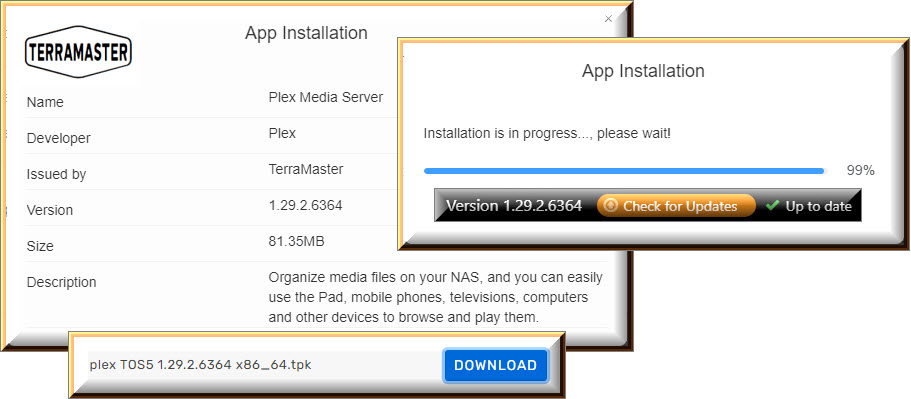
@chrisallen and @outkastm

@ralexlaptop We have a TOS 5 package ready for users here to test
NOTE: PLEASE BACKUP PMS DATABASE FIRST (as a precaution)
(info here on how to download a ZIP file here https://support.plex.tv/articles/226836308-help)
I have tested it locally here and it seamlessly upgrades from @outkastm’s package. it will also create a new plexmigration.log in the Plex share if it found a previous TOS4 library, and if it skipped migrating it due to the user already having a TOS5 library.
Link to build: TerraMaster TOS 5 - x86_64
@chrisallen and @outkastm
Is it normal for Plex to display that there is An update available when the installed version is newer then the released version?
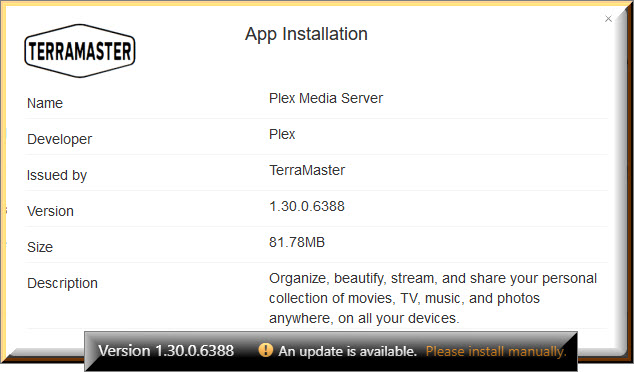
It is for now as our update system doesn’t yet know about the TOS5 packages.
This 1.30 package appears to install correctly, but then “Operation Fails!” when I try to enable Plex through the TOS5 Application Center. I previously tried to install the Plex Beta through the Application Center (before I realized their version wasn’t compatible with TOS5), but I have since uninstalled that 1.29 version.
@VannevarB2 That is odd. Can you ssh into the NAS and run the following commands?
/etc/init.d/plex status
/etc/init.d/plex stop
/etc/init.d/plex start
cat /Volume1/Plex/plexmigration.log
In an ideal world, your output should look like this;
[superuser@TNAS ~]# /etc/init.d/plex status
Plex Media Server running
[superuser@TNAS ~]# /etc/init.d/plex stop
Stopping Plex Media Server...
[superuser@TNAS ~]# /etc/init.d/plex start
Starting Plex Media Server...
[superuser@TNAS ~]# cat /Volume1/Plex/plexmigration.log
INFO: PMS AppData migration -- START
INFO: PMS AppData migration -- Found TOS 4 PMS Appdata directory ('/home/plex/Library')
WARN: PMS AppData migration -- Skipped due to 'migrationSkipped' file detected in TOS 4 PMS Appdata directory ('/home/plex/Library')
INFO: PMS AppData migration -- END
[superuser@TNAS ~]#
status gives “Plex Media Server stopped”
start gives “invalid main volume”
This is a fresh install, not a TOS4 migration.
