Server Version#: 1.31.0.6654
Player Version#: 4.87.2
.
I added all 5 seasons of In Living Color to my Plex server. I confirmed that TVDB’s DVD order matches the discs exactly. Despite selecting TheTVDB (DVD) under Episode ordering, some of the episodes refuse to populate correctly.
.
Due to the difference in wording, I can tell that some episodes pull their summary data from TVDB while others are pulling from TMDB. It’s as though Plex can’t find all of the data in TVDB and fills in the blanks with TMDB, but TVDB shows that it’s fully populated.
.
Removing the folder, clearing the metadata then restoring the folder does not help.
.
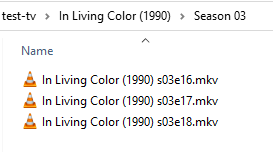
The folder structure is:
In Living Color (1990) {tvdb-78441}
Season 03
In Living Color - s03e01 - Homey The Sellout Part 2.mkv
Outside of manually populating the data, I’m not sure what else I can do.
I would suggest someone who is familiar with the show goes and updates the ids on tmdb so they link to the correct episodes over at tvdb.
Plex uses a consolidated metadata approach starting at tmdb. Having a mismatch like this will result in incorrect metadata when using the non default episode ordering, which you are using (tvdb DVD).
Hi, dokuro. I had no idea about the external IDs. Several of them were incorrect. I swept through the entire series and corrected. I also corrected the images. So far, nothing has changed even after the Plex Dance that FordGuy61 recommended, but it may need time to process. I will follow-up.