Server Version#: ds918
Player Version#: up to date 1.19.3 (up to date)
I changed my plex password after getting an email notice of a new (unknown) login.
I selected the log out of all devices options.
When i logged back in the server wasn’t available.
i tried all four steps on the Why am i locked out server settings page -
a couple differences were found in the xml file:
the online home value was 0 not 1
and the plex online token was empty quotes “”
currently i restored the original xml and hope to be able to fix this.
i’ve tried that now (using the original xml file) and after step 16 what appears on the side bar is:
home
movies & TV (plex media not personal media)
“PLUS SIGN” your media
more>
i did not get the “we found a new server” message
ps: i had originally tried restoring the the xml file and changing my password back, i was also downloading the xml files and editing them on my pc and reuploading them…what should my worry level be? because i’m bugging out.
When you change the password, the PlexOnlineToken is changed.
Even if you change your password back to its previous value, the Token will change again. Your Preferences.xml file and Plex.tv will not match.
If FAQ #16 did not work then a step was missed or there is something else wrong.
Would you please scroll up to the top of the FAQ and manually collect the log files to attach for me?
I am concerned you missed a step in the process. Hopefully the logs will show us what happened.
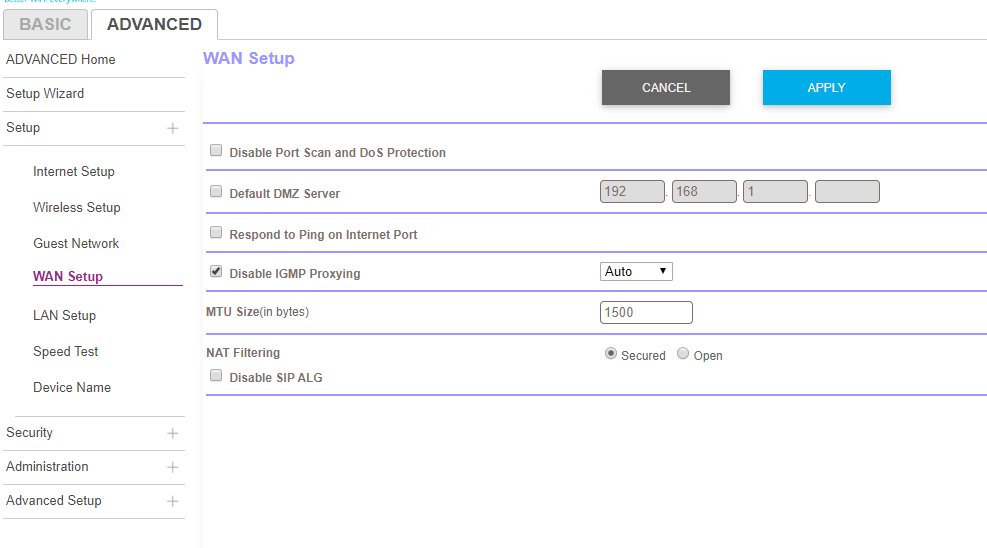
It looks like you have a router stacked behind a router ?
May 12, 2020 15:30:54.497 [0x7ffa87fff700] DEBUG - NAT: UPnP, found device <http://192.168.1.3:80/Public_UPNP_gatedesc.xml> with private address <192.168.1.7>
May 12, 2020 15:30:54.562 [0x7ffa87fff700] DEBUG - NAT: UPnP, usable device <http://192.168.1.3:80/Public_UPNP_gatedesc.xml> with private address <192.168.1.7>.
May 12, 2020 15:30:54.592 [0x7ffa87fff700] DEBUG - NAT: UPnP, public address is 192.168.1.3
May 12, 2020 15:30:54.592 [0x7ffa87fff700] DEBUG - PublicAddressManager: got WAN IP 192.168.1.3 from router
May 12, 2020 15:30:54.592 [0x7ffa87fff700] WARN - PublicAddressManager: WAN IP is a private IP address
May 12, 2020 15:30:54.593 [0x7ffa87fff700] DEBUG - HTTP requesting GET https://104-229-29-111.5d70494ab86740148639f58828c61382.plex.direct:32401/identity
May 12, 2020 15:30:54.593 [0x7ffa87fff700] ERROR - Error issuing curl_easy_perform(handle): 7
May 12, 2020 15:30:54.594 [0x7ffa87fff700] WARN - HTTP error requesting GET https://104-229-29-111.5d70494ab86740148639f58828c61382.plex.direct:32401/identity (7, Couldn't connect to server) (Failed to connect to 104-229-29-111.5d70494ab86740148639f58828c61382.plex.direct port 32401: Connection refused)
May 12, 2020 15:30:54.650 [0x7ffa8ca94700] DEBUG - HTTP 401 response from GET https://plex.tv/media/providers?X-Plex-Token=
May 12, 2020 15:30:56.016 [0x7ffa858b9700] DEBUG - Request: [127.0.0.1:55922 (Loopback)] GET /:/plugins/com.plexapp.system/messaging/function/X0FnZW50U2VydmljZTpVcGRhdGVJbmZv/Y2VyZWFsMQoxCmxpc3QKMApyMAo_/Y2VyZWFsMQo3CmRpY3QKbGlzdApkaWN0Cmxpc3QK
it was there when i originally did those steps 1-16 that you first posted. but after step 16 it is gone.
i will try now:
1: running plex from DSM
2. going to http://app.plex.tv - when i click settings i have (on the left) account, online media sources, authorized devices, webhooks, users and sharing. plex web, general, debug, player.
3. when i click authorized devices i have chrome 4x and 1 ios (iphone)
there is no server drop down? can i dm you a question?
i can select “your media” and there is an option that says “get plex media server”… i’m scared to press that because i have a large library with a lot of customization. starting over would be less that ideal, i’m already worried about getting the settings back to optimal but hopefully that’s even an option
hello @dane22 and @trumpy81 - i’m having an issue stemming from changing my password, i attempted to change the preference xml as described above but have run into some issues - per @ChuckPa 's help - i tried running claimit but was “unable to connect to remote server”
i’m not sure where to go from here, but hopefully one of you can help.
thanks
192.168.1.1 is the orbi router and 192.168.1.3 is the satellite - i installed these on Saturday i think and i changed the ds918 to 192.168.1.7 (and it is plugged into the router via ethernet) and changed port forwarding rules on the network settings page to allow remote access, everything worked fine locally and remotely.
today i changed my password which was the precursor to all my issues now.
network interface>lan 1 connected
edit:
ipv4 tab
i do not have it set for DHCP
i have “use manual configuration”
ip address: 192.168.1.7
gateway 255.255.255.0
gateway: 192.168.1.1
dns server: 192.168.1.1
set default gateway checked