Here are my logs. Please advise on what to do next. I have SpectrumPlex Media Server Logs_2020-04-23_23-38-33.zip (3.8 MB)
You’re getting a public address.
From Plex Media Server.log (public address not shown here):
Apr 23, 2020 23:24:50.349 [1808] DEBUG - PublicAddressManager: Got public IP from http://plex.tv: X.X.X.X
What does canyouseeme.org show? Put in the correct port for your Plex server (32400, etc).
So I would set up a port forward from the port it gives me to 32400?
Tried setting up a port forward and these are the logs I got
Below are screenshots of how my system is configured. Yours will be similar, substituting in the IP address of your Plex server.
Any VPN software must be disabled.
Configure your system and test with canyouseeme.org.
What does it show?
Here’s the port forwarding statement in my Asus router.
Yours will have similar information. The Internal IP Address is the IP address of your Plex server.

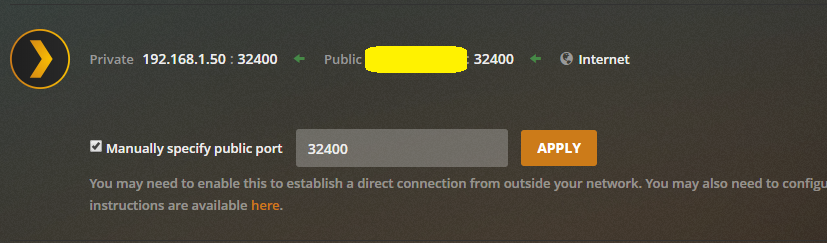
Here is a portion of the Remote Access configuration of my Plex Server. You can see how it lines up with the port forwarding statement.
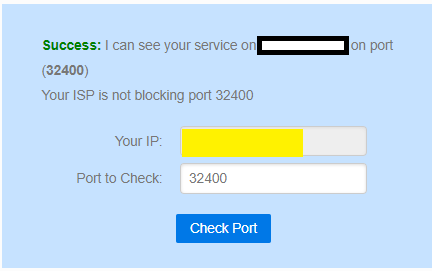
Here is a successful test from canyouseeme.org:
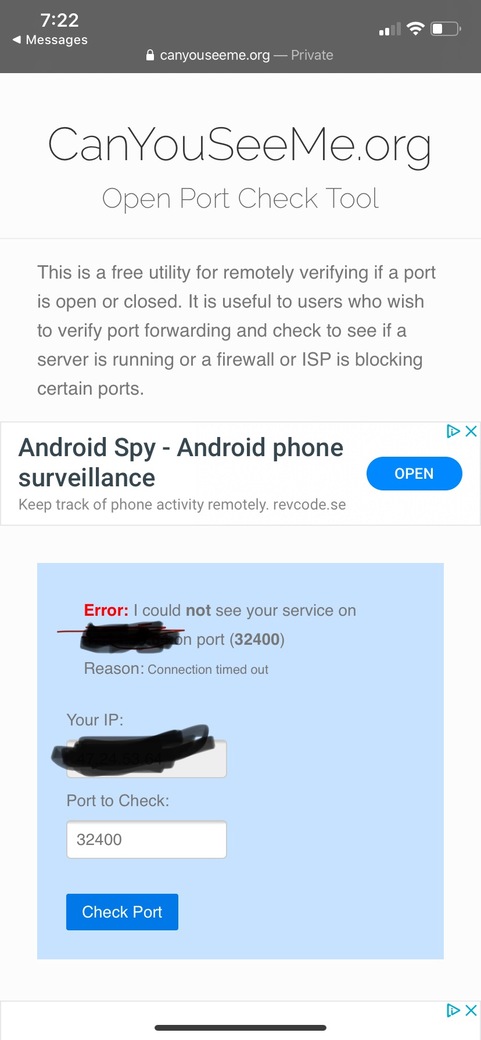
So I set up the port forwarding, but it is still giving me this error  Any help would be appreciated !!!
Plex Media Server Logs_2020-04-24_13-53-30.zip (3.7 MB)
What does canyouseeme.org show?
If it says “Success,” then you’re set.
If it says “Fail,” then
Provide a screenshot of your port forwarding rule
Provide a screenshot of your PMS remote access page, blocking out the public IP address.
First of all thank you for your help!!
Attached are the screenshots. This issue is mainly in regards to a separate third party IP address that is trying to watch plex. The system that the IP address is mainly attached has correct port forwarding set up.
Here is what I’m seeing, once again, any help would be appreciate!
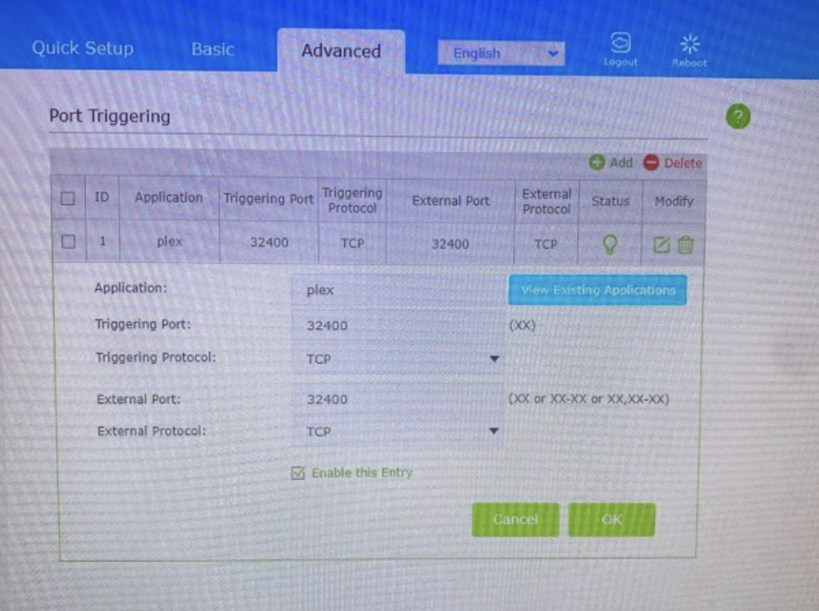
You set up Port Triggering. What you want is Port Forwarding. They’re different, but easily confused with each other due to the similar name.
Look for the Port Forwarding configuration page in your router.
With Port Forwarding you have to enter the IP address of your Plex server. Notice the screen cap I used in an earlier post. 192.168.1.50 is the IP address of my Plex server. You will use the IP address of your Plex server. The rest of the information will be the same: port = 32400; protocol = TCP; Source IP Address = blank.
What is the make/model of the router? Probably on a label on the back or bottom. Somebody on the board might have the same and can assist.
So if I’m setting up a port forward on a completely different internet, than the the internet that my plex server is set up on, I’ll still use the Plex IP address and not the current one that I am on?
Basically if I’m on IP A and my Plex is on IP B, would I use IP A on my own port forward, or would I use IP B, which is what Plex is on, to set up a port forward to 32400?
You configure port forwarding on the router where the Plex server is located (*).
You do not configure port forwarding anywhere else (i.e. the coffee shop, friend’s house, or any other remote location where you want to stream from your server).
(*) 99.9% of people have a simple network - a modem/router from their ISP and maybe a mesh system or some WiFi extenders. For these networks you put the port forwarding statement in the router that connects your home network to the Internet.
The other 0.1% have more complex networks - multiple VLANs, subnets, etc. If your network is in this category we can continue the discussion. However, you’ll need to provide more detailed information about your network. Also, you’ll still need the port forwarding statement in the router that connects your home network to the Internet.
Could you help me with my problem:
Did you enable Port Forwarding instead of Port Triggering?
Please include a screen capture of the port fowarding rule in your router.
Your VPN must be disabled. Plex does not play well with VPNs. Make sure it is disabled before Plex Media Server runs.

