Hello Ive been running the plex server on the nvidia shield for 2 yrs now and it has been great. I have my media stored on a NAS, the WD mycloud ultra with 10tb of movies, tv shows and music. About 1 mo ago my plex server could no longer find the files on my NAS. I have unintalled and re-installer the plex app and server on the shield, updated my router and NAS and still no luck. Plex is running good on my HTPC and can find the files on the NAS but Im having no luck with it running on the shield were in the past it ran great
When’s the last time you updated the Plex Server via the Play Store? What version is your server and player on the Shield? Also make sure in the PMS settings that the server is running and that your NAS is still mounted in the Shields settings.
My problem has started after the last update. I tried unintalling it and running the previous version and ran into play back issues and with the new and latest version I can not find my files, actually some files show up just not all of them. Yes the the MyCloud shows up as mounted on the shield. Im sorry but what is the PMS setting? And thank you for the help I really appreciate the help as ive been struggling with this for several weeks now
What happens is when i use the plex browser for setting up the libraries, when I go to add media to them, the MyCloud NAS does show up but only a few folders are seen. It doesnt show all my media folders. It has been running fine for almost 2 years but Im just recently starting to have these issues.
Still not having any luck. Plex only shows a few of my media folders from the mycloud nas. Does anyone have a clue to weither the issue is with my NAS or the plex set up browser? Its as if the plex set up browser is not letting me scroll down to see all my files
In the Android TV player apps settings, is the settings to turn the server off or on, but it sounds like it is running.
Do all the folders have the same permissions?
does it looks like the scroll bar is stopping half way down? can you take a screenshot
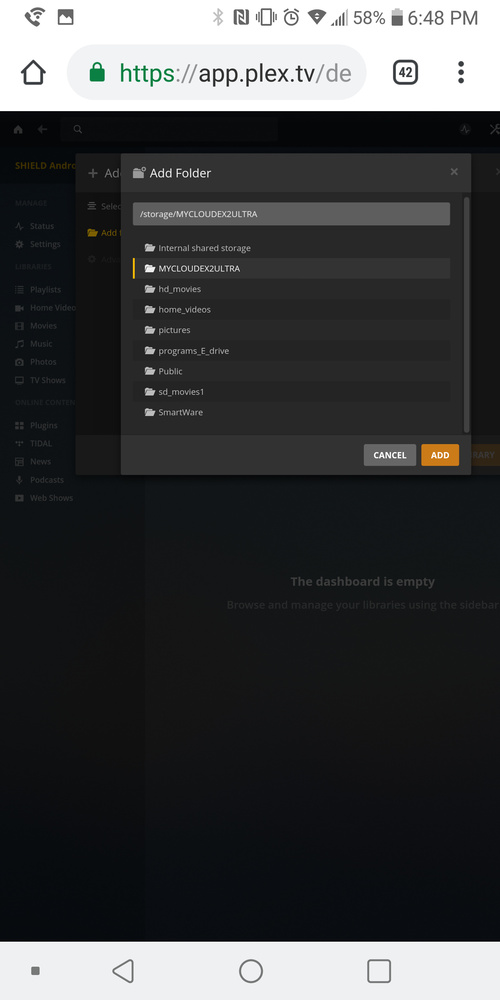
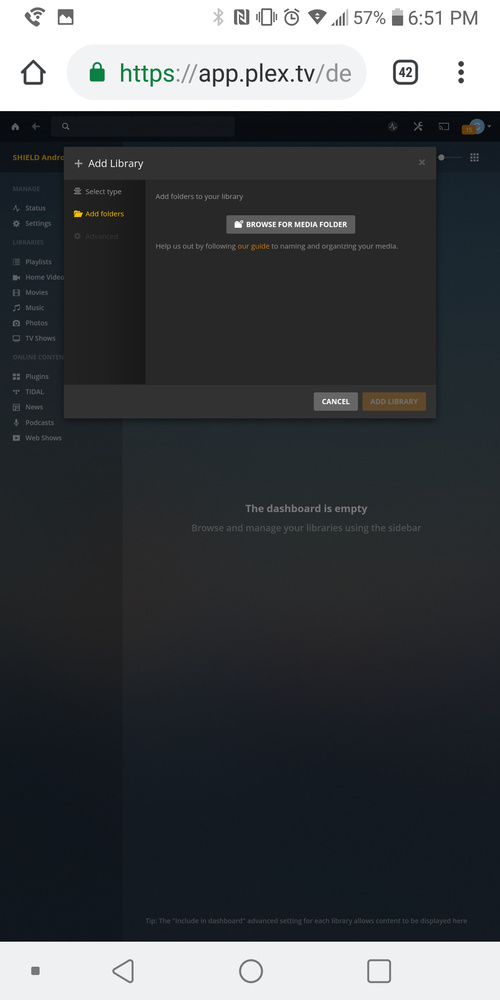
it looks like you have everything on the top level. I would make a folder called “Media” or something like that then inside the Media folder add the other folders like `home_videos" , sd_movies and such
Only 7 folders off the mycloud are visible and I can not scroll down to see the rest. I have tried launching the plex set up browser from my computer and andriod phone using different internet browsers… Chrome, explorer, and firefox and all have the same issue. I have all my permisions set the same on my NAS and checked that also. It was working fine for a long time and I have not changed anything so Im confused.
Whats hard is I have like 10tb of media on my NAS and they are a copy of what I have on my htpc so renaming them would mess with how i got stuff backed up and saved on my NAS. I can see all the NAS folders on my htpc using file explorer. I used to be able to see them all in the plex set up browser
have you checked that the permissions on the folders are all the same? I don’t have a WD NAS but imagine there is probably some sort of view info option to see that for each folder
I don’t have the mycloud ultra ex2, just the regular singles bay 1st gen. So is any of your media in the Public folder? That’s where I keep mine so everything in my network can easily access it without needing credentials.
Thanks for all the input. I just checked my WD NAS firmware and it looks like the fix was in there latest firmware update that was just released. Got everything working now. Thank you I love plex on the shield it is great
1 Like
This topic was automatically closed 90 days after the last reply. New replies are no longer allowed.
