Server Version#: v.1.42.2.101.56 + 1.42.1.10060
Player Version#:
<If providing server logs please do NOT turn on verbose logging, only debug logging should be enabled>
Windows updated today, 9/19. As soon as I rebooted, my server was gone.
I couldn’t see them on my remote devices at all.
Fit into the server and I could see them, until I reboot the PC. Gone.
No claim button. No file section at all.
I go to + your media and it takes me to download plex server which I am in.
I try to upgrade my server. Same issue. Try to add media and it takes me to install plex server.
Please help.
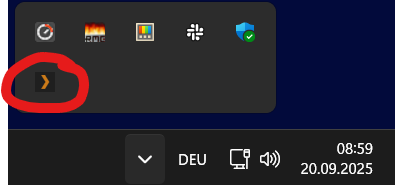
Is the plex logo still in the task tray?
Does it stay there when you move your mouse over it?
What is shown when you open this address in the web browser on your server machine?
http://127.0.0.1:32400/identity
Yes it is in the tray, when I go the that address.
As you can see, It wants me to add media.
When I try it takes me to the download Plex server website to download and install.
What is shown when you open this address in the web browser on your server machine?
http://127.0.0.1:32400/identity
No.
THANK YOU so much for your attention and support.
After abit more investigation, I realized that this is a windows issue, not a plex issue.
Reset windows, and was able to reinstall the sever. Badaboom.