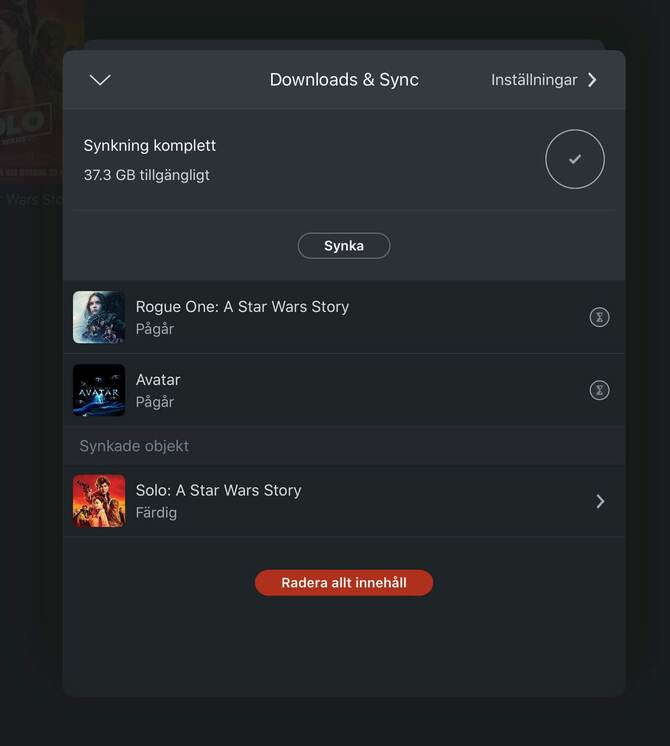
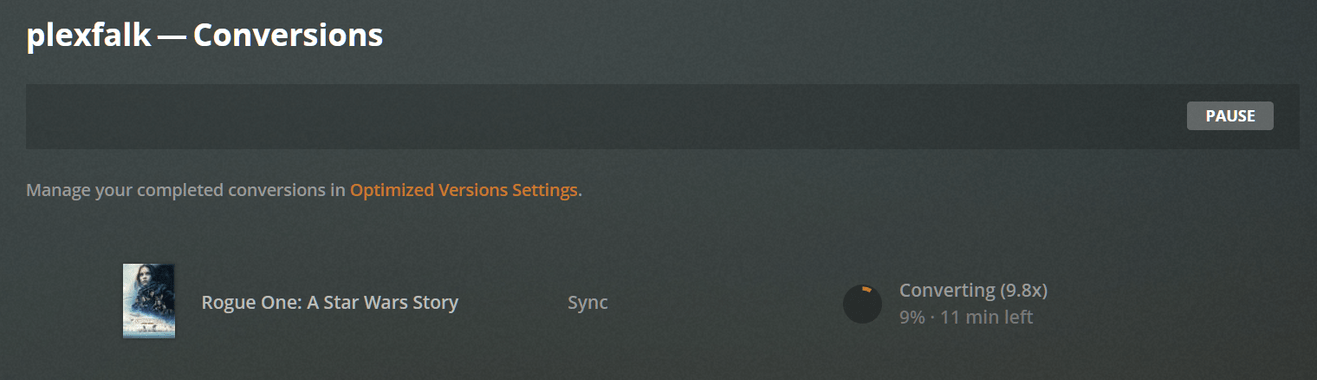
Been having an issue with the last several builds now where i am unable to sync any of my media to android or IOS devices. On the device, it will just say “pending” and on the server, it says “waiting to be converted”
Logs are attached. First time im submitting an issue so apologies if i missed anything out. If I have let me know and I will send it to you.
Oh man, this has been driving me crazy for 6 months or more. I have the settings to sync the original file, so nothing is converting. Seems like pausing conversions is mislabeled if it completely pauses the sync process.
There was nothing in the conversion queue when I opened the page to check if conversions were paused. After resuming conversions, I synced two albums at original quality as a test. The speed of the sync process makes me think nothing was converted. They were both albums of flac files. When I play then Plex says direct play flac with my phone as the source. What would Plex convert them to if I have it set to original quality?
I have a managed user set up for my son and his sync is stuck in “waiting for conversion”. Going to conversions on my account, main account, shows no needed conversions (its empty) and switching to his account we can see in the sync category that items are waiting to be converted but he does not get the option to choose “conversions” (presumably since he is a managed account).
I saw a Reddit post with the same problem, the number of up votes seems to indicate a lot of people have this issue. Maybe there needs to be a notification that tells you conversions are paused when you try to sync. The fact that one is trying to sync with the process paused would indicate they either don’t remember they paused it or they didn’t understand what they paused (or in my case both).
From the managed account there is no option to start the conversion. That menu item is not visible. Please see this screenshot. Please assist if I’m looking in the wrong place. I only get the conversion menu option from the admin account.
Sorry, my mistake. That setting is only controllable by the admin. Can you try syncing something from your account? That should then reveal if the conversion is set to pause or not. Hit resume then cancel the sync you just set.
If it is not paused, then there is something else going on and I’ll need logs from the app and PMS after refreshing the sync jobs.
From the admin account synced a movie. Not paused. Converted and downloaded fine. Paused and started to see if that would kick the managed users sync into action, no luck.
The ipad is still waiting and the state is “waiting to be converted” on the server side.
If I start to sync the same move that is stuck on the managed account from the admin account it works and conversion starts just fine. So therefore I would conclude that there is enough space.
I also have this issue with a manged user, even tried clearing the data on the app and resyncing something…wouldn’t work. Tried same shows with my account and converted no problem. Double checked user permissions and sync is enabled. I’m out of ideas.
has any bodies been fixed, as it appears i have the issue as well and would love for my daughter who does not live with me, to be able to use the sync function.
I have the same issue. Admin user has no issues with sync. I tried to sync about a dozen films across two devices (Pixel Slate and FireHD10). Only three actually synced to the FireHD10. Restarting PMS doesn’t help. There are no pause or unpause options in Conversions menu (through the web interface, but the tablet does have pause/unpause; I’ve tried to toggle it to no avail) and nothing is in the queue even though the managed user’s sync menu shows that it’s pending conversion.