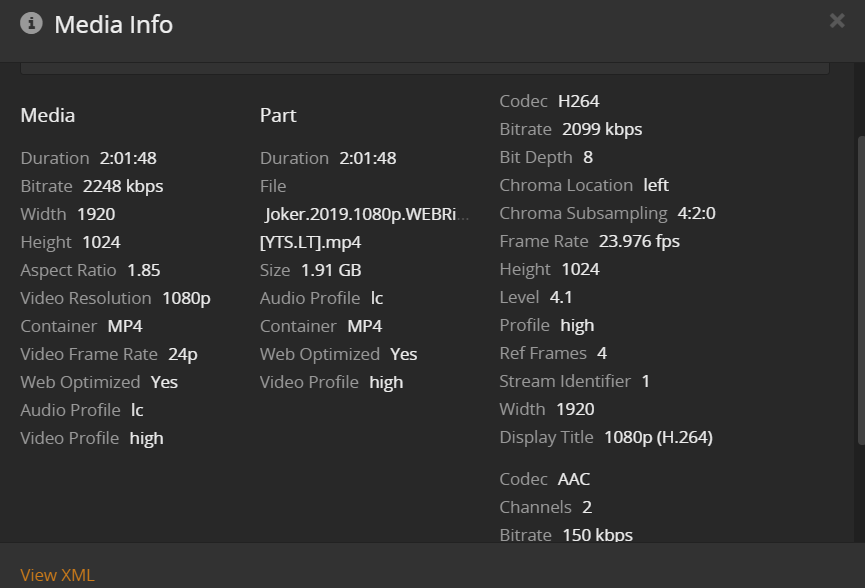
So I just setup my Synology DS218play NAS as a Plex server and everything is working great apart from 1 thing which is that when I try and watch one of my Films I cant choose a quality over 360p.
As you can see its 1080p but 360p is the max resolution I can choose when watching it.
If i go to settings > plex web > quality I have chosen 8mbps 1080p here.
With what client do you experience this behavior and where do you try to set a video quality (e.g. in the client settings vs. when triggering the video to play on its pre-play screen)?
Do you experience this within your home network or with a client outside your network?
As for Settings > Plex Web > Quality > Video Quality… keep in mind this is a setting for Internet Streaming – so it’ll only apply when you’re playing content from outside your home network and if the server’s upload speed is not sufficient to provide the video fast enough.
Internet Streaming
Video quality <options>
Set the default quality for streaming video over the internet. If quality is set too high, videos will start slowly and pause frequently.
Hi Tom, thanks for the fast reply. Im experiencing this on the plex web player. So in my library, I click on the film which then starts playing, then in the bottom right hand corner of the player theres a symbol which looks like 3 sliders which says settings. When I click this then under ‘Quality’ click ‘Show all’ I get the following 3 options only: convert to 328p (0.7mbs), convert to 240p (0.3 mbps), convert to 160p (0.2mbps).
My Nas is setup on my home network and Im trying to watch on my laptop which is connected to the same network. I just tried launching plex straight from my Nas and playing the same film and this time I had all the quality including original available so atleast I know that works.
But how can I increase the quality available over web (so that if I’m away from home or family wants to watch they can see the content in HD)?
If you’re experiencing this while away from home, it seems your Remote Access isn’t properly working. As a result, Plex relies on connecting through a Relay. That relay is provided by Plex but transfer speed is limited to 1 Mbit/s (2 Mbit/s for Plex Pass members).
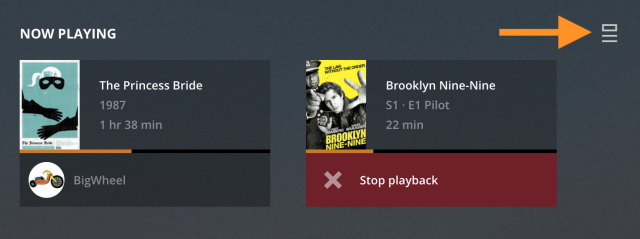
You can check this during playback… open a different browser, open Plex Web and go to the Now Playing section. If the video is playing through a relayed connection, it’ll show as “indirect playback” on that dashboard:
If you’re experiencing the same while in your home network, there could still be some hiccup in your network making the web player believe it’s on a different network than the Plex Media Server.
Not quite sure whats going on here. When using upnp it shows that remote access is fully available (and i used the canyouseemee website to check that the port was really open and it was) but I still get put through the relay when using the web client.
So I also tried setting up a manual port forward on my router on port 32400 and also checked this with canyouseeme and it was opened. But I’m still having the same issue. Also I don’t think I have double NAT as I only have 1 router. Any ideas what I can try?
EDIT: I can also confirm that jumpo frames is not the issue, looking at my NAS LAN connection I can see that the MTU is 1500
Hey guys not sure if this will you guys but I have xfinity and i had to disable the advanced security options. I didnt realize that had gotten turned on. Thanks for the troubleshooting link, i guess i should have read it all the way. good luck