So instead you gave me a log file from another PMS?
Don’t do that again!
So twice I gave you a link to the support site, and there it clearly shows you howto
And when getting the logs, remember to select the correct PMS first
Top of this sceenshot
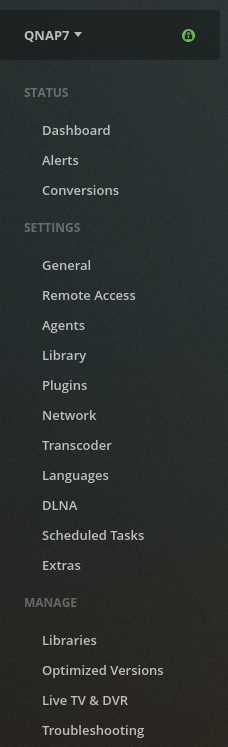
Dane
I am grateful for your help but please do not dis respect me.
Obviously I do not understand where I need to use these instructions.
On the QNAP these settings are not there, so I am not sure where you want me to take the log from.
Not everyone has the level of Plex understanding as you do hence me asking for help. I just need you to be clearer
Thanks
Julian
If I may jump in to help ?
Settings - Server (that menu)
Troubleshooting
Now “Download Logs” button on the main page.
Please attach that for @Dane22
Hi @ChuckPa I seem to have a similar problem and I have tried your solution but it still does not launch.
This is the error that I get when I open the Plex app on my QNAP: “192.168.50.90 unexpectedly closed the connection.”
I looked at the logs and could not see anything there that suggested that the server is not working 100%. All I can think is that for some reason there is either a port conflict or its pointing to the wrong port, but how do I figure that out? Any other suggestions are welcome.
Thanks a lot.
Lappies

