I’ve started relying on the strengths of Stations in Plexamp instead of building a lot of smart playlists (I had a many but lost them all when my HDD died ). Anyhow, I like to have a few hours of my playlists downloaded which worked really well with smart playlists. The downloaded playlist would refresh when I start Plexamp or manually refresh. However, when I download a few hours of a station, I’m not able to get it to refresh. Is there a trick to discarding played songs in a downloaded station and adding new ones?
Hi Peter, I just tested with an Alt Country-Rock station and I was able to refresh it with new content by using the menu for the item itself (long press) and selecting refresh.
Hi Elan,
Okay, that works, thanks. It would be nice if the top right “…” refresh all worked, but at least I can refresh now. By the way, how does refresh work? Does it completely replace all content in the downloaded playlist, or only the played tracks?
Peter
The distinction is important! Refresh All does a refresh of all the items which include e.g. smart playlists where tracks are shifted in and out (e.g. the Fresh playlist).
For playlists and stations which take a random sample, you wouldn’t want this happening every time! So we require you to manually refresh the specific item.
Good to know, thanks! I think I’ll be using the functionality of the individual playlist refresh. I like that behavior especially with the smart playlists. I had them set so that it will pull based on when last played or last skipped, so they were always full of what I had not listened to for a long time.
 ). Anyhow, I like to have a few hours of my playlists downloaded which worked really well with smart playlists. The downloaded playlist would refresh when I start Plexamp or manually refresh. However, when I download a few hours of a station, I’m not able to get it to refresh. Is there a trick to discarding played songs in a downloaded station and adding new ones?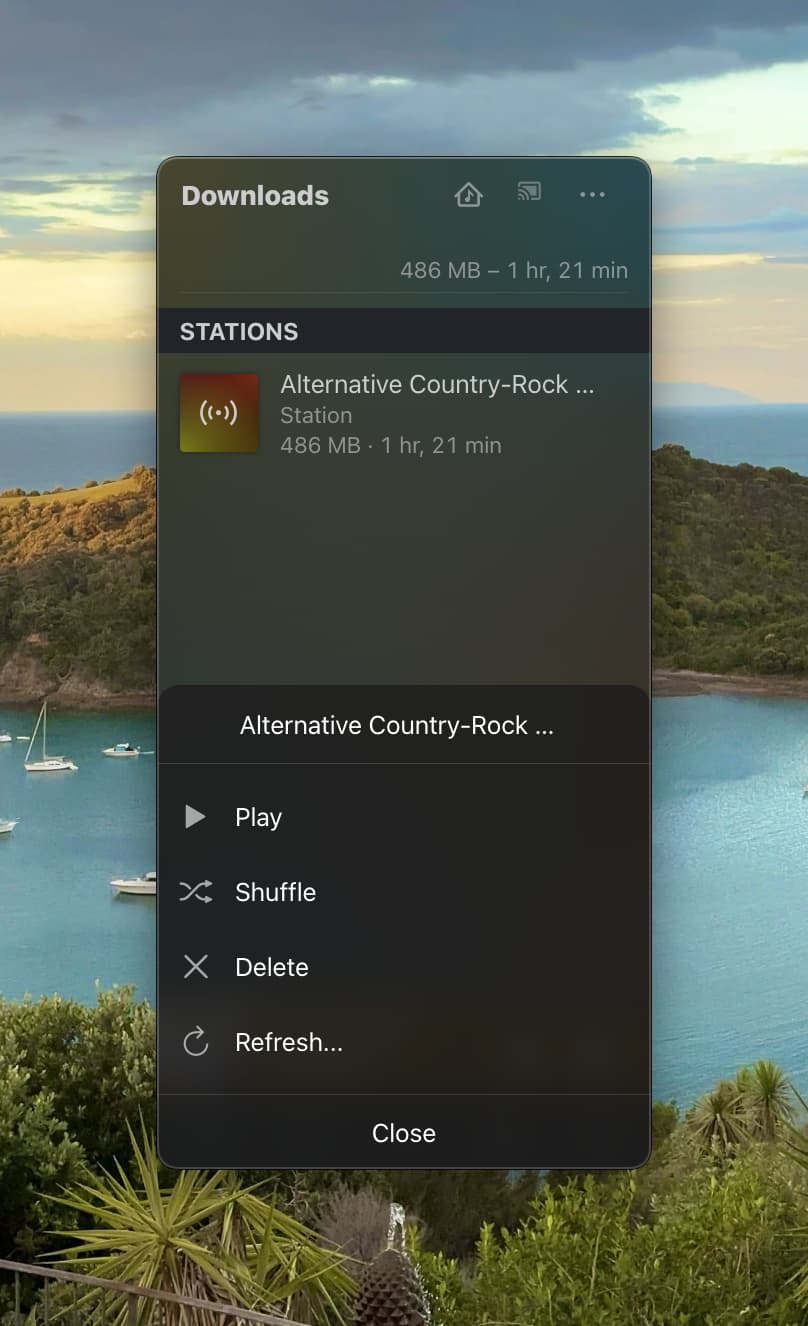
 playlist).