I’ve been a longtime plexamp user and I really love what it does.
One thing thats been bugging me for years though is that if I skip a track and go back to it, it always starts where I left off. Is there any way to configure it so tracks always start at the beginning?
Secondly, I would like to configure the Home screen. In my case its not relevant to see it on top what I have played, as I already know that but I want to see most recently added music.
Any chance to have this user customized in the future?
There’s a library specific option to store track progress (or not).
Make sure you disable that if you don’t want tracks to continue where you left them the last time.
In Plex Web: ⋮ > Manage Library > Edit... → Advanced > Store track progress
As for your second question:
Your server home screen customization should already apply (e.g. published collections should also show on the Plexamp home screen. Beyond that:
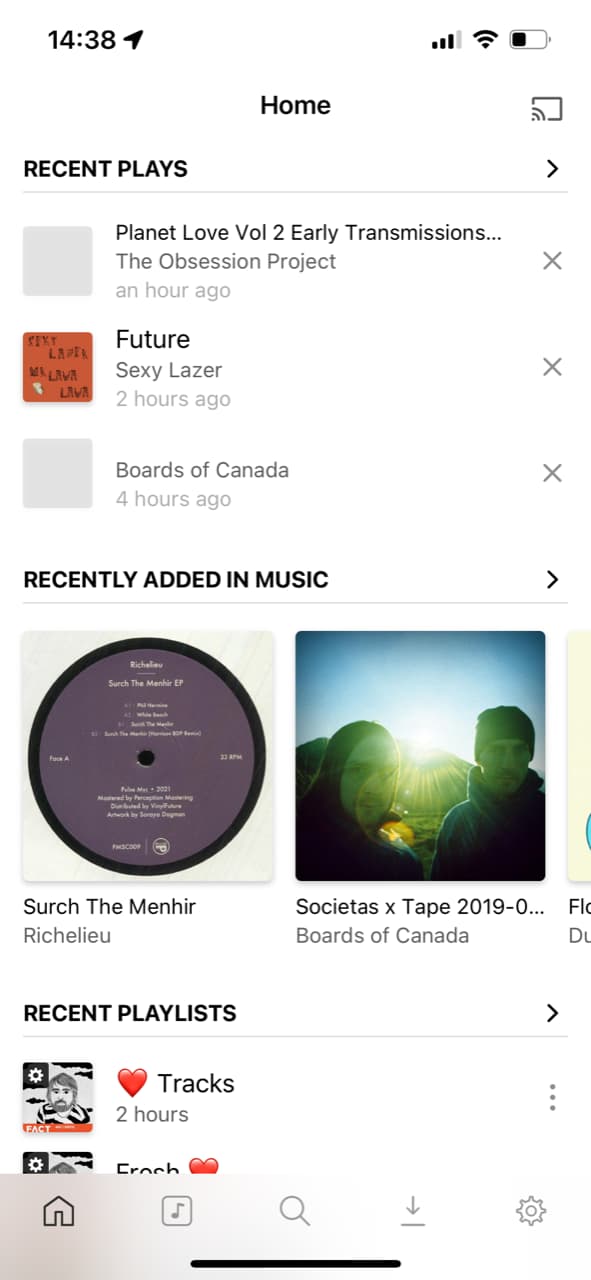

In general, you can’t.
There is one exception: you can “publish” a [smart] collection to the home page of all Plex clients.
If it is a music collection, it will appear on the home page of Plexamp as well.
(in a pre-determined, non-changeable position)
https://support.plex.tv/articles/publishing-collections/
