Server Version#: 1.19.5.3112 (smb)
Player Version#: 7.23.0.13018
Shield experience 8.2
Until this latest shield update i have could not enable transfer files over lan on my shield.
Now that i am able to see the directories on the shield i can move files get logs and such.
I have the latest PMS but if i update the client the PMS service stops and will not start.
After i setup the PMS on the shield I go to a web browser, can see the shield under server but if i try to manage the server by choosing it in the drop down from general it does not show so i cant add the media from my nas to it. Plex Media Server.log (645.8 KB)
I have uploaded my PMS log and hope there is something that help me to correct this problem.
Why cant i manage the shield PMS from the web app?
If i can do that i can at least add media and use it i hope.
Any help would be greatly appreciated.
I have reset the device Plex Media Server.log (346.8 KB)
Added new log information.
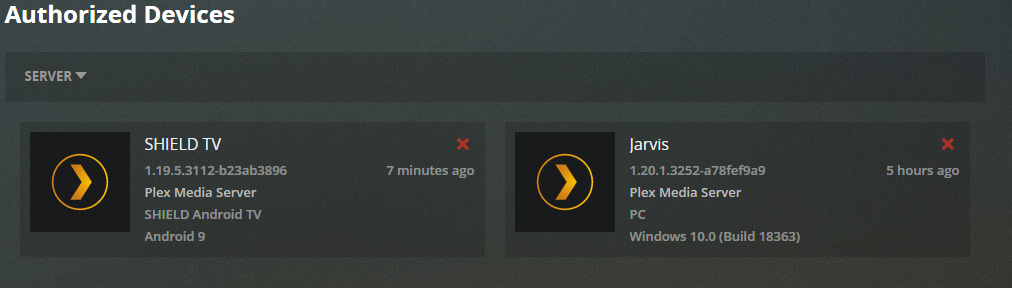
The shield appears as server and client in authorized devices but i cant manage it as a server from the web app. It never shows.
Any errors jump out that i could troubleshoot or work on?
Fyi, upgraded to latest client from play store and pms.
PMS: v1.19.5.3112
Now pms will not start at all. Plex Media Server.log (72.5 KB)
I also am uploading pms plugin logs com.plexapp.system.log (222.7 KB)
Funny how i keep just adding to my own thread.
I am now able to get plex client and pms to stay running.
If
Client version is not updated
Client: 7.23.0.13018
PMS: v1.19.5.3112(smb)
Not sure what is the problem.
What makes it even more frustrating is for a test i loaded kodi and had it running within 30.
I dont want to use it rather than Kodi but the entire reason i bought the shield was to run media server on. Thank you
Great news,
It turns out thanks to an article I happened to come across led me to the fix.
My problem appeared to be pms would not stay running on a new shield tv pro.
However the root problem was something not showing in any logs that i could find.
Using a browser i went to http://<ip of shield>:32400/web
Confirm the shield server appears in authorized devices.
On shield move PMS and Plex client app to user accessible storage.
Open the preferences.xml
Mine was under: \\<shield IP>\Internal\Android\data\com.plexapp.mediaserver.smb\Plex Media Server\preferences.xml
Stop PMS service on the shield
Remove the entries noted in the Faq article.
This is important add PublishServerOnPlexOnlineKey=“1” this published my server to plex.tv , save file.
Start PMS service on the shield.
After that i was able to manage PMS on the shield, add libraries and so on.
Last thing i did was update my Plex client app on the shield and life is happy.