I have read all the FAQ Topics about Port Forwarding and been through a couple dozen YouTube videos the last 2 weeks trying to get Remote Access to work. It shows connected for 3-4 seconds and disconnects. My Plex Server is on Win10 Laptop and I have a DSL Modem with built-in WIFI. I have a Static IP Address, everything after that has failed.
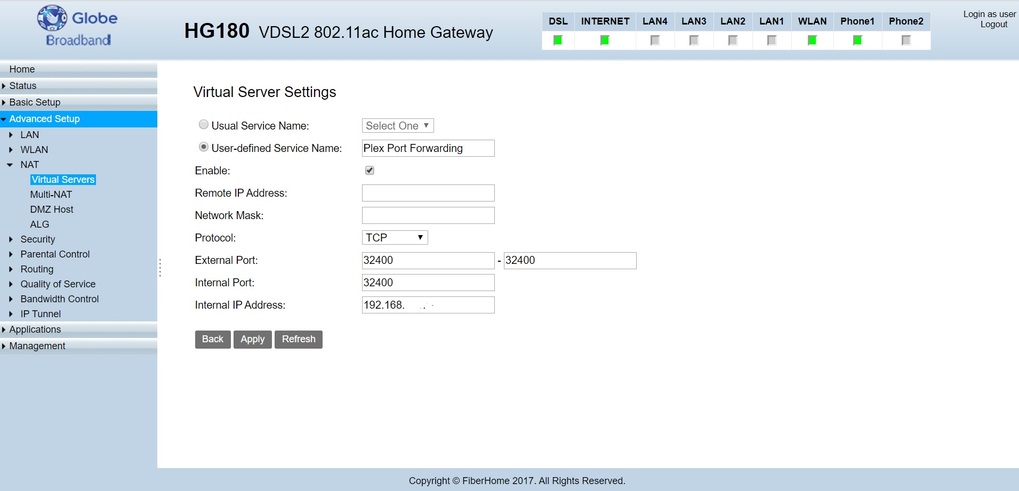
I think I found the Port Forwarding area - but there are more blanks than I have answers to. Once signed into the router I go to Advance Setup - NAT - Virtual Servers, click Add and it asks for the following:
Remote IP Address: ? (different than my Static IP?)
Network Mask: ? (where does this come from?)
Protocol: TCP/UDP (or I can select just TCP or UDP)
External Port: - (looks like it wants a range?)
Internal Port: ? (use 32400?)
Internal IP Address: ? (this is where my Static IP goes?)
The 2 IP addresses and Network Mask are throwing me off. For external Port maybe try 32300-32500 and leave Plex to auto or manually tell Plex 32400?
Thanks
Where? A public static IP (i.e. on the internet-facing side of your router)
or a static IP in your local network?
Remote IP Address: Don’t define it. It can be different for every client.
Network Mask: no idea
Protocol: TCP/UDP: Only TCP
External Port: - Either leave the second input field empty or put the same number in both fields
Internal Port: 32400
Internal IP Address: The internal IP of your Plex server. Yes, it makes sense to give it a static IP in the local network. Simply so, that this port forwarding rule doesn’t get invalidated by an IP change.
What is your router model?
Are there more than one “router-like” devices in your home network?
Compare the IP shown in Plex under Settings - Server - Remote - “Public” with the one shown on canyouseeme.org . Do they differ?
Static IP in my local network. It is the same as Plex shows for ‘Private’, canyouseeme shows the same as what Plex shows for ‘Public’
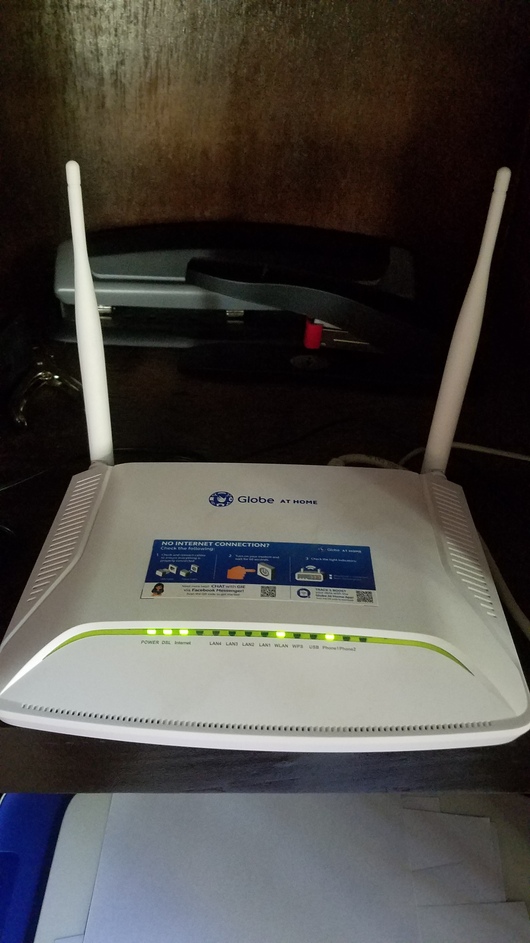
My DSL Router/Modem is the only unit between me and the internet. it is
FiberHome
VDSL 2 Home Gateway
HG180
I had the Public IP as the Remote IP, and Private IP as Internal IP, 255.255.25.0 as the mask. I blanked out the 1st 2 and changed External port to 32400-32400. No change in Plex not connecting.
Should be 255.255.255.0, but is also depending on the IP address range in your home network.
Did you tick the checkbox in Plex
Settings - Server - Remote - “Manually specify public port” and put 32400 behind it? You have to, or Plex won’t use the manually created port forwarding.
After you did this, restart Plex server, then let it sit for at least an hour.
If you have access to the “DNS server” setting in your router, set it to 8.8.8.8 (instead of the default address put in there by your ISP).
After making any changes to the router, restart it.
The remote IP address and netmask settings are likely there to restrict where the requests can originate; try leaving those blank. You should only need to provide the external port, internal port, internal IP, and protocol. For both the internal and external ports, try 32400. The internal IP should be that of your Plex Media Server. Protocol should be TCP. In the remote access settings on the server, make sure you manually specify 32400 as the port.
Based on the above advise, I currently have the settings as:
Remote IP Address: left blank
Network Mask: left blank
Protocol: TCP
External Port: 32400 - 32400
Internal Port: 32400
Internal IP Address: my static IP which matches Private IP in Plex Server
Plex Server: manually specify port is checked and set to 32400
I have shut down laptop and turned off router. Turned router on, waited for it to boot, then turned computer back on. Same issue, Plex Server connects for about 4 seconds and disconnects.
I had the same issue recently upgrading to gig internet with one of my ISP’s wonderful devices (a ‘modem’ is on order - then they can have this thing back - and stop charging me for it).
After a few techs at the ISP passed it around the office, the tech with a Plex server turned off ‘The Gateway’ - and poof… daylight.
We had the thing in bridge mode, but the gateway had us by the short ones.
(we were wanting to completely bypass everything, except the Modem and use my router instead - your case seems different, but… check it out)
Yes, thanks. I have read there can be an issue when using a router connected to the modem. In my case, my provider uses a DSL Modem/WiFi Router all in one unit. This is my first time with DSL and 90% of the settings are jibberish to me.
That’s what they have here - currently everything except the modem is disabled.
You’re gonna need that stuff.
I do think a call to the ISP would be beneficial.
Most of them are eager to help - if they know what you’re trying to do and the reason why you can’t.
I was talking to some guys about 20 miles from here and we didn’t need subtitles. I hope you have a similar experience.
I will also mention they’ll be able to deal with everything up to and including that device of theirs. After that it’s all you, unless one of them ‘knows something special’ about a Plex server on their equipment (here’s hoping). It’s possible, likely, in fact, you’ll have to return here for the kill shot… or something like that.
In the meantime, any and all suggestions by the participants should be followed up thoroughly.
You don’t know the half of it, I am living in the Philippines now. Customer service here doesn’t require as high a level of English as US Companies do.