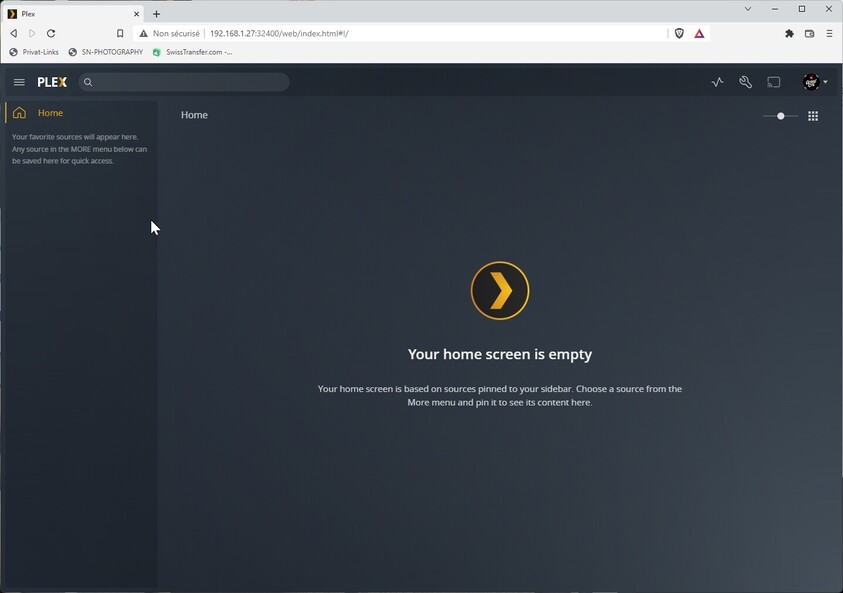
Sorry for creating a new post, but there are so much posts and suggestions to solve the problem, and I tried different things out, but it doesn’t work.
My problem appears after the password reset yesterday. Now, wenn I log in, I become following message on the home: “Your home screen is empty”.
I’m on synology (DSM 6.2.4-25556 Update 6) with PLEX 124.3.5033-6000.
How can I fix the problem (please in simple words)?
Thanks for your help!
Stephan
Hello tom
Thanks for your answer.
I tried it, but I arrive at the last point “claim it again”… what should i do there?
Second question: if I update plex, are the libraries (that should be there) still there after that? And if I update the DSM to 7 and the plex, would they still be there too?
Claim it again refers to signing the server into your account (Settings > [Server Name] > General → Sign In). If that’s not available/accessible you’ll have to proceed to the “hard reset” approach.
Upgrading your PMS will keep your server data intact.
Upgrading your Syno to DSM7 is a more complex job as Syno has applied some significant changes to their OS. There’s an extensive guide on how to handle upgrading to DSM7 while keeping your config/data.
Can you please confirm what output you got for the subsequent steps of the “hard reset” procedure?
e.g. did you find the Plex Media Server share and the preferences.xml file? Were you able to remove the mentioned key/value pairs as described…?
Could you attach a zip-file of the logs folder in the Plex Media Server share?